tuero/onedark.nvim
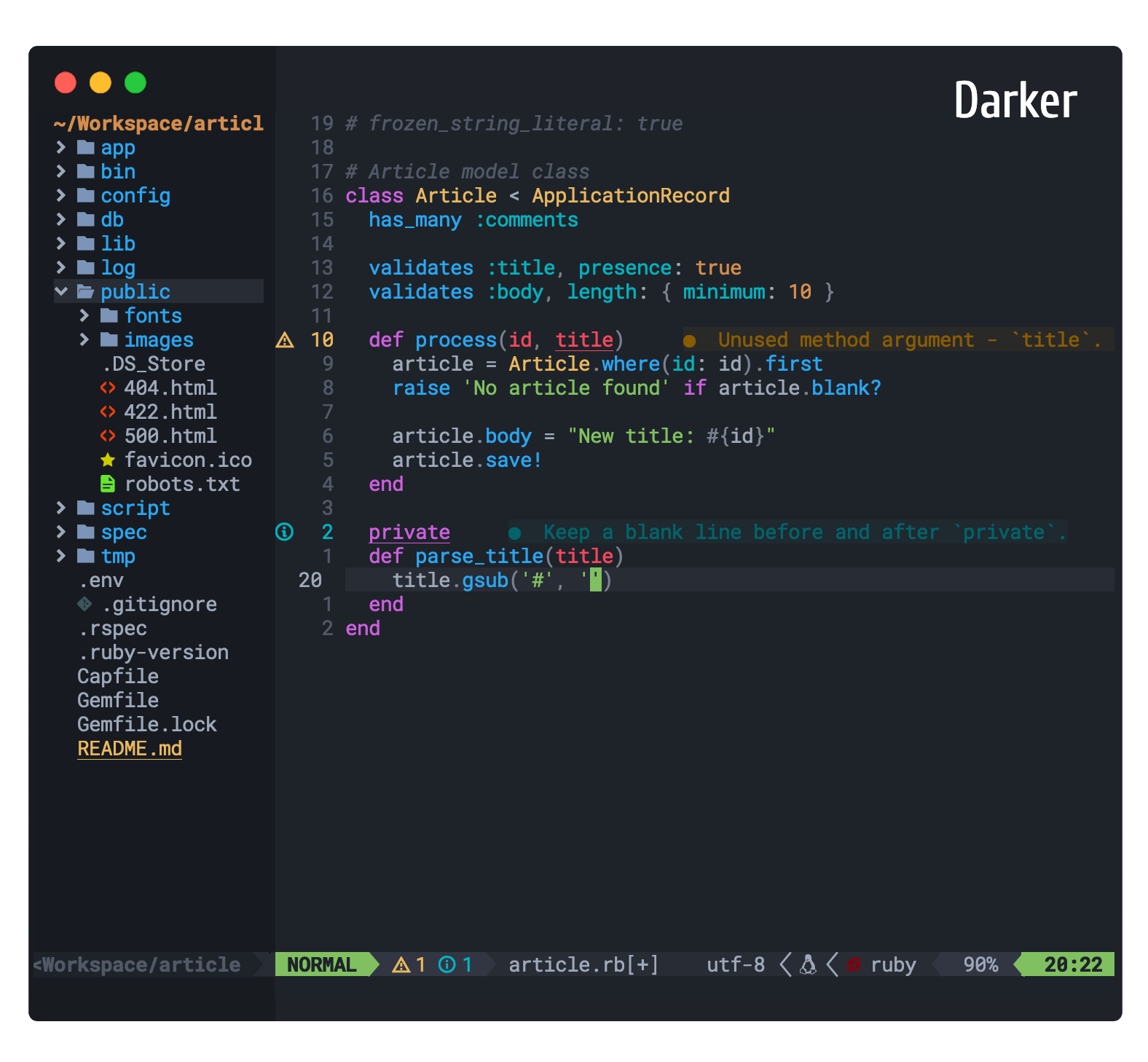
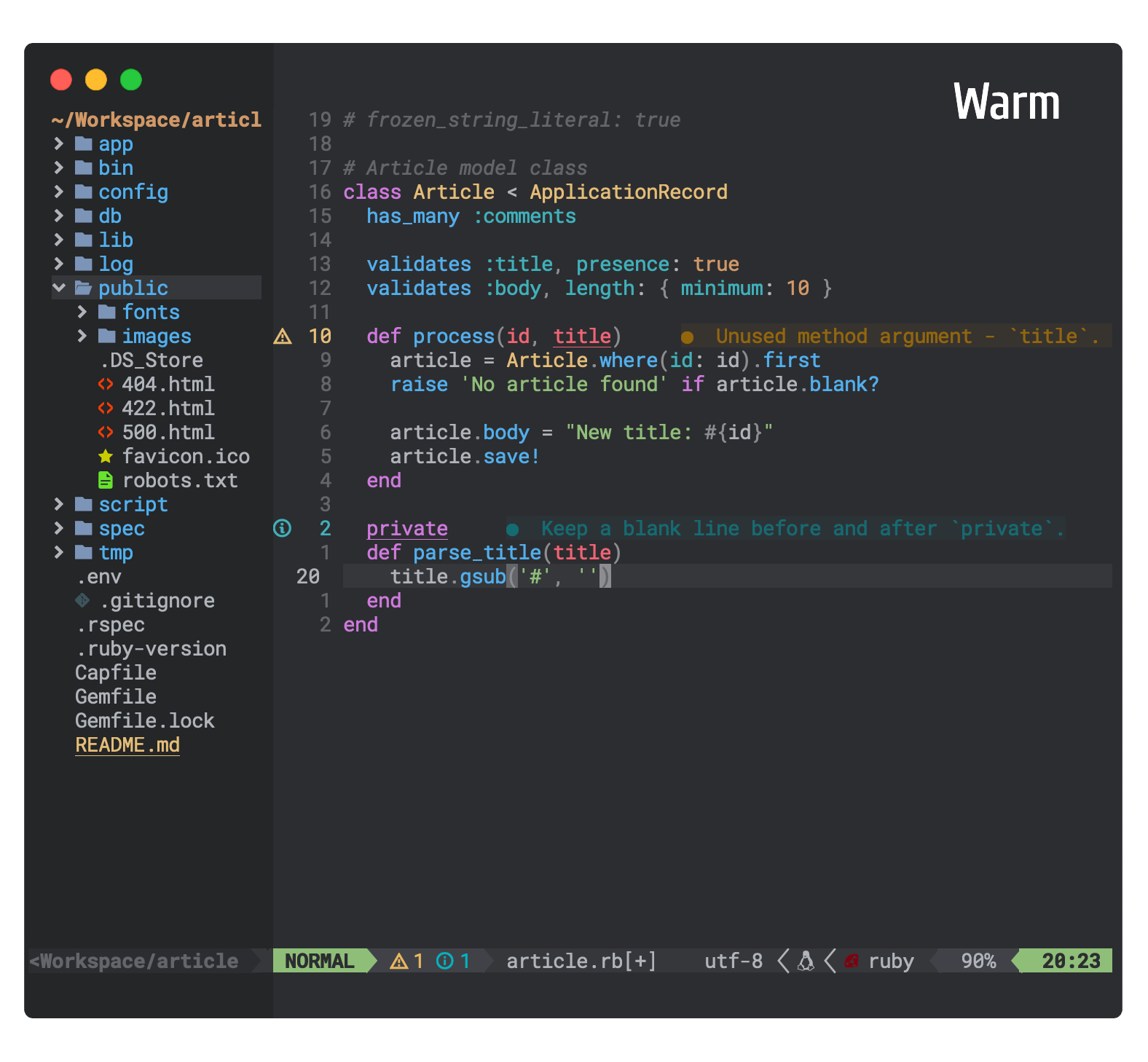
One dark and light colorscheme for neovim >= 0.5.0 written in lua based on Atom's One Dark and Light theme. Additionally, it comes with 5 color variant styles
Dark and Light Themes for neovim >= 0.9 based on Atom One Dark & Atom One Light theme written in lua with TreeSitter syntax highlight.
Requirements
- Neovim 0.9.0+ - For modern TreeSitter captures, LSP semantic tokens, and full feature support
- For Neovim 0.5-0.8, use v0.1.0
- For Vim / Neovim < 0.5, prefer joshdick/onedark.vim
Features
- 8 theme styles (One Dark + 5 variants) and (One Light + 1 variant)
- Supporting multiple plugins with hand picked proper colors
- Customize
Colors,HighlightsandCode styleof the theme as you like (Refer Customization) - Toggle the theme style without exiting Neovim using
toggle_style_key(Refer Config)
Themes




Installation
For Neovim 0.9+ (Latest Version)
Install the latest version from master:
-- Using Lazy
{
  "navarasu/onedark.nvim",
  priority = 1000, -- make sure to load this before all the other start plugins
  config = function()
    require('onedark').setup {
      style = 'darker'
    }
    require('onedark').load()
  end
}
" Using Vim-Plug
Plug 'navarasu/onedark.nvim'-- Using Packer
use 'navarasu/onedark.nvim'For Neovim 0.5-0.8 (Legacy Version)
Pin to v0.1.0 for compatibility with older Neovim:
-- Using Lazy
{
  "navarasu/onedark.nvim",
  version = "v0.1.0", -- Pin to legacy version
  priority = 1000,
  config = function()
    require('onedark').setup {
      style = 'darker'
    }
    require('onedark').load()
  end
}
" Using Vim-Plug
Plug 'navarasu/onedark.nvim', { 'tag': 'v0.1.0' }-- Using Packer
use { 'navarasu/onedark.nvim', tag = 'v0.1.0' }Configuration
Enable theme
-- Lua
require('onedark').load()
" Vim
colorscheme onedarkChange default style
-- Lua
require('onedark').setup {
    style = 'darker'
}
require('onedark').load()
" Vim
let g:onedark_config = {
\ 'style': 'darker',
\}
colorscheme onedarkOptions: dark, darker, cool, deep, warm, warmer, light
Default Configuration
-- Lua
require('onedark').setup  {
    -- Main options --
    style = 'dark', -- Default theme style. Choose between 'dark', 'darker', 'cool', 'deep', 'warm', 'warmer' and 'light'
    transparent = false,  -- Show/hide background
    term_colors = true, -- Change terminal color as per the selected theme style
    ending_tildes = false, -- Show the end-of-buffer tildes. By default they are hidden
    cmp_itemkind_reverse = false, -- reverse item kind highlights in cmp menu

    -- toggle theme style ---
    toggle_style_key = nil, -- keybind to toggle theme style. Leave it nil to disable it, or set it to a string, for example "<leader>ts"
    toggle_style_list = {'dark', 'darker', 'cool', 'deep', 'warm', 'warmer', 'light'}, -- List of styles to toggle between

    -- Change code style ---
    -- Options are italic, bold, underline, none
    -- You can configure multiple style with comma separated, For e.g., keywords = 'italic,bold'
    code_style = {
        comments = 'italic',
        keywords = 'none',
        functions = 'none',
        strings = 'none',
        variables = 'none'
    },

    -- Lualine options --
    lualine = {
        transparent = false, -- lualine center bar transparency
    },

    -- Custom Highlights --
    colors = {}, -- Override default colors
    highlights = {}, -- Override highlight groups

    -- Plugins Config --
    diagnostics = {
        darker = true, -- darker colors for diagnostic
        undercurl = true,   -- use undercurl instead of underline for diagnostics
        background = true,    -- use background color for virtual text
    },
}
Vimscript configuration
Onedark can be configured also with Vimscript, using the global dictionary g:onedark_config.
NOTE: when setting boolean values use v:true and v:false instead of 0 and 1
Example:
let g:onedark_config = {
  \ 'style': 'deep',
  \ 'toggle_style_key': '<leader>ts',
  \ 'ending_tildes': v:true,
  \ 'diagnostics': {
    \ 'darker': v:false,
    \ 'background': v:false,
  \ },
\ }
colorscheme onedark
Customization
Example custom colors and Highlights config
require('onedark').setup {
  colors = {
    bright_orange = "#ff8800",    -- define a new color
    green = '#00ffaa',            -- redefine an existing color
  },
  highlights = {
    ["@lsp.type.keyword"] = { fg = "$green" },
    ["@lsp.type.property"] = {fg = '$bright_orange', bg = '#00ff00', fmt = 'bold'},
    ["@lsp.type.function"] =  {fg = '#0000ff', sp = '$cyan', fmt = 'underline,italic'},
    ["@lsp.type.method"] = { link = "@function" },
  -- To add language specific config
    ["@lsp.type.variable.go"] = { fg = "none" },
  }
}
Note that TreeSitter keywords have been changed after neovim version 0.8 and onwards.
TS prefix is trimmed and lowercase words should be used separated with '.'
The old way before neovim 0.8 looks like this.
For all keywords see this file from line 133 to 257
require('onedark').setup {
  colors = {
    bright_orange = "#ff8800",    -- define a new color
    green = '#00ffaa',            -- redefine an existing color
  },
  highlights = {
    TSKeyword = {fg = '$green'},
    TSString = {fg = '$bright_orange', bg = '#00ff00', fmt = 'bold'},
    TSFunction = {fg = '#0000ff', sp = '$cyan', fmt = 'underline,italic'},
    TSFuncBuiltin = {fg = '#0059ff'}
  }
}
Plugins Configuration
Enable lualine
To Enable the onedark theme for Lualine, specify theme as onedark:
require('lualine').setup {
  options = {
    theme = 'onedark'
    -- ... your lualine config
  }
}
Plugins Supported
- TreeSitter
- LSPDiagnostics
- NvimTree
- Telescope
- WhichKey
- Dashboard
- Lualine
- GitGutter
- GitSigns
- VimFugitive
- DiffView
- Hop
- Mini
- Neo-tree
- Neotest
- Barbecue
- IndentBlankline
- vim-illuminate
- indentmini
Reference
Contributing
Pull requests are welcome 🎉👍.