thinkall/jupyter-mcp-server
🪐 ✨ Jupyter Model Context Protocol (MCP) Server.


🪐 ✨ Jupyter MCP Server


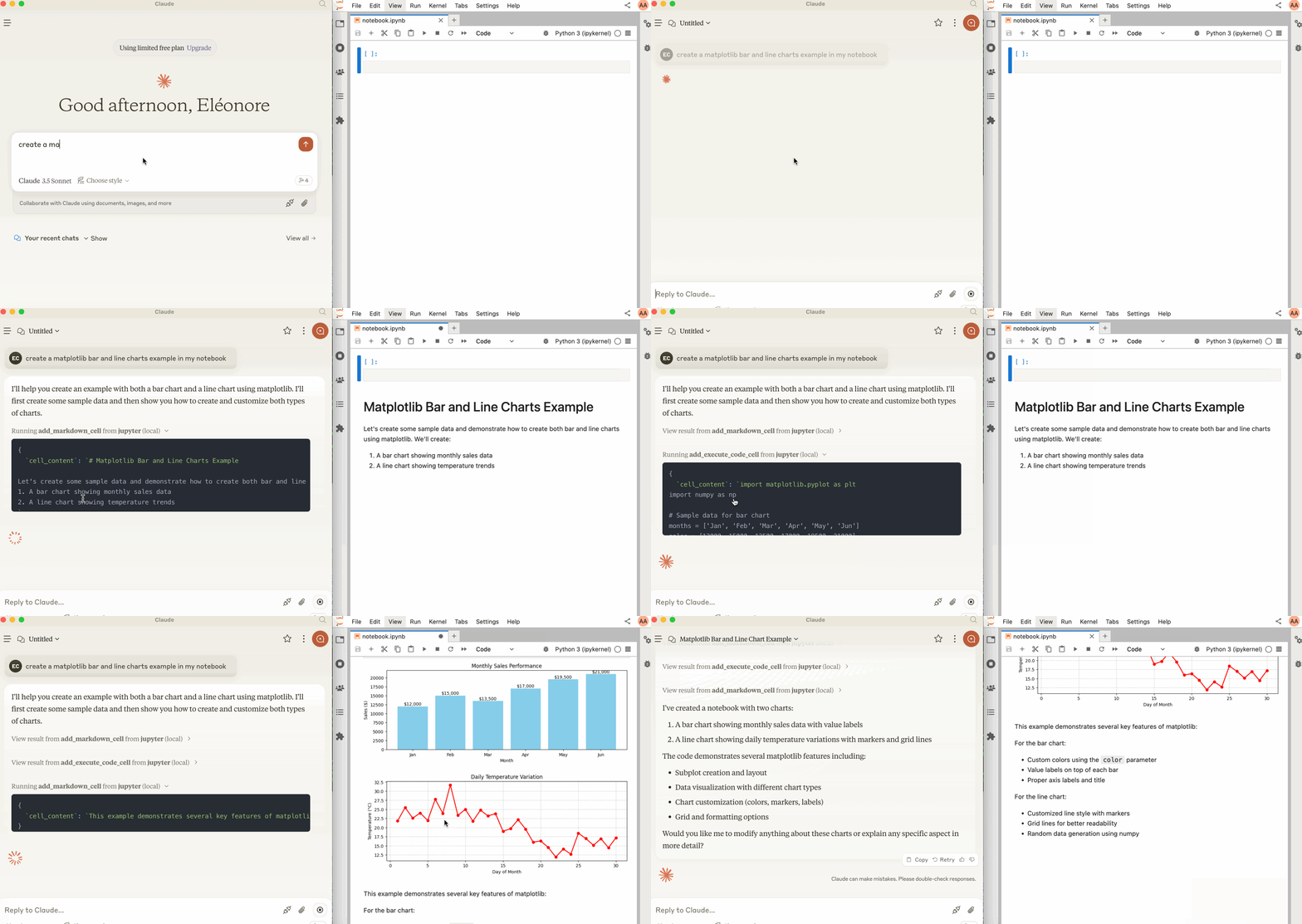
Jupyter MCP Server is a Model Context Protocol (MCP) server implementation that provides interaction with Jupyter notebooks 📓 running in a local JupyterLab 💻.
Start JupyterLab
Make sure you have the following installed. The modifications made on the notebook can be seen thanks to Jupyter Real Time Collaboration (RTC).
pip install jupyterlab jupyter-collaboration ipykernelThen, start JupyterLab with the following command:
jupyter lab --port 8888 --IdentityProvider.token MY_TOKEN --ip 0.0.0.0Note
The --ip is set to 0.0.0.0 to allow the MCP server running in a Docker container to access your local JupyterLab.
Usage with Claude Desktop
To use this with Claude Desktop, add the following to your claude_desktop_config.json:
Important
Ensure the port of the SERVER_URLand TOKEN match those used in the jupyter lab command.
The NOTEBOOK_PATH should be relative to the directory where JupyterLab was started.
MacOS and Windows
{
  "mcpServers": {
    "jupyter": {
      "command": "docker",
      "args": [
        "run",
        "-i",
        "--rm",
        "-e",
        "SERVER_URL",
        "-e",
        "TOKEN",
        "-e",
        "NOTEBOOK_PATH",
        "datalayer/jupyter-mcp-server:latest"
      ],
      "env": {
        "SERVER_URL": "http://host.docker.internal:8888",
        "TOKEN": "MY_TOKEN",
        "NOTEBOOK_PATH": "notebook.ipynb"
      }
    }
  }
}
Linux
{
  "mcpServers": {
    "jupyter": {
      "command": "docker",
      "args": [
        "run",
        "-i",
        "--rm",
        "-e",
        "SERVER_URL",
        "-e",
        "TOKEN",
        "-e",
        "NOTEBOOK_PATH",
        "--network=host",
        "datalayer/jupyter-mcp-server:latest"
      ],
      "env": {
        "SERVER_URL": "http://localhost:8888",
        "TOKEN": "MY_TOKEN",
        "NOTEBOOK_PATH": "notebook.ipynb"
      }
    }
  }
}
Components
Tools
The server currently offers 3 tools:
add_execute_code_cell
- Add and execute a code cell in a Jupyter notebook.
- Input:
cell_content(string): Code to be executed.
- Returns: Cell output.
add_markdown_cell
- Add a markdown cell in a Jupyter notebook.
- Input:
cell_content(string): Markdown content.
- Returns: Success message.
-
download_earth_data_granules⚠️ We plan to migrate this tool to a separate repository in the future as it is specific to Geospatial analysis.
- Add a code cell in a Jupyter notebook to download Earth data granules from NASA Earth Data.
- Input:
folder_name(string): Local folder name to save the data.short_name(string): Short name of the Earth dataset to download.count(int): Number of data granules to download.temporal(tuple): (Optional) Temporal range in the format (date_from, date_to).bounding_box(tuple): (Optional) Bounding box in the format (lower_left_lon, lower_left_lat, upper_right_lon, upper_right_lat).
- Returns: Cell output.
Building
docker build -t datalayer/jupyter-mcp-server .Installing via Smithery
To install Jupyter MCP Server for Claude Desktop automatically via Smithery:
npx -y @smithery/cli install @datalayer/jupyter-mcp-server --client claude