TH
HSTS Parser





HSTS Parser is a simple tool to parse Firefox and Chrome's HSTS databases into actually helpful forensic artifacts! You can read more about the research behind this tool and potential uses for it over on my blog!
Installation
HSTS Parser can be installed via pip, or as a native executable.
From PyPi
If you already have Python installed, you can install HSTS Parser using pip.
pip install hstsparserOn Fedora


HSTS Parser is available for Fedora 38+.
dnf install hstsparserOn Windows
Windows binaries are published by GitHub Actions CI for each release of HSTS Parser. You can download these on the releases page.
Usage
All of the below documentation is written for the Python version rather than the standalone executable, but the commands will be the same.
$ hstsparser -h
usage: hstsparser [-h] [-w WORDLIST] [--csv CSV] (--firefox | --chrome) FILE

Process HSTS databases

positional arguments:
  FILE         The path to the database to be processed

optional arguments:
  -h, --help   show this help message and exit
  -w WORDLIST  The path to a file containing a wordlist for bruteforcing hashes
  --csv CSV    Output to a CSV file
  --firefox    Process a Firefox database
  --chrome     Process a Chrome database
Examples
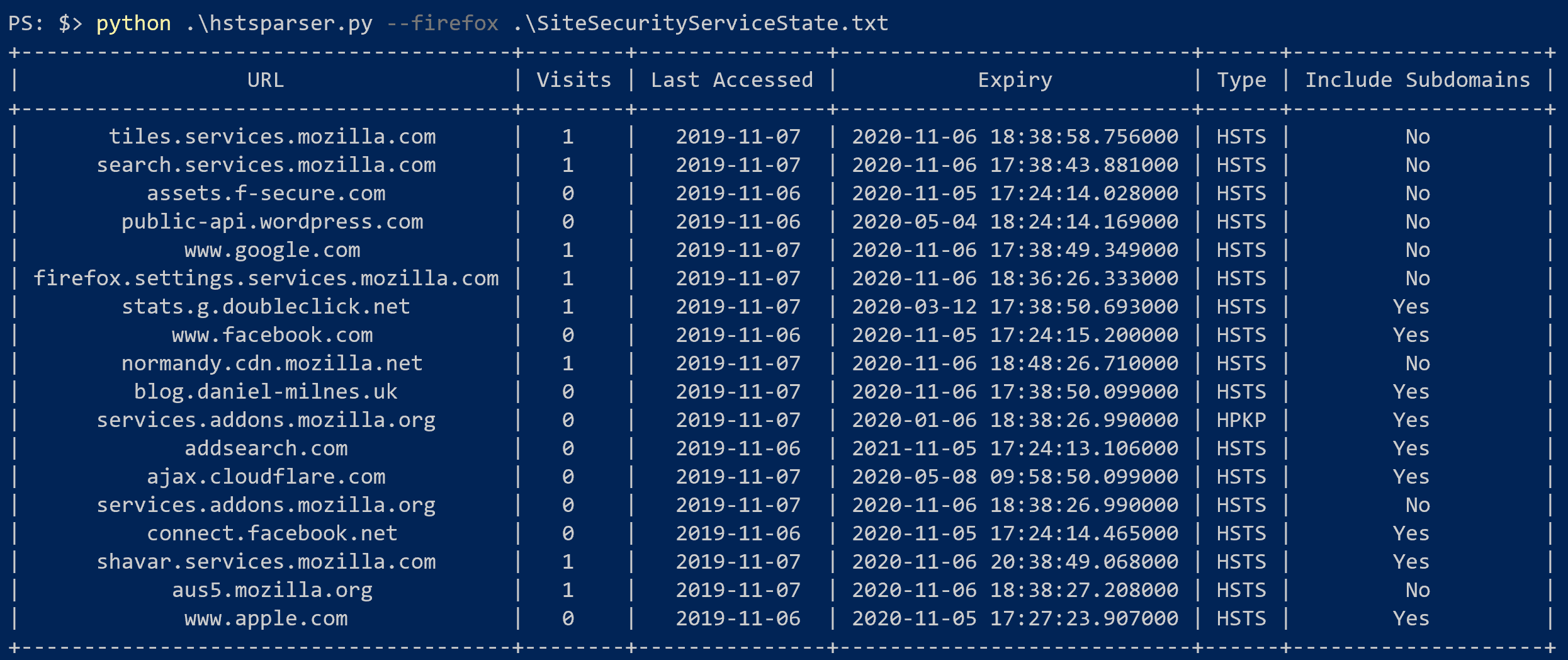
Firefox
hstsparser --firefox SiteSecurityServiceState.txtChrome
hstsparser --chrome TransportSecurityChrome with Wordlist
hstsparser -w wordlist.txt --chrome TransportSecurity