stephenlzc/GenImageText
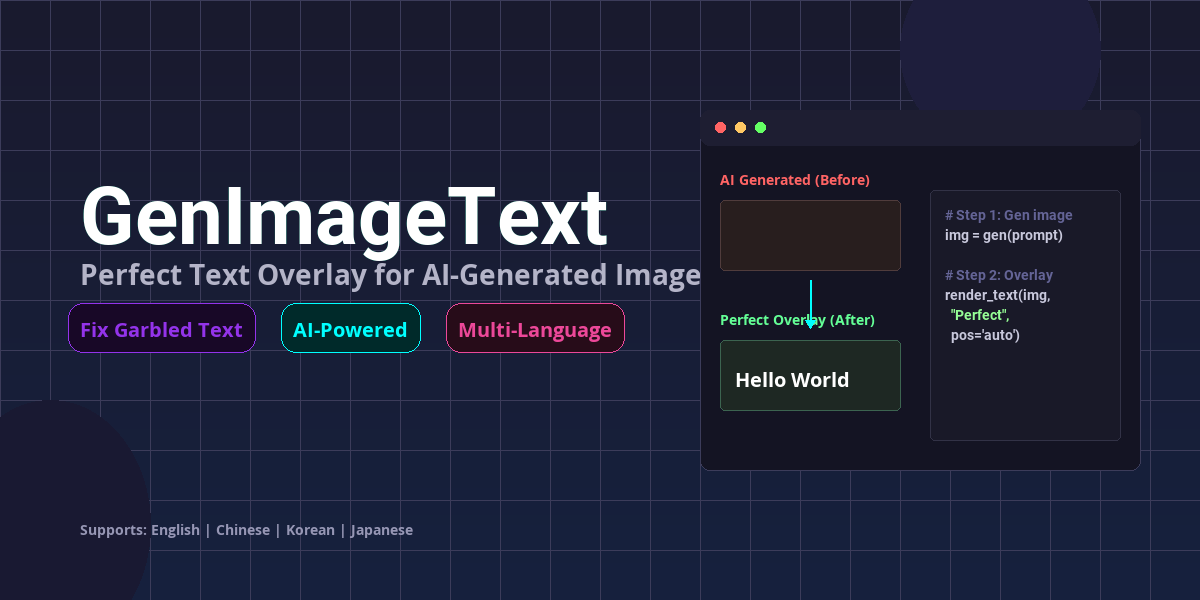
Fix imperfect AI-generated text in images by separating image generation and text overlay. Supports Chinese, Japanese, Korean, and English.
GenImageText

⚠️ IMPORTANT: This is NOT an image generator. It adds perfect text to images created by your AI tools.
Fix imperfect AI-generated text in images by separating image generation and text overlay.
🌐 English | 简体中文 | 繁體中文 | 日本語 | 한국어
What This Tool Does
AI-generated images often contain garbled or imperfect text, especially for Chinese, Japanese, Korean (CJK) and other non-Latin scripts. This tool solves this problem by separating the workflow:
- This Skill separates your prompt → image-only prompt + text requirements
- Your AI Tool generates the clean base image (Midjourney, DALL-E, Stable Diffusion, etc.)
- This Skill analyzes the image for optimal text placement
- This Skill renders perfect text with professional typography
Supported AI Image Generators
Use any of these tools for Step 2 (image generation):
| Tool | Platform | Best For |
|---|---|---|
| Midjourney | Discord | High-quality artistic images |
| DALL-E 3 | ChatGPT, OpenAI API | Easy to use, great prompt understanding |
| Stable Diffusion | Local, Hugging Face, Replicate | Open-source, customizable |
| Google Gemini/Imagen | Google AI Studio, Gemini Pro | Integrated with Google's ecosystem |
| Adobe Firefly | Adobe Creative Suite | Commercial use, safe for business |
| Microsoft Bing Image Creator | Bing, Microsoft Designer | Free, powered by DALL-E 3 |
| Flux.1 | API, Local | High-quality open-source model |
| Leonardo.ai | Web, App | Game assets, concept art |
| Ideogram | Web | Text rendering in images |
| Playground AI | Web | Free tier available |
Key Point: This skill does NOT generate images. It only adds text to images created by the tools above.
For AI Agents (Natural Language Installation)
Copy and paste this prompt to your LLM agent (Claude Code, Kimi Code, Cursor, etc.):
Install the GenImageText skill to my workspace.
Clone from: https://github.com/stephenlzc/GenImageText
Set up all dependencies and verify the installation by running a test with Chinese text extraction.
Installation
Requirements
- Python 3.8+
- Python packages:
pip install Pillow numpy
Git Clone
git clone https://github.com/stephenlzc/GenImageText
cd GenImageText
Usage
Step 1: Separate Prompt (This Skill)
from scripts.prompt_separator import separate_prompt

result = separate_prompt("Movie poster with 'Interstellar' title")
# result['image_prompt']: Clean visual description without text
# result['text_requirements']: Structured text data
Step 2: Generate Base Image (Your AI Tool)
⚠️ This step uses YOUR AI image generator, NOT this skill.
Use the image_prompt with your preferred AI image generator:
- Midjourney - Discord-based generation
- DALL-E 3 (ChatGPT Plus, OpenAI API)
- Stable Diffusion - Local or cloud-based
- Google Gemini/Imagen
- Adobe Firefly
- Microsoft Bing Image Creator (Free)
- Any other AI image tool you prefer
Step 3: Analyze Image (This Skill)
from scripts.image_analyzer import analyze_image, get_text_placement_suggestions

analysis = analyze_image("base_image.png", text_requirements)
placements = get_text_placement_suggestions(analysis, text_requirements)
Step 4: Render Text (This Skill)
from scripts.text_renderer import render_text_on_image

output_path = render_text_on_image(
    image_path="base_image.png",
    output_path="final_image.png",
    placements=placements,
    user_choices={
        "font_style": "modern",
        "effects": ["shadow", "outline"]
    }
)
Font Handling
Fonts are loaded with the following priority:
- User-provided font path: If specified
- Skill assets: Check
assets/fonts/directory - System fonts: Search common system font directories
- Fallback: Default PIL font
Font Recommendations by Language
简体中文 (Simplified Chinese)
| Font File | Font Name | Style | Best For |
|---|---|---|---|
NotoSansCJKsc-Bold.otf |
思源黑体 Bold | Modern | Posters, tech style, business |
NotoSerifCJKsc-Bold.otf |
思源宋体 Bold | Traditional | Cultural themes, formal documents |
繁體中文 (Traditional Chinese)
| Font File | Font Name | Style | Best For |
|---|---|---|---|
NotoSansCJKtc-Bold.otf |
思源黑體 Bold | Modern | Taiwan/Hong Kong, business docs |
한국어 (Korean)
| Font File | Font Name | Style | Best For |
|---|---|---|---|
NotoSansCJKkr-Bold.otf |
본고딕 Bold | Modern | Korean posters, modern design |
English / Latin
| Font File | Font Name | Style | Best For |
|---|---|---|---|
Roboto-Bold.ttf |
Roboto Bold | Modern | Tech posters, clean designs |
OpenSans-Bold.ttf |
Open Sans Bold | Humanist | Web content, versatile use |
Download Fonts
You can manually download fonts from Google Fonts or Noto Fonts and place them in assets/fonts/:
- Noto CJK Fonts: https://www.google.com/get/noto/
- Roboto: https://fonts.google.com/specimen/Roboto
- Open Sans: https://fonts.google.com/specimen/Open+Sans
All fonts are free for commercial use under SIL Open Font License or Apache License 2.0.
Project Structure
GenImageText/
├── scripts/                # Python scripts
│   ├── prompt_separator.py
│   ├── image_analyzer.py
│   └── text_renderer.py
├── assets/fonts/           # Fonts directory
└── references/             # Reference materials
License
MIT © stephenlzc