softwares-compound/Neocadmium
Smart log analysis and debugging assistant for backend developers
Neocadmium
Neocadmium started as a personal project to make backend development less painful. Now it's grown into a powerful toolkit that combines log analysis, AI capabilities, and a clean interface to help developers work smarter.
What makes it special?
Neocadmium brings together three key innovations:
- A graph-based system for parsing and understanding logs
- Custom-trained local AI models that actually understand your code
- RAG (Retrieve-and-Generate) services that make sense of your development context
Watch it in action
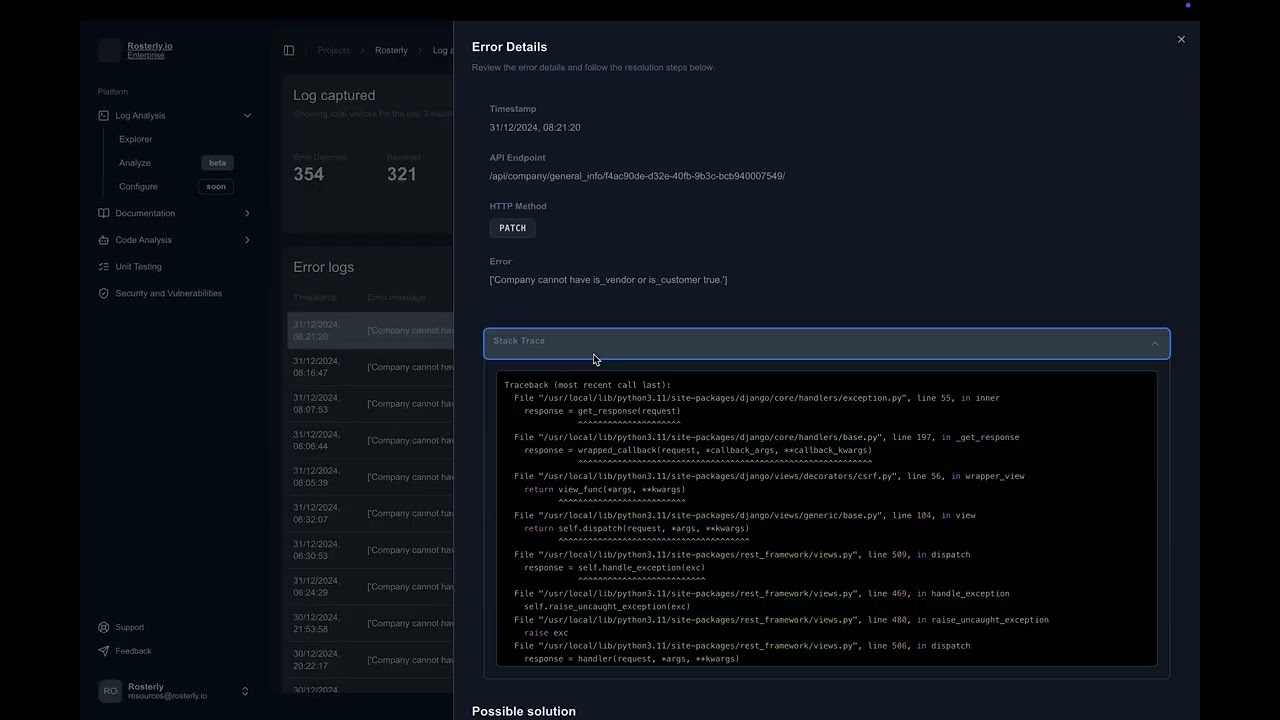
Want to see how it all comes together? Check out our latest demo where we walk through real-world examples of Neocadmium helping developers track down tricky bugs and optimize their workflow.
Core Features
Smart Log Analysis
We've built a graph-based system that helps you navigate even the most complex codebases. When something goes wrong, Neocadmium helps you trace the issue through your logs with visual tools and AI-powered insights.
AI Under the Hood
Neocadmium runs on locally-trained AI models that we've optimized specifically for understanding code and logs. Need more horsepower? We integrate smoothly with OpenAI, Ollama, and Anthropic's APIs.
Clean, Fast Interface
The frontend is built in React and packaged as an Electron app, giving you a snappy desktop experience with real-time log viewing and interactive dashboards.
Platform Support
Currently runs like a charm on macOS and Linux. Windows support is in the works!
Project Structure
.
├── ai-service/         # AI backend
├── electron-app/       # Frontend interface
├── db/                 # Database files
├── storage/           # App storage
├── target-codebases/  # Codebase storage
├── scripts/           # Install scripts
│   ├── install_dependencies.sh
│   ├── install_mac.sh
│   ├── install_linux.sh
│   ├── install_windows.ps1
├── Makefile          # Setup automation
├── README.md         # You are here
Getting Started
Before you begin
Make sure you have:
- Python 3.13 or newer
- Node.js 18 or newer
- Ollama installed (for macOS/Linux users)
Setup
- Clone it:
git clone <repository_url>
cd Neocadmium- Install what you need:
# On macOS/Linux:
bash scripts/install_dependencies.sh

# On Windows:
pwsh scripts/install_windows.ps1
Daily Use
Fire up the AI service:
make start-ai-serviceLaunch the interface:
make start-electron-appOr start everything at once:
make start-allNeed a directory overview? (Skips noise like venv and node_modules):
make print-treeDevelopment
Testing
Test the AI bits:
pytest ai-service/testsTest the interface:
cd electron-app
npm test
Code Quality
Check Python code:
flake8 ai-service/Check JavaScript/TypeScript:
cd electron-app
npm run lint
What's Next?
- Full Windows support with proper dependency management
- A cloud portal for advanced features
- Even smarter AI models for better code and log analysis
- Automated testing and deployment pipeline
The Story So Far
Neocadmium began as a way to make backend development less frustrating. We've hit some cool milestones along the way:
- Built a graph system that actually makes sense of code
- Trained AI models that understand logs like developers do
- Created an interface that doesn't get in your way
Where we're headed: We want to build a network of smart tools that fundamentally improve how we work with backend systems.
Want to Help?
We'd love your input! Here's how:
- Fork the repo
- Create your feature branch (
feature/your-idea) - Send us a pull request with details about your changes
License
MIT Licensed. See the LICENSE file for the fine print.
Questions?
Reach out to Ben at bannawandoor@gmail.com or to Amar at amarkumar.sharma.124@gmail.com