


Docker UI
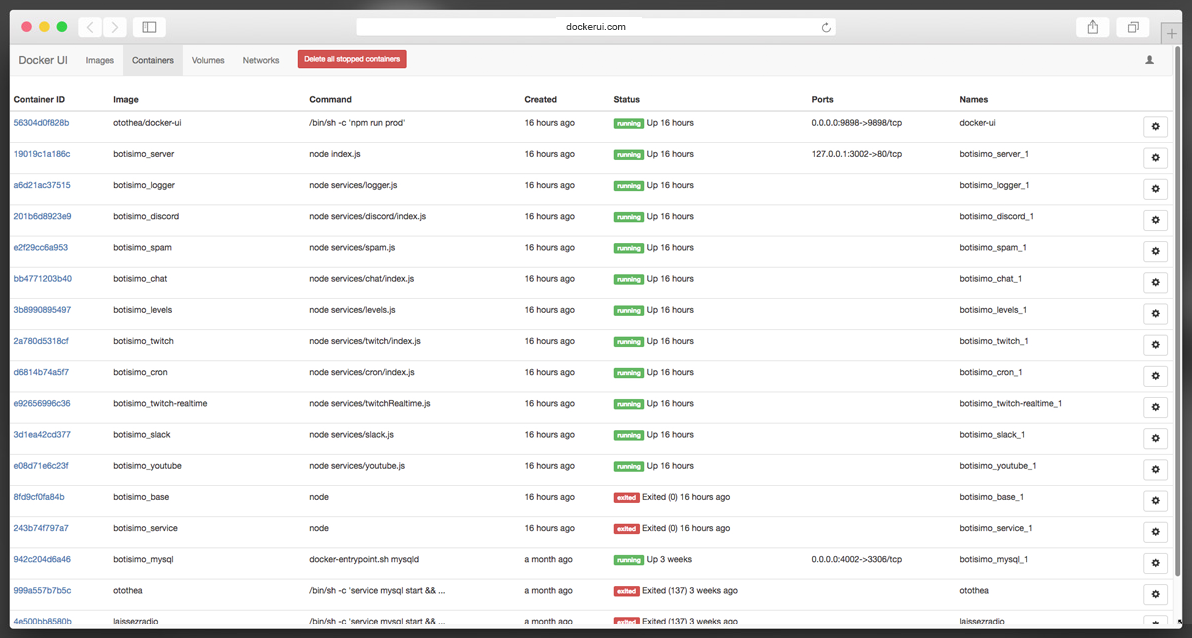
Docker UI is a web app for viewing and managing Docker images, containers, volumes, etc in a web browser.
This project is also meant to serve as a working example of how to build a full-stack web app using:
- NodeJS
- ExpressJS
- ReactJS
- MobX
- FuseBox
Usage
Production (Docker)
Pull the image
docker pull otothea/docker-uiRun it
docker run -d -p 9898:9898 \
  -v /var/run/docker.sock:/var/run/docker.sock \
  --name docker-ui \
  otothea/docker-ui
Run it with authentication (see environment variables)
docker run -d -p 9898:9898 \
  -v /var/run/docker.sock:/var/run/docker.sock \
  --name docker-ui \
  -e DOCKER_UI_HTTPS=1 \
  -e DOCKER_UI_USER=username \
  -e DOCKER_UI_PASS=password \
  -e DOCKER_UI_SECRET=supersecretsessionkey \
  otothea/docker-ui
Production (Node)
Clone the repository
git clone https://github.com/otothea/docker-ui.gitChange to the repository directory
cd docker-uiInstall the production dependencies
npm install --prodCopy the config and adjust as needed (see config options)
cp config.example.js config.jsStart the server
npm run prodDevelopment
Clone the repository
git clone https://github.com/otothea/docker-ui.gitChange to the repository directory
cd docker-uiInstall the dependencies
npm installCopy the config and adjust as needed (see config options)
cp config.example.js config.jsStart the client
npm run watchStart the server
npm startConfig Options
- host
string- the hostname the API listens on - port
number- the port the API listens on - [debugger]
number- the port the debugger listens on (required if dev) - [https]
boolean- force https - [httpsProto]
boolean- trustx-forwarded-protoheader (only set totrueif you know you need this) - [user]
string- the username to access the UI - [pass]
string- the password to access the UI (required ifuseris set) - [secret]
string- the express session key (required ifuseris set)
Environment Variables
- DOCKER_UI_HOST - override config.host
- DOCKER_UI_PORT - override config.port
- DOCKER_UI_DEBUGGER - override config.debugger
- DOCKER_UI_HTTPS - override config.https
- DOCKER_UI_HTTPS_PROTO - override config.httpsProto
- DOCKER_UI_USER - override config.user
- DOCKER_UI_PASS - override config.pass
- DOCKER_UI_SECRET - override config.secret
Testing
There are currently no tests.
Contributing
Pull requests are welcome.