
JupyterGIS - A JupyterLab extension for collaborative GIS

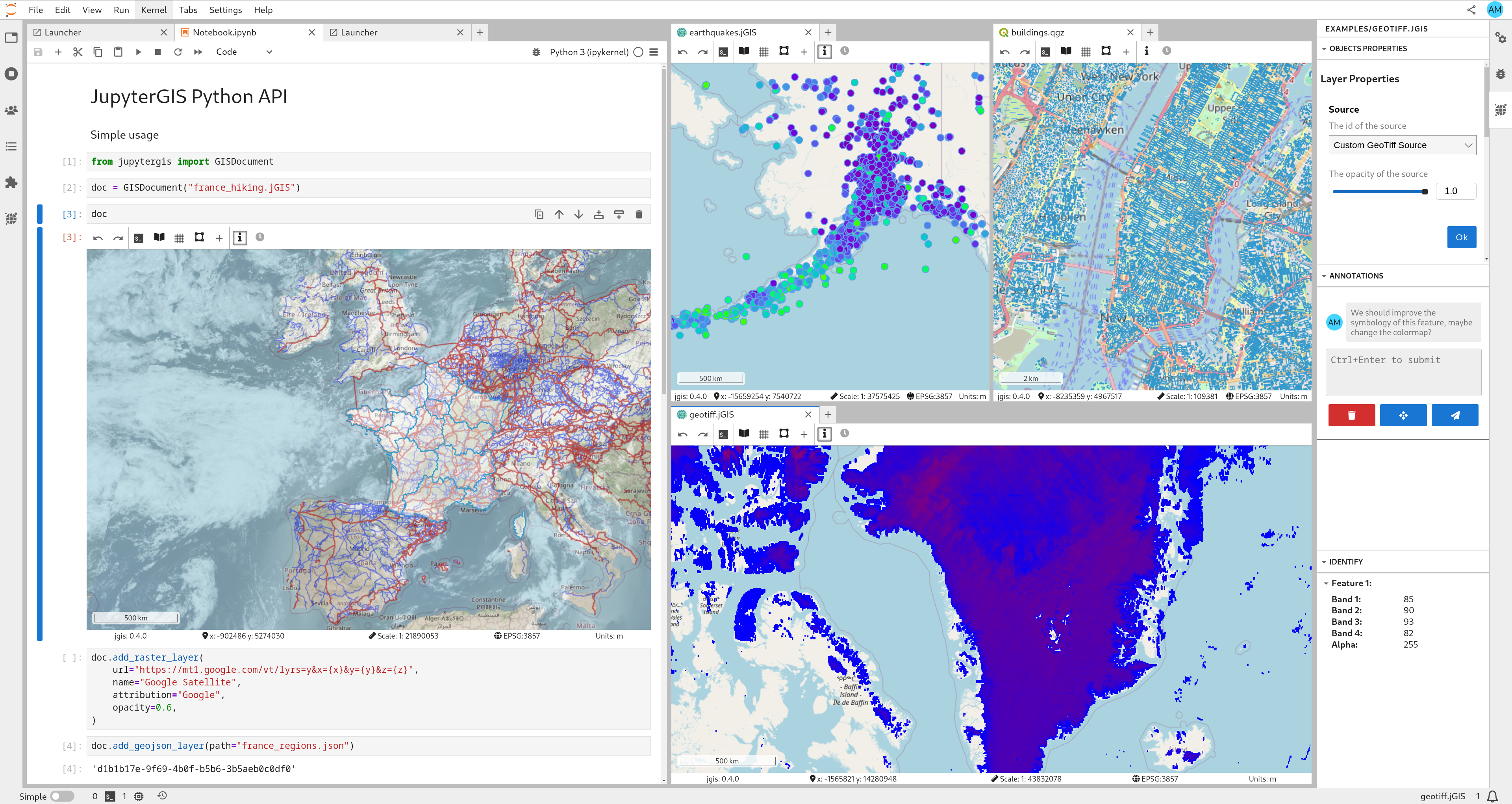
Features
- Collaborative GIS Environment: Work together on geographic data projects in real-time.
- QGIS File Support: Load, visualize, and manipulate QGIS project files (
.qgs,.qgz), and other GIS data formats. - Interactive Maps: Render interactive maps and geospatial visualizations within Jupyter notebooks using the JupyterGIS Python API.
🪄 Try JupyterGIS now in Notebook.link! ✨
This demo runs a JupyterLite instance entirely in your browser with WebAssembly! 🤯
Powered by Notebook.link and JupyterLite.
Please note that JupyterGIS' real-time collaboration features are not yet supported in JupyterLite.
Installation
Prerequisites
- JupyterLab (version 3.0 or higher)
- (OPTIONAL) QGIS installed on your system and its Python modules available in the PATH. e.g.
mamba install --channel conda-forge qgis
Installing JupyterGIS
From PyPI
python -m pip install jupytergisFrom conda-forge
JupyterGIS is also packaged and distributed on conda-forge.
To install and add JupyterGIS to a project with pixi, from the project directory run
pixi add jupytergis
and to install into a particular conda environment with mamba, in the activated environment run
mamba install --channel conda-forge jupytergis
With Docker
docker run -p 8888:8888 ghcr.io/geojupyter/jupytergis:latestReplace latest with a specific version number if you prefer.
Docker build source is at https://github.com/geojupyter/jupytergis-docker.
Deploying JupyterGIS with JupyterLite
You can run JupyterGIS entirely in the browser using JupyterLite.
- Create a repository using the xeus-lite-demo template.
- In your fork, edit
environment.ymland add:- jupytergis-lite - Add your data and jGIS files under the
content/directory of your repository.
These files will be available directly inside your Lite deployment. - Enable GitHub Pages under Settings → Pages for your repository.
- Once the build completes, your Lite deployment will be live at:
https://<username>.github.io/<repo-name>/
This provides a lightweight, fully browser-based JupyterGIS environment — no server required.
Important
Collaboration is not yet supported in JupyterLite static deployments.
Documentation
https://jupytergis.readthedocs.io
Contributing
We welcome contributions from the community! To contribute:
- Fork the repository
- Make a dev install of JupyterGIS
- Create a new branch
- Make your changes
- Submit a pull request
For more details, check out our CONTRIBUTING.md.
License
JupyterGIS is licensed under the BSD 3-Clause License. See LICENSE for more information.