💬 Slack Influence Bot 🔍




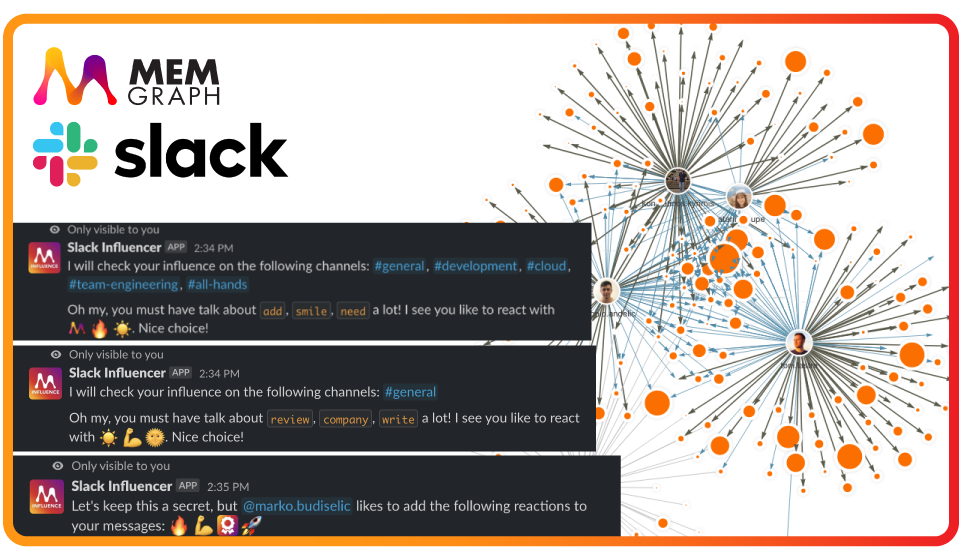
Are you curious about the affinity of the people in your organization? Do you
ever wonder what kind of conversation draws the most attention in your community
or the most frequently used emojis? Slack Influencer allows you to
introspect your Slack community providing you with valuable insights and
analytics of its members.
At its core, Slack Influencer uses Memgraph to leverage the power of
knowledge graphs while scraping slack messages in real-time. The data produced
is then stored in Memgraph and consumed by your soon-to-be favorite Slack bot
plugin. The bot acts as an interactive tool in that the user queries for
analytics.
⚙️ Requirements
🖥️ Quick start
Setup Slack bot application
Make sure to set up a Slack bot application where you will need two tokens for
the application to work
- Application token:
xapp-...(step 2 below) - Bot token:
xoxb-...(step 5 below)
Follow the steps below to create the bot, set up scopes, and get the tokens:
- Create a Slack app if you don't already have one, or select an existing app
you've created. - Under Basic Information > App-Level Tokens create a new App Token
with a scopeconnections:write. - Under Socket Mode make sure to enable the socket mode.
- Under Slash Commands create the following commands:
- Name:
/influence - Short description:
Influence the community - Usage hint:
[help | me | channel | message] - Escape channels, users, and links sent to your app:
Checked!
- Name:
- Under *OAuth & Permissions generate a Bot User OAuth Token and add the
following scopes to "Bot Token Scopes":app_mentions:readchannels:history,channels:readgroups:history,groups:readusers:read,users.profile:readchat:writecommandsreactions:read
- Under Event Subscriptions make sure to enable Events and to select the
following events for "Subscribe to bot events":message.channelsmessage.groupsreaction_addedreaction_removedmember_joined_channel
- Add the bot to all the public channels that you want to handle with the
project - Once you have two tokens, feel free to save them locally in the
.envfile
in the following format:
export SLACK_BOT_TOKEN=xoxb-...
export SLACK_APP_TOKEN=xapp-...
Start the platform
Environment
Before starting a platform that consists of the Slack bot application, Kafka,
Zookeeper, and Memgraph, make sure to have environment variables
SLACK_BOT_TOKEN and SLACK_APP_TOKEN defined.
You can check if the environment variables are set by calling the following
command:
docker-compose configIn the output, you should see the values of your tokens in the following two
lines:
...
      - SLACK_BOT_TOKEN=xoxb-...
      - SLACK_APP_TOKEN=xapp-...
...
Build and run
Run the platform with the following command:
docker-compose up
Tools
Connect to Memgraph
Download Memgraph Lab and connect to running
Memgraph:
Username: <Empty>
Password: <Empty>
Endpoint: localhost 7687
Encrypted: Off
Connect to Kafka
If you wish the check the state of Kafka and the topic where slack events have
been produced to, run the following command:
docker run -it -p 9000:9000 -e KAFKA_BROKERCONNECT=localhost:9092 obsidiandynamics/kafdrop
Note: If you are running Docker on Mac or Windows, the value of
KAFKA_BROKERCONNECTshould behost.docker.internal:9093.
Open up the internet browser and to the address
localhost:9000.
Load the historical data
When you start the platform, you will start to receive events from that point
on. If you wish to include messages and reactions from public/private channels
where the bot is a member, you can use the utility functions to load up the last
N messages (including reactions and thread replies) from channels:
# Get 100 messages (with threads and reactions) from public/private channels where
# bot is member of and forward it to the local file `events.json`
python main.py history --message-count=100 > history-messages.json

# Or even do that at the application startup
python3 main.py --history-message-count=100

# If you wanna see all available commands, just run
python3 main.py --help

# For every slack historical event, forward it to the Kafka so Memgraph can fetch it
# and update the graph model
cat events.json | python3 scripts/kafka_json_producer.py slack-events
❔ Find out more about Memgraph
Memgraph makes creating real-time streaming graph applications accessible to
every developer. Spin up an instance, consume data directly from Kafka, and
build on top of everything from super-fast graph queries to PageRank and
Community Detection.
Contributors ✨
Thanks goes to these wonderful people (emoji
key):
 Toni Lastre |
 Kostas Kyrimis |  Nikolina Motocic |
This project follows the
all-contributors
specification. Contributions of any kind welcome!