Jinja Template Highlighting
Syntax highlighting for jinja(2) including HTML, Markdown, YAML and other templates.
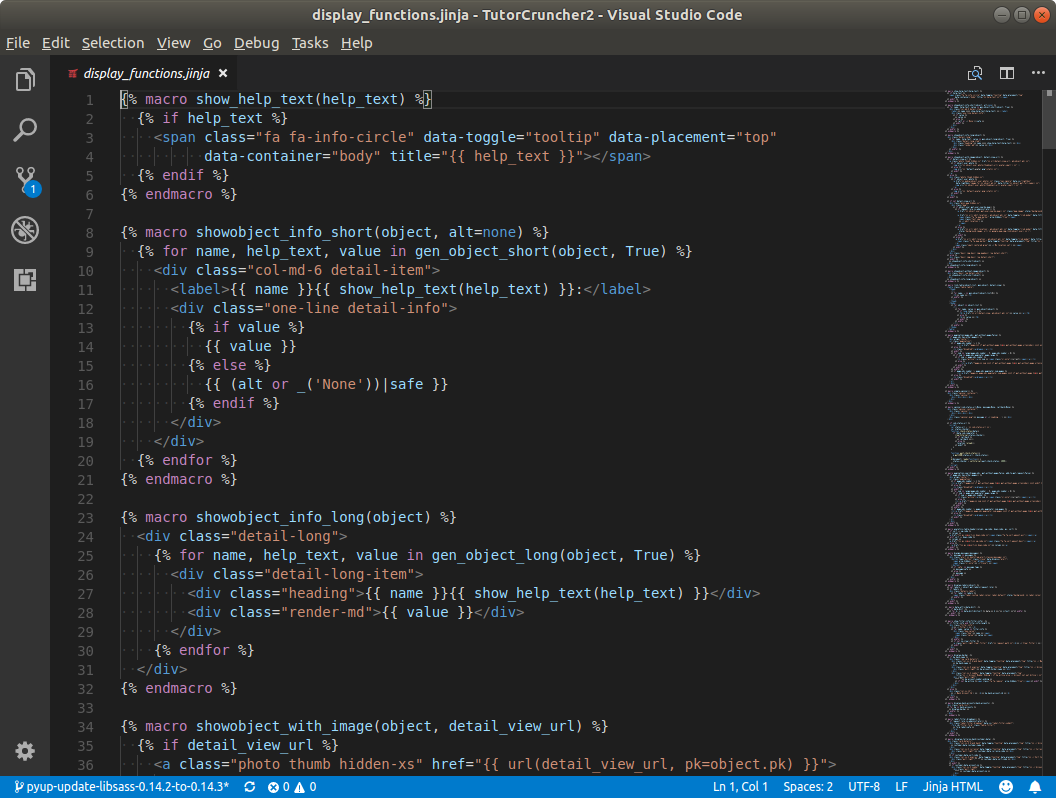
Languages:
Introduces syntax highlighting into vscode for the following languages:
Jinja Raw
Raw jinja templates: system name jinja.
no file default associations.
Jinja HTML
Jinja HTML templates: system name jinja-html.
Default file assocations: .jinja, .jinja2, .j2 and .html.j2.
Jinja CSS
Jinja HTML templates: system name jinja-css.
Default file assocations: .css.jinja, css.jinja2, .css.j2.
Jinja Markdown
Jinja markdown templates: system name jinja-md.
Default file assocations: .md.jinja, .md.jinja2 and .md.j2.
Jinja YAML
Jinja YAML (sls) templates: system name jinja-yaml.
Default file assocations: .yml.j2, .yaml.j2 and .sls.
Jinja LaTeX
Jinja latex templates: system name jinja-latex.
Jinja blocks use {% %} by default which does not play nicely with LaTeX,
so those are replaced by ((* *)) in LaTeX templates.
Default file assocations: .latex.j2, .tex.j2, .latex.jinja2 and .tex.jinja2.
Jinja Properties
aka config / cfg / ini file: system name jinja-properties.
Default file assocations: .properties.j2, .cfg.j2, .conf.j2, .desktop.j2, .directory.j2 and .ini.j2.
Jinja Shell Scripts
Jinja shell/bash/zsh templates: system name jinja-shell.
Default file assocations (same as for the shell language with .j2 appended):
.sh.j2, .bash.j2, .bashrc.j2, .bash_aliases.j2, .bash_profile.j2,
.bash_login.j2, .ebuild.j2, .install.j2, .profile.j2, .bash_logout.j2, .zsh.j2, .zshrc.j2,
.zprofile.j2, .zlogin.j2, .zlogout.j2, .zshenv.j2, .zsh-theme.j2 and .ksh.j2.
Dockerfiles
Dockerfile templates: system name jinja-dockerfile.
Default file assocations: .dockerfile.j2, .dockerfile.jinja and .dockerfile.jinja2.
Unfortunately associating jinja-dockerfile with file names like Dockerfile.j2 doesn't seem to work.
Jinja SQL
Jinja SQL templates: system name jinja-sql.
Default file assocations: .sql.j2, .sql.jinja and .sql.jinja2.
Jinja Python
Jinja python templates: system name jinja-py.
Default file assocations: .py.j2, .py.jinja and .py.jinja2.
Jinja Terraform
Jinja Terraform templates: system name jinja-terraform.
Default file assocations: .tf.j2, .tf.jinja, .tf.jinja2, .tfvars.j2, .tfvars.jinja, and .tfvars.jinja2.
Jinja Groovy
Jinja Groovy templates: system name jinja-groovy.
Default file assocations: .groovy.j2, .groovy.jinja and .groovy.jinja2.
Extra File Associations
You can add more file associations, for example to associate .html files with jinja-html;
in your user or workspace settings add:
"files.associations": {
  "*.html": "jinja-html"
},