larsbergstrom/unity-webvr-export
Unity assets for creating WebVR from Unity.
Unity WebVR Assets
WebVR assets for creating WebVR-enabled Unity3D projects.
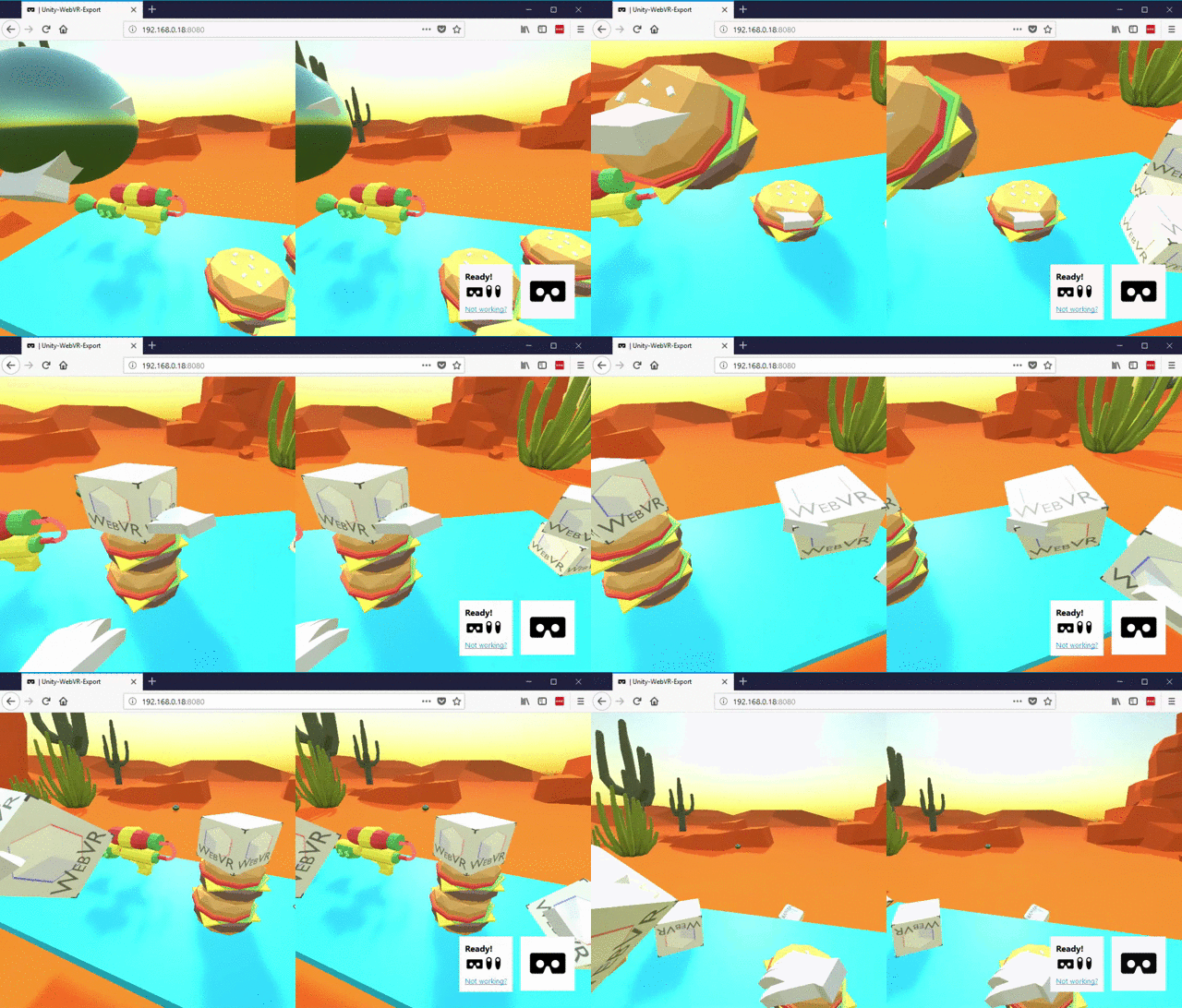
Works with HTC VIVE and Oculus Rift using a WebVR-enabled browser.
Setup instructions
This flow has been tested with Unity versions 2017.2.0f3 and later.
To export an existing Unity project to WebVR:
-
Download this ZIP file containing the contents of this repository. Or you can clone the Git repository locally to your machine:
git clone https://github.com/caseyyee/unity-webvr-export.git && cd unity-webvr-export
-
Launch Unity. (Download and install Unity, or upgrade to the latest version, if you have not already.)
-
Open your existing Unity project:
File > Open Project. -
Open
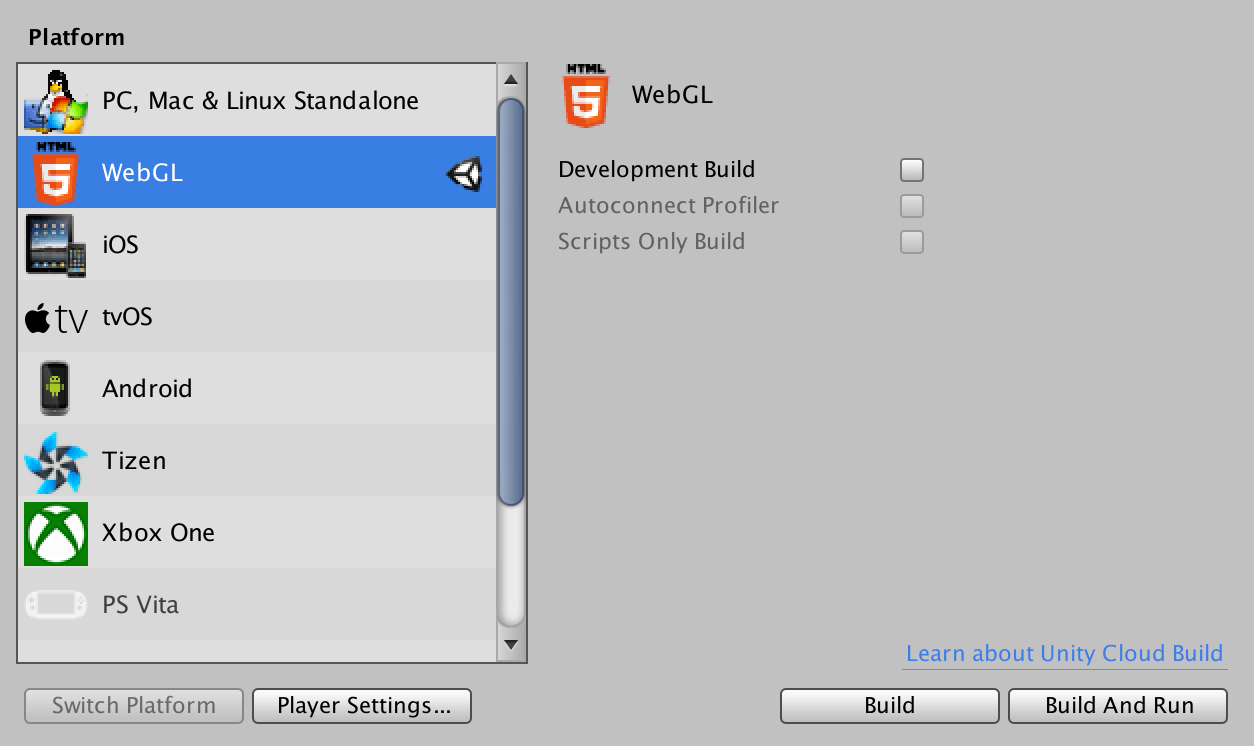
File > Build Settings, and from thePlatformlist, select theWebGLplatform.
-
From
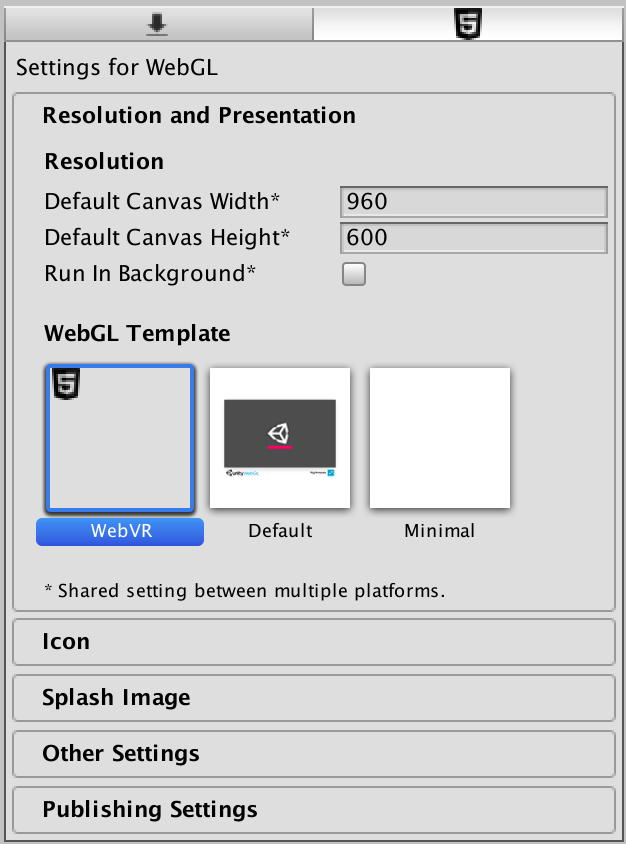
Player Settings…(Edit > Project Settings > Player), select theWebGL settingstab (HTML5 icon), toggle to theResolution and Presentationview, and selectWebVRfor theWebGL Template.
-
Select
File > Build & Run.Or select
File > Build Settings …, and choose a location for your build. -
Once the build has completed, your web browser will automatically open the project. Make sure you are running the game in a WebVR-capable browser.
Alternatively, if you ran
Build, instead ofBuild & Run, you can run a local static-file web server and load theindex.htmldocument from your WebVR-capable browser.
Building the Unity Asset Package
If you are a maintainer of this project, you will want to update the Build/ directory (hosted online here) and the WebVR-Assets.unitypackage file.
-
Launch
Edit > Build Settings > Project Settings. FromPlayer Settings…(Edit > Project Settings > Player), select theWebGL settingstab (HTML5 icon), toggle theResolution and Presentationview, and selectWebVRfor theWebGL Template.
-
Launch
Edit > Build Settings > Project Settings. Then, press theBuild and Runbutton, andSaveto the directory namedBuild.
-
Open
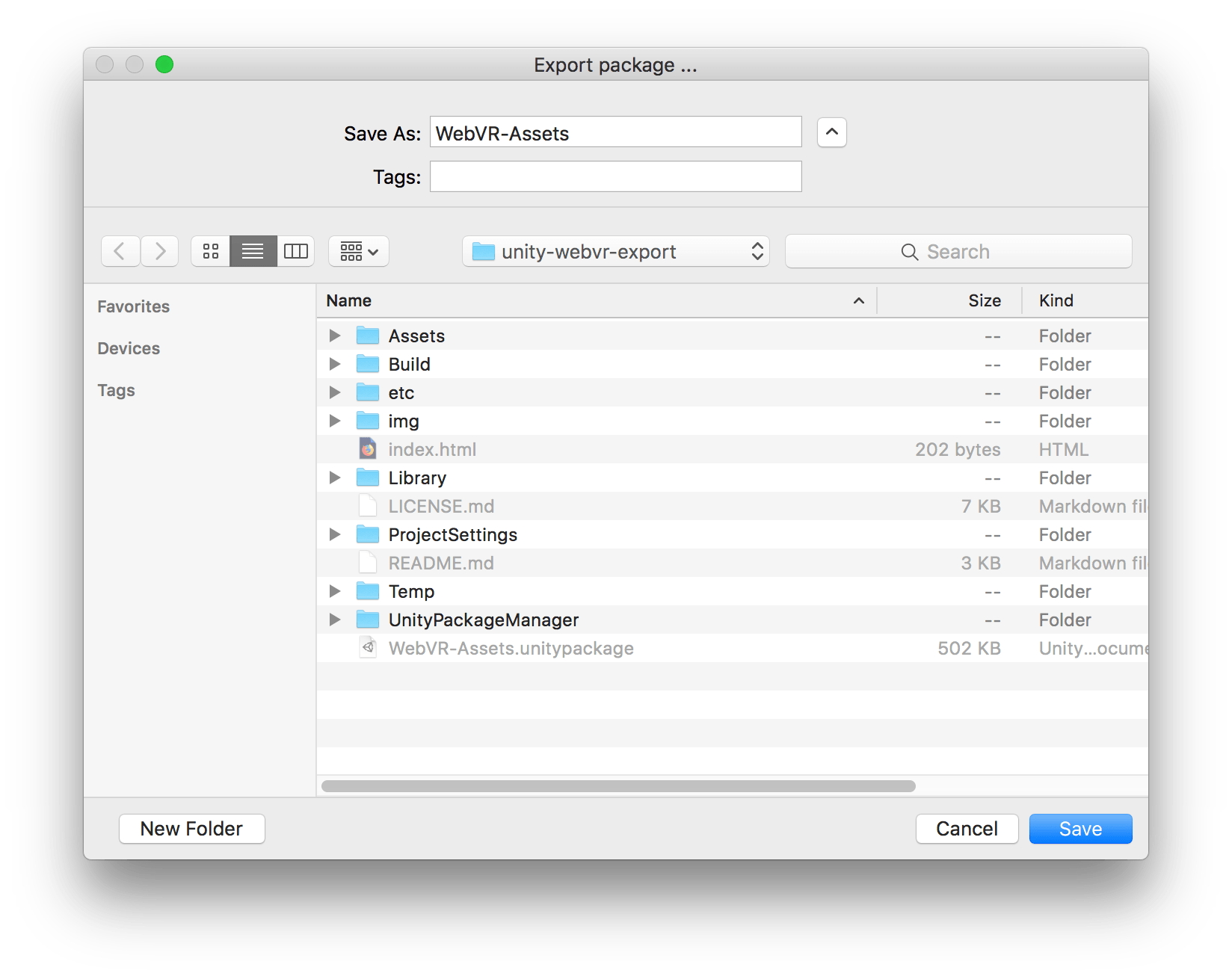
Assets > Export Package…, and press theExport…button. SetWebVR-Assetsas the filename of the destination Unity Asset Package, and press theSavebutton.
-
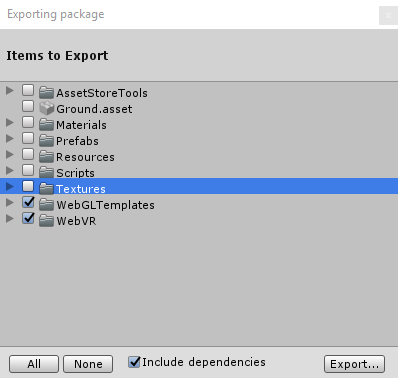
A window titled
Exporting packagewill appear. Click theExport…button to proceed.

License
All code and content within this source-code repository is, unless otherwise specified, licensed under the Creative Commons Zero v1.0 Universal license (CC0 1.0 Universal; Public Domain Dedication).
You can copy, modify, distribute and perform this work, even for commercial purposes, all without asking permission.
For more information, refer to these following links:
- a copy of the license in this source-code repository
- the human-readable summary of the full text of the legal code
- the full text of the legal code