kevinshen56714/create-react-django-app
React + Django + PostgreSQL app template
Kevin's React + Django + PostgreSQL app template
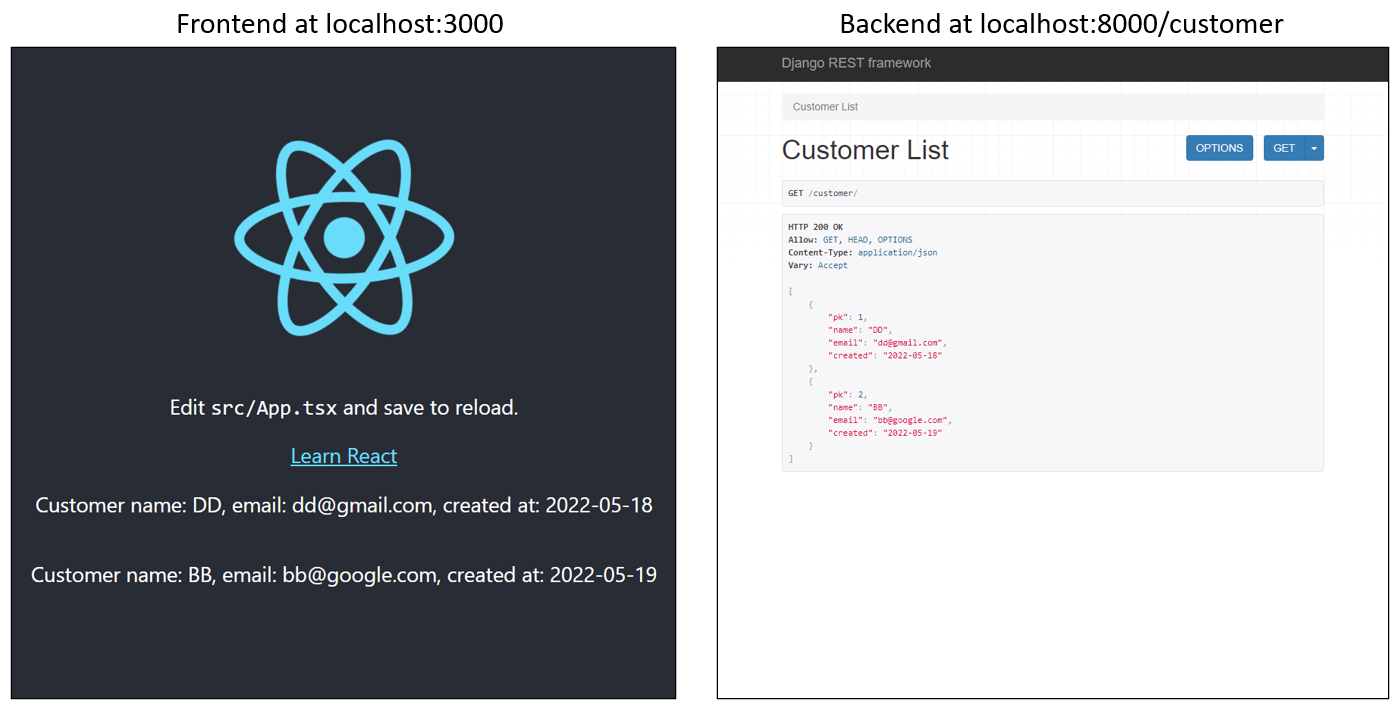
Note
Customers can be added with the backend GUI at localhost:8000/customer/create or through POST request
What's included?
Frontend
- TypeScript (frontend language)
- React (frontend framework)
- Create React App (support for TSX, ES6, TypeScript, no need to install bundler, ...etc)
- An example fetch() GET request to the server in
client/src/App.tsx
Backend
- Python3 (backend language)
- Poetry (Python dependency management system)
- Black (formatter)
- Psycopg2 (PostgreSQL adapter for Python)
- Python-decouple (to get env file content)
- Django (backend framework)
- Django REST Framework (Django's toolkit for building Web APIs)
- An example app in the
server/exampleAppfolder showing how to setup API models, serializers, and views
- PostgreSQL (database)
Getting Started
Clone this repository to your local machine:
$ git clone https://github.com/kevinshen56714/create-react-django-app.gitTo run the client
In the project folder,
$ cd client
$ yarn && yarn start
To run the server
Django and PostgreSQL
You first need to have PostgreSQL installed and running, and create a user and a database. Afterwards, create ./server/.env file to store your database information along with some Django settings. It should have values for all the following keys:
./server/.env file
SECRET_KEY = <YOUR_DJANGO_SECRET_KEY>
DEBUG = True  # set to False in production
DB_NAME = <YOUR_DB_NAME>
DB_USER = <YOUR_USER_NAME>
DB_PASSWORD = <YOUR_USER_PASSWORD>
DB_HOST = localhost  # set to your domain name in production
DB_PORT = 5432  # default postgreSQL port
Poetry
In addition to the database, you need to setup the Python environment. We use poetry for dependency management, so poetry needs to be installed first. Once installed, in the project folder,
$ poetry shell  # this should create a virtualenv for you at .venv and start using it
$ poetry install
$ cd server
$ python manage.py migrate  # make sure your selected Python interpreter is the one in .venv
$ python manage.py runserver
Note
Once the server is running, you can go to localhost:8000/customer/ and localhost:8000/customer/create to play around with the example API GET and POST requests.
Note
If you add customers at localhost:8000/customer/create, you should see the customer information shown on the frontend at localhost:3000