Dropshare
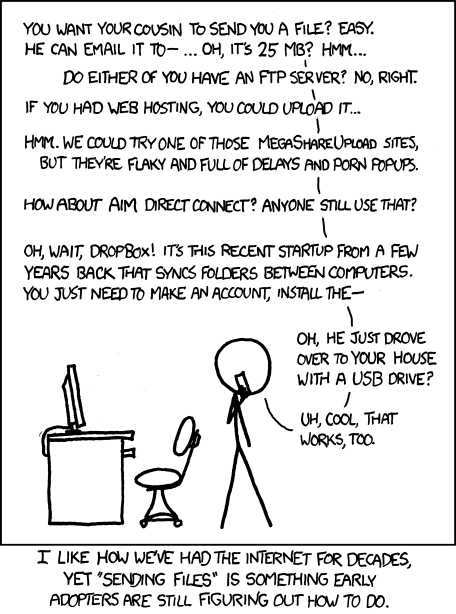
DropShare is the answer to the age-old question of File Transfer:
Similar services include
Clients
A few different clients are avaible.
Web
With the web-client you can drag-n-drop or use the normal upload/download.
Commandline
Usage
dropshare /path/to/file.ext

# Example - share your public ssh key with someone
dropshare ~/.ssh/id_rsa.pub
Example Output
Your file, Sir! (or Ma'am):

http://dropsha.re/#foHsCQA

wget 'http://api.dropsha.re/files/foHsCQA/coolaj86@ubuntu-tablet.pub'

curl 'http://api.dropsha.re/files/foHsCQA' -o 'coolaj86@ubuntu-tablet.pub'
Python Client
sudo wget 'https://raw.github.com/SpotterRF/dropshare/master/clients/dropshare.py' -O '/usr/local/bin/dropshare'
sudo chmod a+x '/usr/local/bin/dropshare'
Bash Client
sudo wget 'https://raw.github.com/SpotterRF/dropshare/master/clients/dropshare.sh' -O '/usr/local/bin/dropshare'
sudo chmod a+x '/usr/local/bin/dropshare'
Server
If you're interested in consulting or setup to run DropShare on your private network
at your Home Office, or Business please contact coolaj86@gmail.com.
Quick Start for Running your own DropShare
If you don't want to customize it at all you can install it via npm
- Download NodeJS
npm install -g dropsharedropshare-server- The database will be in
dropshare/server/lib/db/db.json
But for production use with a real database
-
Install NodeJS: Linux Binary | Linux Source | OS X | Windows.
-
Install
redis. See Appendix (below) for installing redis on OS X.Ubuntu Linux
sudo apt-get install redis-server
OS X
brew install redis
launchctl load -w ~/Library/LaunchAgents/io.redis.redis-server.plistsee notes below
-
Install
jade, Pakmanager,less, and some other fun things.npm install -g jade less pakmanager uglify-js
-
Install dropshare in your webapps directory (I use connect-vhoster)
use mine (or use your own fork)
git clone git://github.com/SpotterRF/dropshare.git dropshare.example.com
-
Copy
config.default.jstoconfig.js, and customize any server
settings you would like.cd dropshare.example.com
rsync -a config.default.js config.js -
Download dependencies and compile the static assets.
(You may wish to look atdeploy.shto understand what it does)./deploy.sh # possibly needs
sudo -
Start the server. By default it runs on port 3700 (but if it's different, you'll see it).
node bin/dropshare-server.js
Server Parameters
The server can take parameters in a few forms. If you are just running a
stand-alone server, then you can put them in the config.js file. If
you are creating a Dropshare server in code, then you can pass an object
in to the create() method exported by lib/index.js.
The parameters all have sensible defaults that should work out of the box,
so you don't actually need any of them.
client: the path to the public folder for the browser interface.
Defaults to./publicstorageDir: a path to a directory to store uploaded files. Defaults to./files.allowUserSpecifiedIds: if true, allow users to specify the ids that files
will be stored under.
Running Tests
Run the tests with:
cd tests
./test.sh
The tests depend on being in the same directory as the test script, due
to paths to resources and such.
LICENSE
Dropshare is available under the following licenses:
- MIT
- Apache 2
Copyright 2011 - 2012 Jamison Dance and AJ ONeal
Appendix
Installing Redis
brew install redis

mkdir -p ~/Library/LaunchAgents

launchctl unload -w ~/Library/LaunchAgents/io.redis.redis-server.plist 2>/dev/null || true
cp /usr/local/Cellar/redis/2.2.12/io.redis.redis-server.plist ~/Library/LaunchAgents/
launchctl load -w ~/Library/LaunchAgents/io.redis.redis-server.plist
To start redis manually:
redis-server /usr/local/etc/redis.conf
To access the server:
redis-cli
Ubuntu Linux
sudo apt-get install redis-server # may be called just 'redis', depending on your distro