FR
frankdevhub/frankdevhub.github.io
Blog template powered by jekyll to share the interesting stories in life (基于Jekyll的模板引擎的维基风格的个人博客,记录分享生活中的新鲜故事)
frankdevhub.github.io
Blog template powered by jekyll
jekyll搭建博客
1. jekyll介绍
Jekyll是一个简单的,博客感知的静态站点生成器。
你将内容创建为文本文件(Markdown),并将其放到到文件夹中。然后,使用Liquid-enhanced HTML模板构建网站。Jekyll自动将内容和模板联系在一起,生成完全由静态资源组成的网站,它适合上传到任何服务器。
Jekyll恰好是GitHub Pages的引擎,因此你可以在GitHub的服务器上免费托管项目的Jekyll页面/博客/网站。
2. 安装
2.1 安装 Ruby development environment
2.2 安装Jekyll and bundler gems.
# 移除gem默认源,改成ruby-china源
$ gem sources -r https://rubygems.org/ -a https://gems.ruby-china.com/
# 使用Gemfile和Bundle的项目,可以做下面修改,就不用修改Gemfile的source
$ bundle config mirror.https://rubygems.org https://gems.ruby-china.com
# 删除Bundle的一个镜像源
$ bundle config --delete 'mirror.https://rubygems.org'
$ gem install jekyll bundler
3. 创建博客
Create a new Jekyll site at ./myblog.
$ jekyll new myblog
or
$ jekyll new . --force注意:如果卡住,这一步会存在一些依赖包的安装。例如:x64-mingw32、 tzinfo-data、tzinfo (~> 1.2)、minima (~> 2.5) 查看依赖包
$  bundler list
Could not find gem 'minima (~> 2.5) x64-mingw32' in any of the gem sources
listed in your Gemfile.
安装依赖包
$ gem install 64-mingw32、 tzinfo-data、tzinfo (~> 1.2)、minima (~> 2.5)Change into your new directory.
cd myblogBuild the site and make it available on a local server.
$ bundle exec jekyll serve
or (或者)
$ bundle exec jekyll s

Configuration file: C:/Users/XH/myblog/myblog/_config.yml
            Source: C:/Users/XH/myblog/myblog
       Destination: C:/Users/XH/myblog/myblog/_site
 Incremental build: disabled. Enable with --incremental
      Generating...
       Jekyll Feed: Generating feed for posts
                    done in 3.23 seconds.
 Auto-regeneration: enabled for 'C:/Users/XH/myblog/myblog'
    Server address: http://127.0.0.1:4000/
  Server running... press ctrl-c to stop.
当然也可以直接执行:
$ jekyll serve
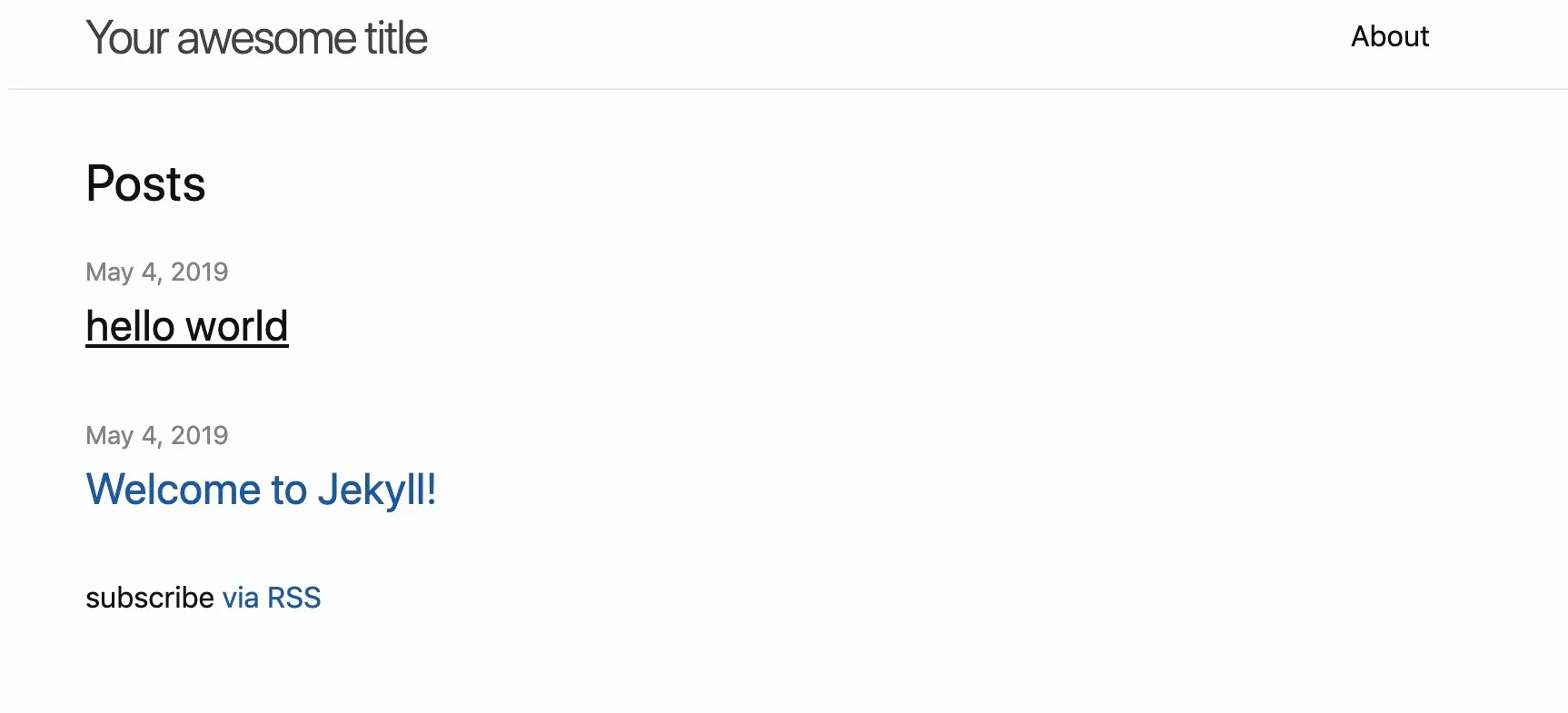
Browse to http://localhost:4000
4. github 托管
GitHub Pages由Jekyll 提供支持,因此您可以免费使用 GitHub 轻松部署您的网站——自定义域名等等。