GLICER Browser


Features
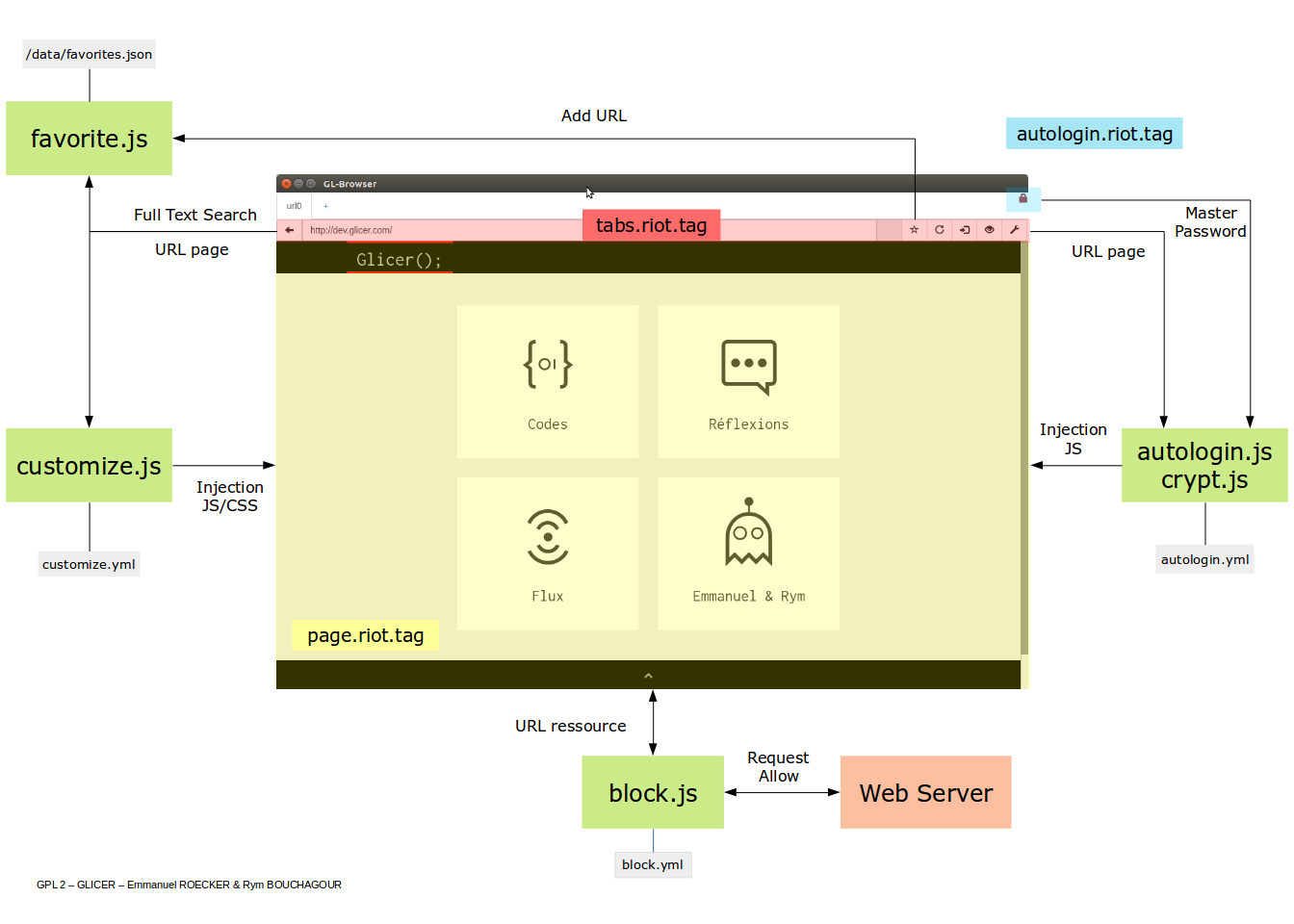
| Password Manager & Autologin |
|---|
 |
| Customize the way a web page displays or behaves |
|---|
 |
Inject files component/customize/{name}/customize.css and component/customize/{name}/customize.js
in URL which matches with patterns configured in file component/customize/customize.yml.
| Requests blocker |
|---|
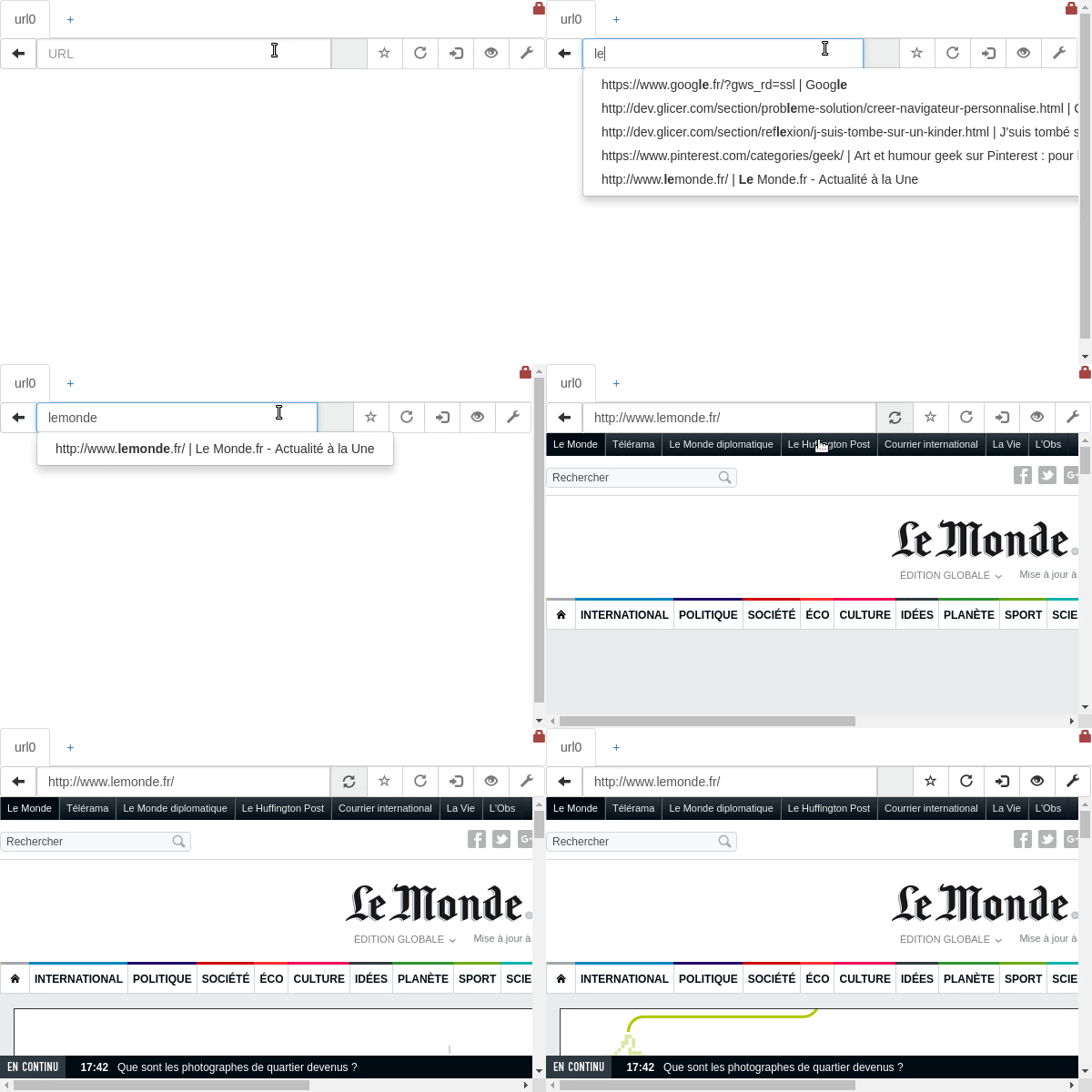 |
Block all requests which match with URL patterns in component/block/block.yml.
| Favorites |
|---|
 |
Architecture
Workflow
Continuous Integration
Install & Start Browser
node.js must be installed.
npm install
npm start
Mode debug (autostart devtools and using ./userdata like userdata directory) :
npm run start-debugRelease new version
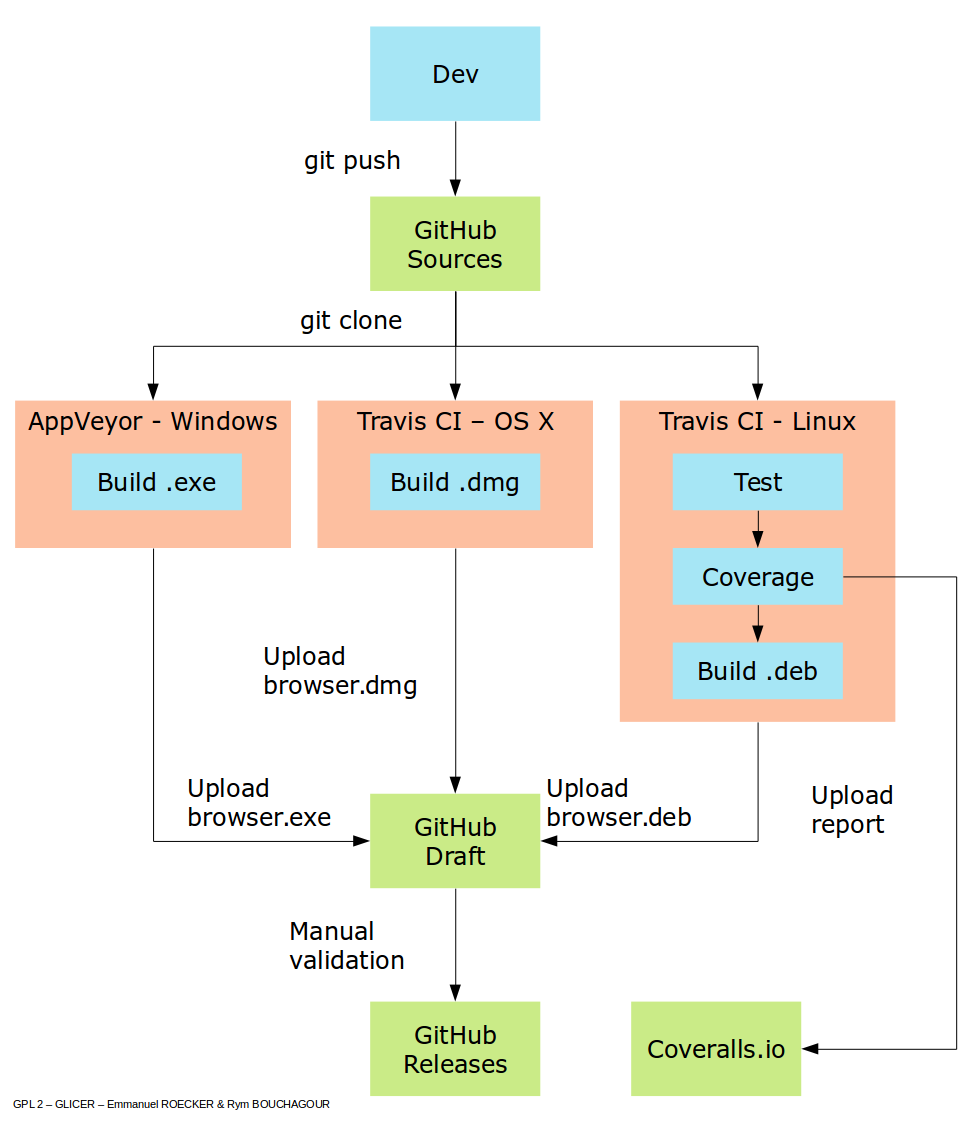
- Draft a new release , Save draft (not publish release).
- Set the "Tag version" to the value of version in your application package.json, and prefix it with v.
"Release title" can be anything you want.
For example, if your application package.json version is 1.0, your draft's "Tag version" would be v1.0. - Push some commits. Every CI build will update the artifacts attached to this draft.
- Once you are done, publish the release. GitHub will tag the latest commit for you.
License GPL-2.0
GNU General Public License v2.0
Please see the LICENSE file distributed with this source code for further information regarding copyright and licensing.
Contact
Authors : Emmanuel ROECKER & Rym BOUCHAGOUR