dw-0/kiauh
Klipper Installation And Update Helper

Klipper Installation And Update Helper
A handy installation script that makes installing Klipper (and more) a breeze!







📄️ Instructions 📄
📋 Prerequisites
KIAUH is a script that assists you in installing Klipper on a Linux operating
system that has
already been flashed to your Raspberry Pi's (or other SBC's) SD card. As a
result, you must ensure
that you have a functional Linux system on hand.
Raspberry Pi OS Lite (either 32bit or 64bit) is a recommended Linux image
if you are using a Raspberry Pi.
The official Raspberry Pi Imager
is the simplest way to flash an image like this to an SD card.
- Once you have downloaded, installed and launched the Raspberry Pi Imager,
selectChoose OS -> Raspberry Pi OS (other): \

- Then select
Raspberry Pi OS Lite (32bit)(or 64bit if you want to use that
instead):

-
Back in the Raspberry Pi Imager's main menu, select the corresponding SD card
to which
you want to flash the image. -
Make sure to go into the Advanced Option (the cog icon in the lower left
corner of the main menu)
and enable SSH and configure Wi-Fi. -
If you need more help for using the Raspberry Pi Imager, please visit
the official documentation.
These steps only apply if you are actually using a Raspberry Pi. In case you
want
to use a different SBC (like an Orange Pi or any other Pi derivates), please
look up on how to get an appropriate Linux image flashed
to the SD card before proceeding further (usually done with Balena Etcher in
those cases). Also make sure that KIAUH will be able to run
and operate on the Linux Distribution you are going to flash. You likely will
have the most success with
distributions based on Debian 11 Bullseye. Read the notes further down below in
this document.
💾 Download and use KIAUH
📢 Disclaimer: Usage of this script happens at your own risk!
- Step 1:
To download this script, it is necessary to have git installed. If you don't
have git already installed, or if you are unsure, run the following command:
sudo apt-get update && sudo apt-get install git -y- Step 2:
Once git is installed, use the following command to download KIAUH into your
home-directory:
cd ~ && git clone https://github.com/dw-0/kiauh.git- Step 3:
Finally, start KIAUH by running the next command:
./kiauh/kiauh.sh- Step 4:
You should now find yourself in the main menu of KIAUH. You will see several
actions to choose from depending
on what you want to do. To choose an action, simply type the corresponding
number into the "Perform action"
prompt and confirm by hitting ENTER.
❗ Notes ❗
**📋 Please see the Changelog for possible important
changes!**
- Mainly tested on Raspberry Pi OS Lite (Debian 10 Buster / Debian 11 Bullseye)
- Other Debian based distributions (like Ubuntu 20 to 22) likely work too
- Reported to work on Armbian as well but not tested in detail
- During the use of this script you will be asked for your sudo password. There
are several functions involved which need sudo privileges.
🌐 Sources & Further Information












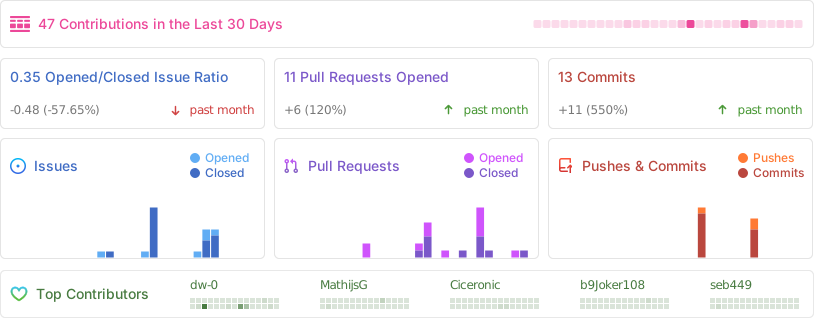
🎖️ Contributors 🎖️
✨ Credits ✨
- A big thank you to lixxbox for that awesome
KIAUH-Logo! - Also, a big thank you to everyone who supported my work with
a Ko-fi ! - Last but not least: Thank you to all contributors and members of the Klipper
Community who like and share this project!
A special thank you to JetBrains for sponsoring this project with their incredible software!
