devnetkc/wordpress-ssh-git-ci
Let your CI Pipeline mangage getting those plugin updates from your unix WordPress server.
WordPress SSH Git CI
Creator: Ryan Valizan -- @devnetkc
Latest Release: v1.2.1
Wiki: How To Use
Tags: git, WordPress, Bash, ci, Azure Azure DevOps, SiteGround, SSH, Azure Pipeline
License: GPLv3
License URI: https://www.gnu.org/licenses/gpl-3.0.en.html
✨ Automate your WordPress and git repository release pipeline
If there's SSH & Git, you can sync WordPress and Azure DevOps using git.
Let your CI Pipeline manage getting those plugin updates from your unix WordPress server.
If you like the project, don't forget to click the ⭐ up top!
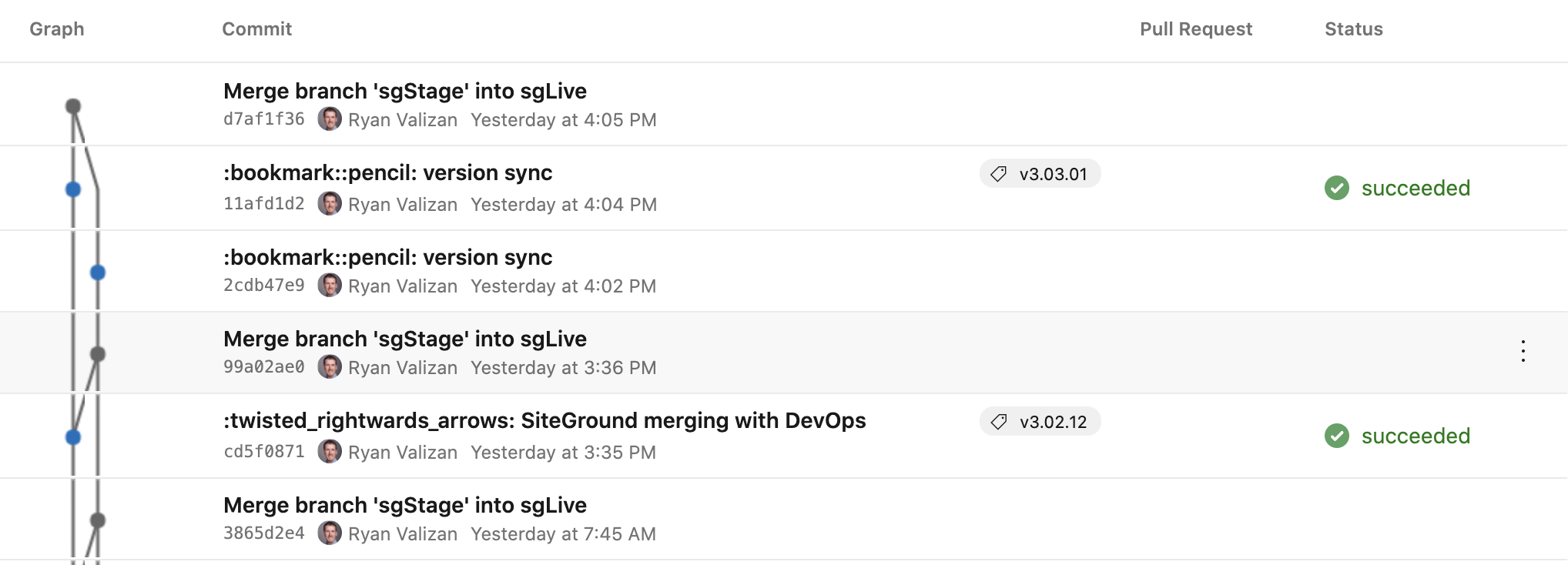
🔴 Live WordPress Branch History
🔲 Requirements:
- Web server have git capability -- think this is the most important one
- A method to store your secrete variables such as
- username
- password/token
- SSH access to execute scripts on WordPress server
- note:
croncan serve as a slower alternative to SSH
- note:
- Some kind of ci pipeline or
cronjob to hook into after a branch update event triggers an agent to run the script remotely
🚘 What it has:
- Parameter options for dynamic use
- Separated functions
- Is executed through an ssh call to your WordPress web server
🚗 What it does is:
- Check a git repo on a WordPress web server for changes
- Stashes changes before working on merges
- Pulls in latest release/master branch from development repository — on Azure DevOps, GitHub, BitBucket, etc.
- Merges new changes from DevOps into WordPress Live branch
- Returns WordPress updates and changes using git stash pop
- Commits the new changes on top of the latest master branch head
- Pushes WordPress live branch back to the development repository for the team to handle PR to DevOps master.
Essentially, it allows WordPress developers to be more hands off with their shared hosting WordPress server backends, while still fully benefitting from any of the many source control repository and project board sites for git — but while using WordPress at the same time.
💻 How To Use
Update remote server with new release
Shell Script:
bash wp-git-sync.sh \
  -fo $https_repo_with_user_and_token
Azure DevOps Pipeline:
Place the script in your root project directory, then add the task shown below.
YAML Example:
note: This example uses Azure Key store variables
pool:
  name: NameOfAgentPool

steps:
- task: SSH@0
  displayName: pushChanges
  inputs:
    sshEndpoint: 'DEVOPS_SSH_ENDPOINT'
    runOptions: script
    scriptPath: 'wp-git-sync.sh'
    args: '-fo "https://$(DevOpsTokenUser):$(DevOpsToken)@ORGANIZATION-NAME.visualstudio.com/$(System.TeamProject)/_git/$(Build.Repository.Name)"
Classic Editor Example:

Console Log:

Fetch changes on remote server
Shell Script:
bash wp-git-sync.sh \
  -fo $https_repo_with_user_and_token
  -fe
Azure DevOps Pipeline:
Place the script in your root project directory, then add the task shown below.
YAML Example:
note: This example uses Azure Key store variables
pool:
  name: NameOfAgentPool

steps:
- task: SSH@0
  displayName: fetchChanges
  inputs:
    sshEndpoint: 'DEVOPS_SSH_ENDPOINT'
    runOptions: script
    scriptPath: 'wp-git-sync.sh'
    args: '-fo "https://$(DevOpsTokenUser):$(DevOpsToken)@ORGANIZATION-NAME.visualstudio.com/$(System.TeamProject)/_git/$(Build.Repository.Name)" \
            -fe'
Classic Editor Example:

Console Log:

📈 Contributing
Contrabutions are welcome! Learn morn on how to contribute on the Wiki page or here in CONTRIBUTING.md.
📌 Kanban Roadmap Board
If you see some adjustments to make, by all means suggest them. This needs some clean up and refactoring yet.
New issues or requests will be tracked on the kanban board for the project.
❓ Wiki & FAQ
A Wiki is available for the project and is moderatly managed.
FAQ information can be found here.
The Kanban Roadmap Board is also available to track progress or see tasks in querie to be worked on.