Hydra
Hack your OS X desktop environment
Hydra is a lightweight window manager with a powerful API and an extremely small footprint.

Install
Download from Releases
page, unzip the downloaded file, and run the app.
Feel free to install the current pre-release (beta6). It's basically
the version that's going to be released once we get the icon (see
issue mjolnirapp#1), since I haven't found any bugs yet and there are no other
open issues. And if you run update.check(), you'll get notified
when 1.0 is released. So go for it!
Usage
Hydra will look for ~/.hydra/init.lua and run it if it exists. But
if you haven't written one yet, it will run a fallback config that
gives you a menu bar icon that contains an option to open
this sample config.
You can paste that into your ~/.hydra/init.lua to get started with a
really basic starter config.
The full documentation is linked under the "Resources" section below.
Example
https://github.com/sdegutis/hydra/blob/master/Hydra/sample_config.lua
Here's a snippet:
-- show a helpful menu
menu.show(function()
    local updatetitles = {[true] = "Install Update", [false] = "Check for Update..."}
    local updatefns = {[true] = updates.install, [false] = checkforupdates}
    local hasupdate = (updates.newversion ~= nil)

    return {
      {title = "Reload Config", fn = hydra.reload},
      {title = "-"},
      {title = "About", fn = hydra.showabout},
      {title = updatetitles[hasupdate], fn = updatefns[hasupdate]},
      {title = "Quit Hydra", fn = os.exit},
    }
end)

-- move the window to the right a bit, and make it a little shorter
hotkey.new({"cmd", "ctrl", "alt"}, "J", function()
    local win = window.focusedwindow()
    local frame = win:frame()
    frame.x = frame.x + 10
    frame.h = frame.h - 10
    win:setframe(frame)
end):enable()
Here's how you would push a window to the left side of the screen:
function movewindow_rightside()
  local win = window.focusedwindow()
  local newframe = win:screen():frame_without_dock_or_menu()
  newframe.w = newframe.w / 2
  -- newframe.x = newframe.w -- uncomment this line to push it to left side of screen
  win:setframe(newframe)
end

hotkey.bind({"cmd", "ctrl", "alt"}, "L", movewindow_rightside)
Screenshots
Some brief examples of my own config:
| Description | Animated Screenshot |
|---|---|
| Using hotkeys to move and resize a window along a grid (source) | 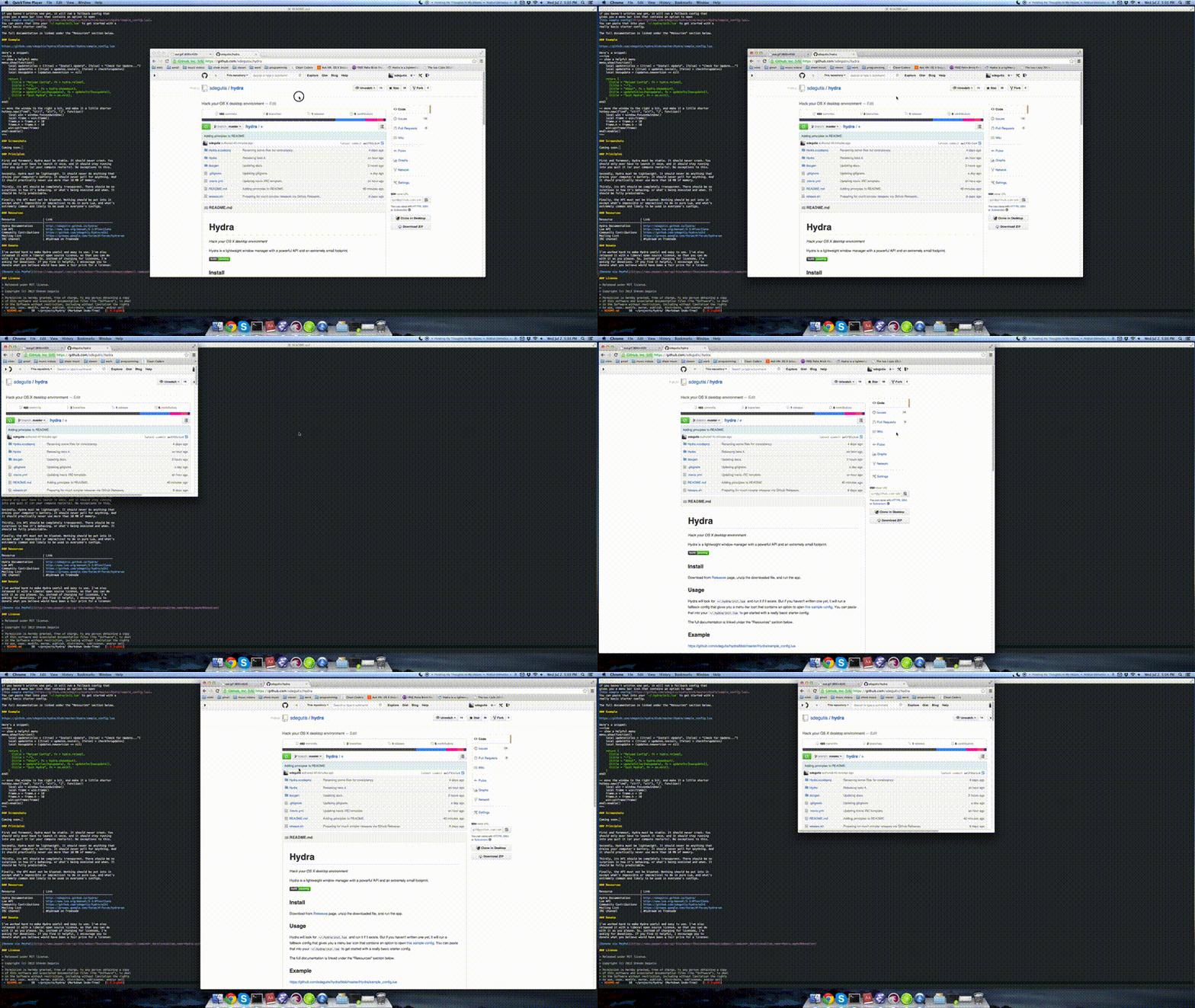 |
| Using a hotkey to open Dictionary.app and show an alert (source) | 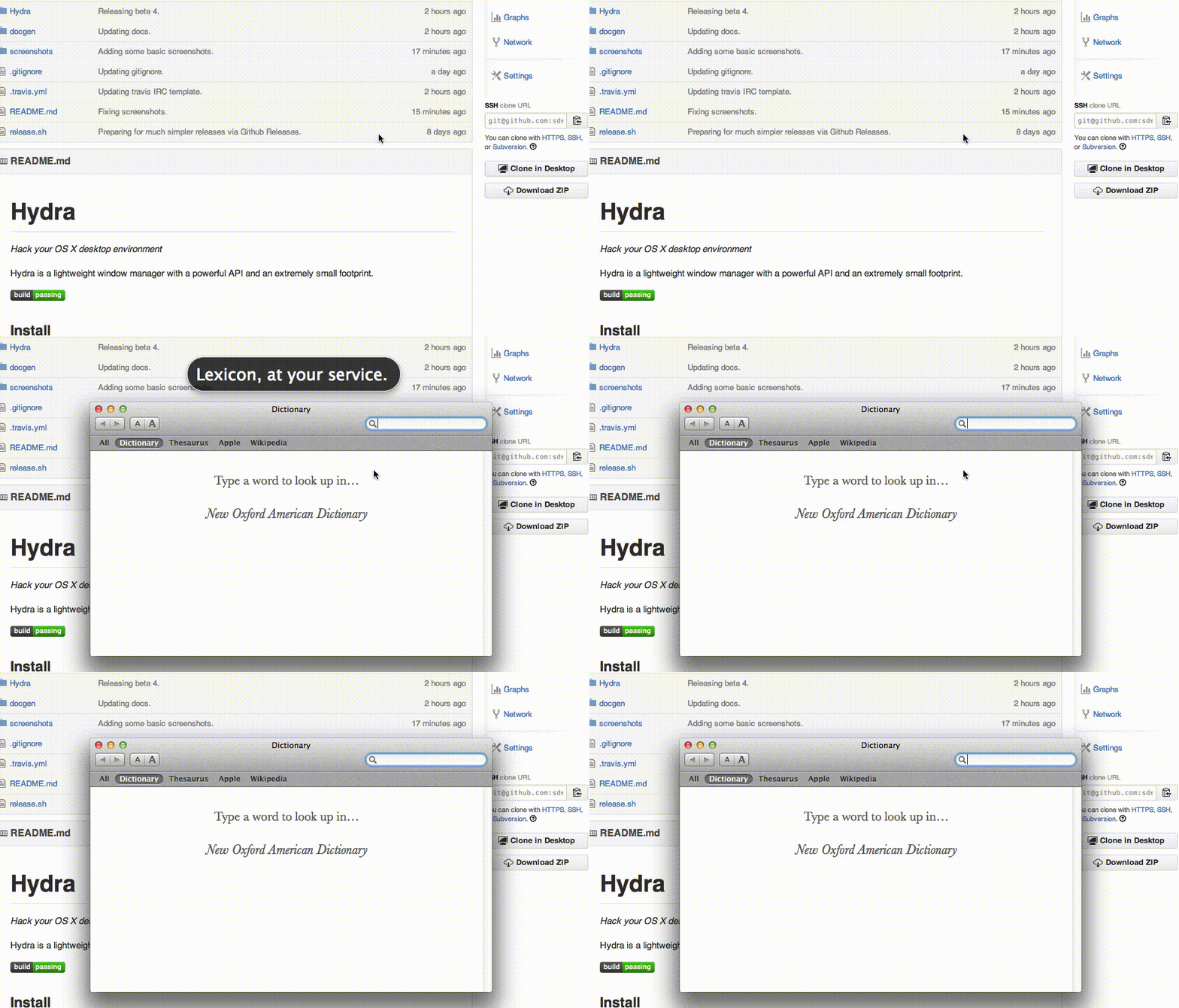 |
| Using the built-in REPL (source) |  |
Principles
First and foremost, Hydra must be stable. It should never crash. You
should only ever have to launch it once, and it should stay running
until you quit it (or your computer restarts). No exceptions to this.
Secondly, Hydra must be lightweight. It should never do anything that
drains your computer's battery. It should never poll for anything. And
it should practically never use more than 10 MB of memory. Everything
it does should feel instant and snappy, never sluggish or delayed.
Thirdly, its API should be completely transparent. There should be no
surprises in how it's behaving, or what's being executed and when. It
should be fully predictable.
Finally, the API must not be bloated. Nothing should be put into it
except what's impossible or impractical to do in pure Lua, and what's
extremely common and likely to be used in everyone's configs.
Resources
| Resource | Link |
|---|---|
| Hydra Documentation | http://sdegutis.github.io/hydra/ |
| Lua API | http://www.lua.org/manual/5.2/#functions |
| Community Contributions | https://github.com/sdegutis/hydra/wiki |
| Mailing List | https://groups.google.com/forum/#!forum/hydra-wm |
| IRC channel | #hydrawm on freenode |
Donate
I've worked hard to make Hydra useful and easy to use. I've also
released it with a liberal open source license, so that you can do
with it as you please. So, instead of charging for licenses, I'm
asking for donations. If you find it helpful, I encourage you to
donate what you believe would have been a fair price for a license:
FAQ
How does Hydra compare to Slate, Zephyros, or Phoenix?
Hydra aims to be very modular. Even the menu bar icon is a module you
can customize very flexibly or skip altogether. Non-essential features
are left up to third party extensions (see the github wiki for the
official list).
Hydra is written in Lua to stay lightweight, rather than interpreting
JavaScript in a hidden WebView or being scripted over a TCP socket. It
is very conscious of system resources, having an explicit goal to
always be lightweight.
Hydra's authors are open to any feature requests, just file an issue!
(Chances are it will probably be marked a duplicate.)
How does Hydra compare to Moom, SizeUp, Divvy, etc?
Hydra is intended for programmers who want to write programs that
customize their environment. It's not intended to be a quick-and-easy
solution, it's meant to allow you to write your own very personalized
productivity enhancement suite to keep and use long-term.
License
Released under MIT license.
Copyright (c) 2013 Steven Degutis
Permission is hereby granted, free of charge, to any person obtaining a copy
of this software and associated documentation files (the "Software"), to deal
in the Software without restriction, including without limitation the rights
to use, copy, modify, merge, publish, distribute, sublicense, and/or sell
copies of the Software, and to permit persons to whom the Software is
furnished to do so, subject to the following conditions:The above copyright notice and this permission notice shall be included in
all copies or substantial portions of the Software.THE SOFTWARE IS PROVIDED "AS IS", WITHOUT WARRANTY OF ANY KIND, EXPRESS OR
IMPLIED, INCLUDING BUT NOT LIMITED TO THE WARRANTIES OF MERCHANTABILITY,
FITNESS FOR A PARTICULAR PURPOSE AND NONINFRINGEMENT. IN NO EVENT SHALL THE
AUTHORS OR COPYRIGHT HOLDERS BE LIABLE FOR ANY CLAIM, DAMAGES OR OTHER
LIABILITY, WHETHER IN AN ACTION OF CONTRACT, TORT OR OTHERWISE, ARISING FROM,
OUT OF OR IN CONNECTION WITH THE SOFTWARE OR THE USE OR OTHER DEALINGS IN
THE SOFTWARE.