davidlee/spec-driver
You install it. Claude drives the CLI tool. At first it might seem like too much. Eventually, nothing less will make sense.
spec-driver
The specification-driving development toolkit. Clanker chauffeur for architects.

Slow is smooth. Smooth is fast.
Why should you care?
- Designed for building sustainably with agents; supports "pioneer / settler / town planner" modes
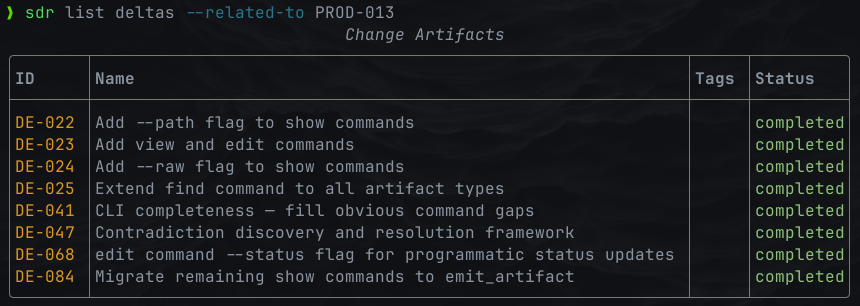
- A nice CLI for agents and humans.
- Markdown + YAML + tooling = all the database you need.
- Fast discovery, relational structure, and validation for your artifacts.
- Instead of expensive throwaway research, maintain verifiably accurate, evergreen specs.
- Cheap, fast, deterministically generated docs to help those messy, stochastic agents.
- A TUI for browsing project documentation; live agent session follow mode.
- If all you care about is ADRs, turn the rest off - it's still super handy.
- Token footprint: < 3k to boot with everything activated; skills designed for token-efficiency.
- Works great out of the box, but plenty of dials and escape hatches.
- Agentic memory designed for hard use and repairability in humid environments.
What's it for?
- a single framework which can scale from low-ceremony kanban, up to the robust process you need for serious codebases.
- greenfield spec-driven development with Claude Code & friends (Codex, etc).
- legacy conversions (drift ledgers, incremental specification).
But more than anything else, it's for streamlining development to let you
focus your attention on what's important.

The machinery required is more complex than naive approaches (research -> specify -> plan -> execute) - but it's a very conscious tradeoff.
Spec-driver is not a framework for development from disposable specifications.
It's for driving trustworthy, evergreen specifications out of implementation.
A machine, if you will, for converting change into truth.
Because: when machines can code, what remains is system design. This is a
system designed to take care of the rest.
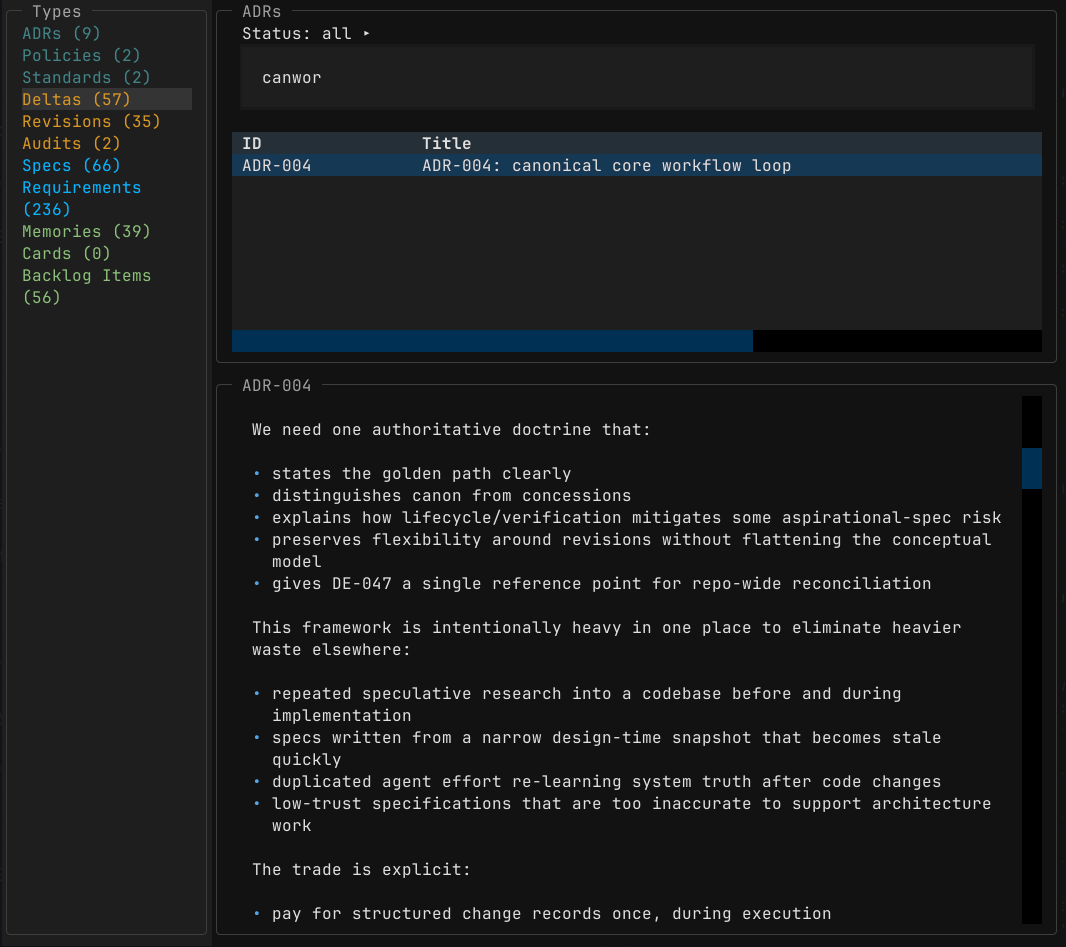
A nice little TUI for browsing docs, with fuzzy find.
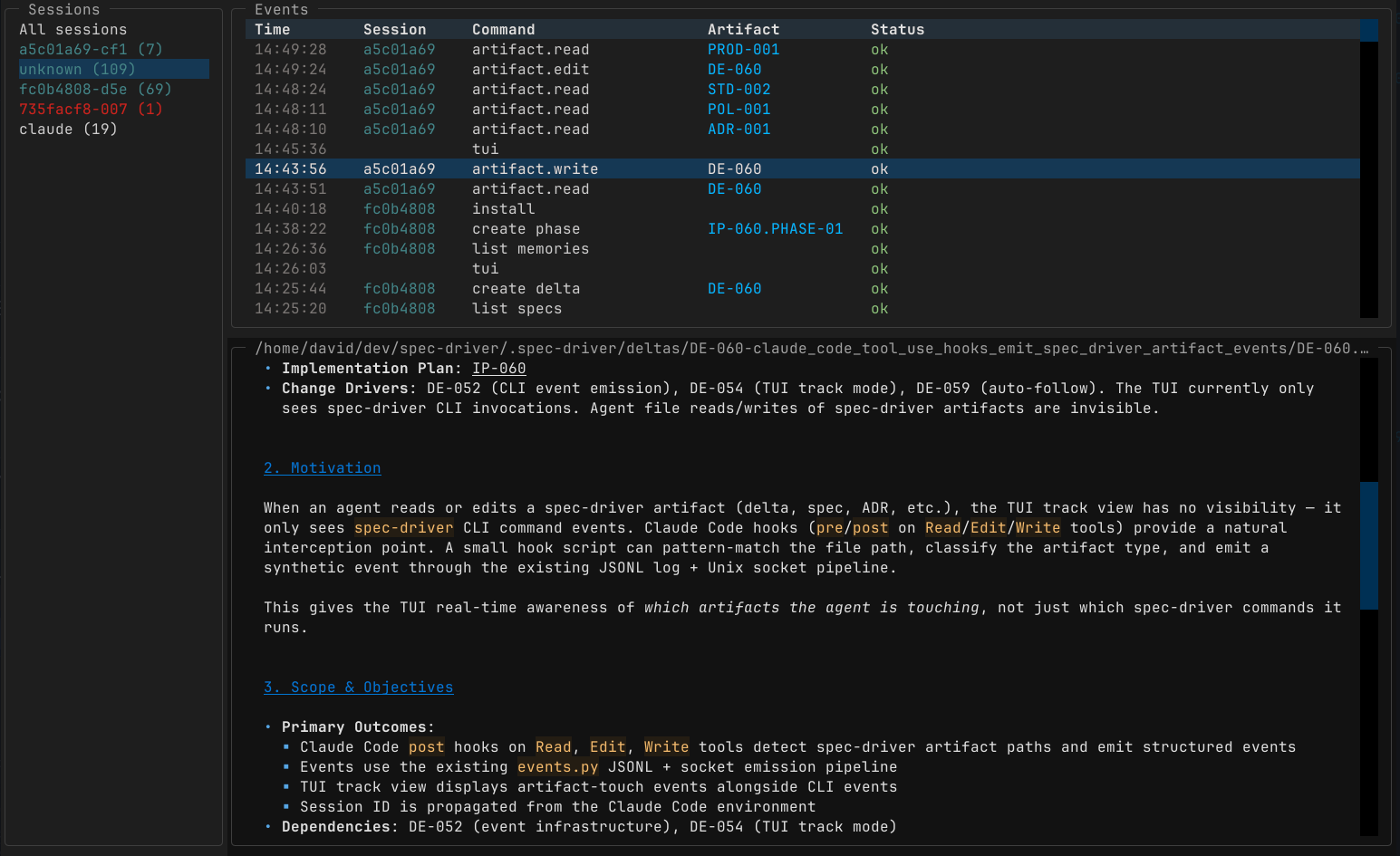
Fun fact: you can follow the artifacts a claude code session interacts with, in real time.
Getting Started
- Install spec-driver.
- Run
spec-driver installin your repo. - Tweak
.spec-driver/workflow.tomlto taste;spec-driver installagain after edits. - Boot up Claude Code or Codex.
- Tell it what you want to do.
The agent runs the process according to your project settings, so you can learn the rest as you go. Ask it to explain the concepts as you need them.
Add symlinks into .spec-driver subfolders if you want convenient access to them.
Installation
MacOS
brew tap davidlee/spec-driver
brew install spec-driver

# try it out
mkdir /tmp/test-driver && cd /tmp/test-driver && git init
spec-driver install
spec-driver doctor
spec-driver tui
# in another window
claude
or
brew install uv
uv tool install spec-driver
PyPi package
A few options.
# try before you buy
uvx spec-driver install

# install as a tool (recommended)
uv tool install spec-driver
spec-driver install

# set up as a python project
uv init
uv add spec-driver
uv run spec-driver install
From GitHub (Development)
# Install from latest commit
uv init
uv add git+https://github.com/davidlee/spec-driver
uv run spec-driver --help

# Or use it right off the tubes
uvx --from git+https://github.com/davidlee/spec-driver spec-driver --help
Brew
brew tap davidlee/spec-driver
brew install spec-driver
Nix Flake
nix profile install github:davidlee/spec-driverOr use the flake input:
inputs.spec-driver.url = "github:davidlee/spec-driver";example dev shell.
Extras: Contract generation
If you're writing TypeScript / JavaScript, Go, or Zig, you'll want to install
the appropriate contract doc generator(s):
- gomarkdoc -
go install github.com/princjef/gomarkdoc/cmd/gomarkdoc@latest)] - zigmarkdoc
- ts-doc-extract -
npm install -g ts-doc-extractornpm install --save-dev ts-doc-extract
Install Footprint
All install locations are project-local - no change to your system ~/.claude etc
# Initialize spec-driver workspace structure
spec-driver install

# This installs :
# - .spec-driver/ (YAML registries & configuration)
# - .claude/ project-local settings & skills
# - .agents/ project-local settings & skills
# - CLAUDE.md - adds a line to invoke boot script
# - AGENTS.md - adds a line to invoke boot script
Quick Start
claudeIf you use Claude Code or Codex, your agent can manage the workflow, and you
can stop reading here.
The rest is for reference if you need it.
Tool use
All commands are accessed through the unified spec-driver CLI.
Depending on how you installed it, you might need to use uv run spec-driver.
I suggest adding alias to your .zshrc or .envrc:
alias sdr="spec-driver"
# or
alias sdr="uv run spec-driver"
/ agents entries are contingent on project settings.
Synchronization
# Idempotent - run after upgrading
spec-driver install

# Sync everything
spec-driver sync

# check all registries
spec-driver validate

# health check
spec-driver doctor
Caveats
It's opinionated. It installs claude hooks and cross-platform skills
(project-local only), but you can install your own and customize their
behaviour.
It probably doesn't work on Windows, but what does? If you can't afford Linux, I don't know what to tell you.
I'll aim not to make breaking changes to data formats.
Status
Beta - Approaching 1.0
Features
A smorgasbord for you to build your own workflow around. CLI, TUI, agent memory, skills.
Boot up, install, and ask the agent to show you around.
| Feature | Blurb |
|---|---|
| Architecture Decision Records (ADRs) | Record, find, manage and track architectural decisions |
| Product Specs | Product requirement docs, with customer-focused value drivers, use cases and personas |
| Tech Specs | Start with architectural vision - or fill it in after the fact, scaffolded by deterministically generated documentation |
| Requirements | Create and track requirements with categories, tags, and rich lifecycle support - functional, non-functional, technical and product. User stories, if you want. |
| Policies & Standards | Enforce project governance, loaded on demand. |
| Delta/Change Tracking | Create a delta to implement a set of requirements or backlog items, deltas, implementation plans and revisions. Record structured data (entry / exit criteria; files and commits) through planning and implementation. Record verification evidence (automated tests, agent or human review), driving requirement status updates. |
| Backlog Management | Tooling to create, search & filter Issues, Risks, Problem Statements, Improvements and related artefacts. Prioritise your backlog by moving lines up & down in your $EDITOR. |
| Documentation Generation | Compact, legible, deterministic markdown documentation from code. Autogenerated spec stubs for new code; change tracking. |
| Relational Artifacts | Documents are linked with rich semantics supported by CLI validation, search and management tools. |
| Metadata Schema Validation | Ensure consistency across specification artifacts. CLI tooling support for agents: schema documentation and validation. |
| Customisable Templates | Twiddle the installed templates to customise your workflow if you like. |
| Skills | Responsive to your configuration settings. Add your own for bonus umami. |
| Audits & Drift Ledgers | Record agent (or human) research & inspection to verify implementation, feeding back into requirements & spec status. If you need to manage ambitious programs of work and maintain canonical truth in the face of LLM vomit, there are tools to help. |
| Spec Revisions | Maintain a contextual, structured history of changes to your specs. |
| Markdown + Git | Text + git is a better Jira than Jira. This collective realization is one of the better things to come out of this bubble so far. |
| Zero Lock-In, Zero Cost | Things change fast, but if text in open formats goes out of fashion, all bets are off. |
Related
- PyPi project
- A Socratic dialogue wherein I explain the issues with "spec-driven development" which led me to build this thing
- superpowers - NGL, I intentionally stole a lot of great ideas from the author
- me
- Shout out to lazyspec for TUI ideas
License
FSL, converts to Apache2 in two years. Just a precaution against vampires.