D-
d-edge/extLauncher
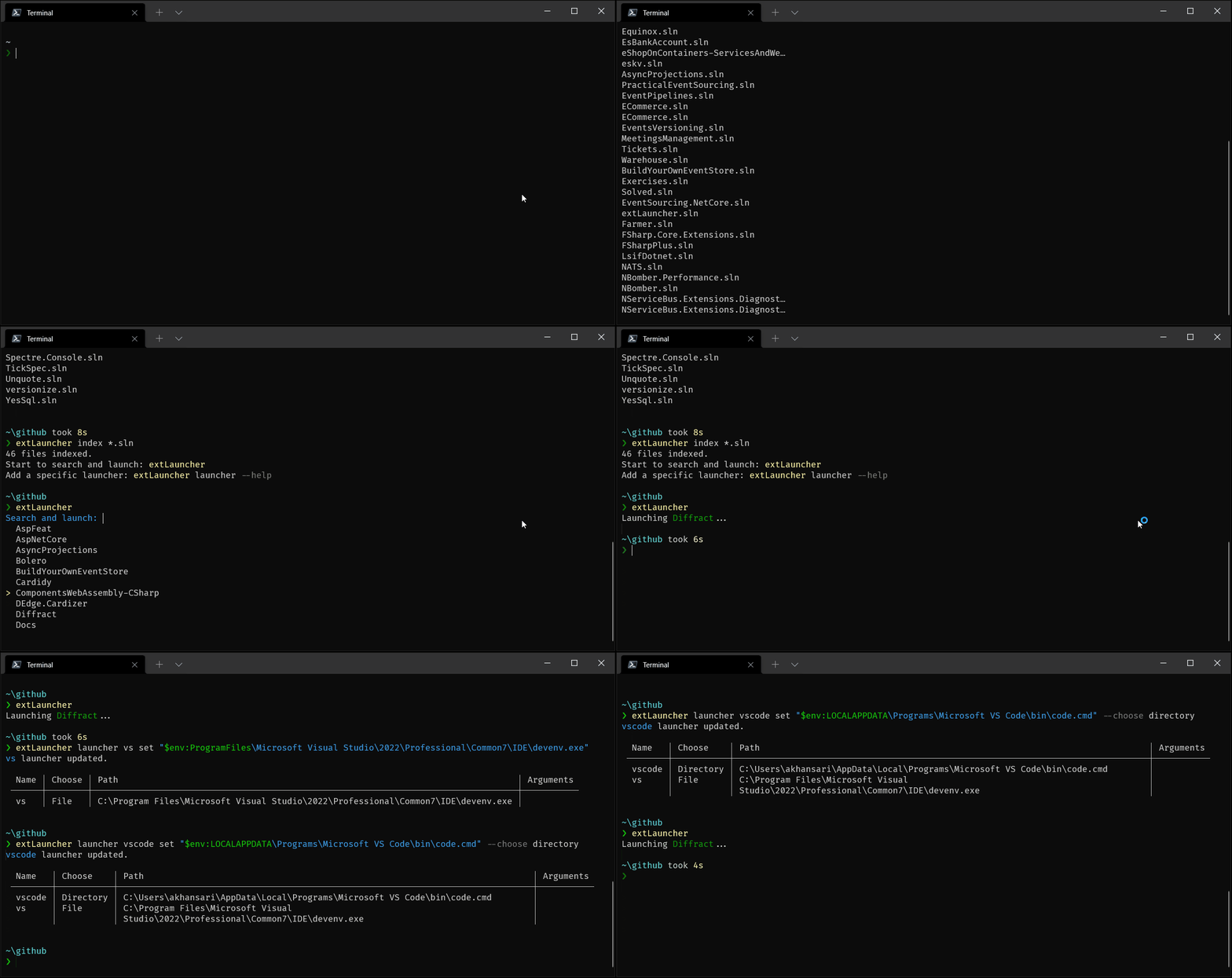
ExtLauncher is a dotnet tool to search and launch quickly projects in the user's preferred applications.



extLauncher is a dotnet tool to search and launch quickly projects in the user's preferred application. extLauncher is maintained by folks at D-EDGE.
Getting Started
Install extLauncher as a global dotnet tool
dotnet tool install extLauncher -gor as a dotnet local tool
dotnet new tool-manifest
dotnet tool install extLauncher
Usage
USAGE:
    extLauncher [OPTIONS]

EXAMPLES:
    extLauncher index *.sln
    extLauncher index "(.*)[.](fs|cs)proj$" --regex
    extLauncher launcher mylauncher set execpath
    extLauncher launcher mylauncher remove
    extLauncher launcher vscode set /usr/bin/code --choose file --args="-r %s"
    extLauncher launcher vscode set "$env:LOCALAPPDATA\Programs\Microsoft VS Code\bin\code.cmd" --choose directory
    extLauncher launcher explorer set explorer.exe --choose directory

OPTIONS:
    -h, --help    Prints help information

COMMANDS:
    prompt             (default command) Type to search. Arrows Up/Down to navigate. Enter to launch. Escape to quit
    index <pattern>    Indexes all files recursively with a specific pattern which can be a wildcard (default) or a regular expression
    launcher <name>    Add, update or remove a launcher (optional)
    deindex            Clears the current index
    info               Prints the current pattern and all the indexed files
    refresh            Updates the current index
Build locally
- Clone the repository
- Open the repository
- Invoke the tool by running the
dotnet tool runcommand:dotnet tool run extLauncher(with your arguments)
Caches and data generated by extLauncher
This tool maintains a database to improve its performance. You should be able to find it in the most obvious place for your operating system:
- Windows:
%appdata%\Roaming\extLauncher\extLauncher.db - Linux:
~/.config/extLauncher/extLauncher.db