Benowin Blanc — Windows through a detective's lens.
bb
Benowin Blanc — Windows through a detective's lens.
(Name credits go to my beloved spouse. ꨄ︎)
A set of command-line tools that parse Windows SDK and PHNT headers via libclang
and let you inspect what's actually in them: struct layouts, field offsets,
enum values, constants, #define macros, functions — the works.
Think of it as dt from WinDbg, but you don't need a debugger running,
and it works against any SDK version, architecture, or PHNT release you throw at it.
bb-typesStruct and class layouts, right in your terminal
|
bb-constsConstants, enums, and macro definitions
|


bb-types-tuiInteractive struct browser
|
bb-consts-tuiInteractive constant browser
|


What is this?
Windows ships with thousands of C/C++ headers (the Windows SDK) that define every struct, enum, constant, and macro the OS exposes. Separately, the community-maintained PHNT (Process Hacker NT headers) documents internal structures that Microsoft doesn't publish.
bb parses these headers with libclang and gives you fast, searchable, pretty-printed access to all of it (hell, even TUIs!) — no debugger, no IDE, no digging through .h files by hand.
|
You might want this if you...
|
Quick start
Building
On a Windows host, you will need the following:
- Visual Studio 2019/2022 Build Tools
- LLVM + Clang (libclang.dll) version >=18.1
- Rust 2024 edition
Afterwards, you may produce the binaries by invoking the following command:
cargo build --releaseFirst commands
Inspect a struct layout:
bb-types --struct _PEBRecurse into nested types:
bb-types --phnt --struct _PEB --depth 2Search for constants by wildcard:
bb-consts --name GENERIC_*Scope to a specific enum:
bb-consts --enum _MINIDUMP_TYPEUse Enum::Constant syntax to search within enums:
bb-consts --name "_MINIDUMP_TYPE::*"Target a different architecture from your host:
bb-types --arch arm64 --struct _CONTEXTExport as JSON for your own tooling:
bb-types --arch arm64 --struct _CONTEXT --json
bb-consts --name "PROCESS_*" --json
JSON mode in bb-types performs full nested type expansion, producing all matched types alongside their deduplicated referenced_types — regardless of the --depth flag.
Typo? Both CLIs suggest close matches:
bb-types --struct _PBE
error: no structs matching '_PBE'

  did you mean?

    _ABC
    _PSP
    _PEB
The tools
CLI applications
|
TUI applications
|
Libraries
|
Future support
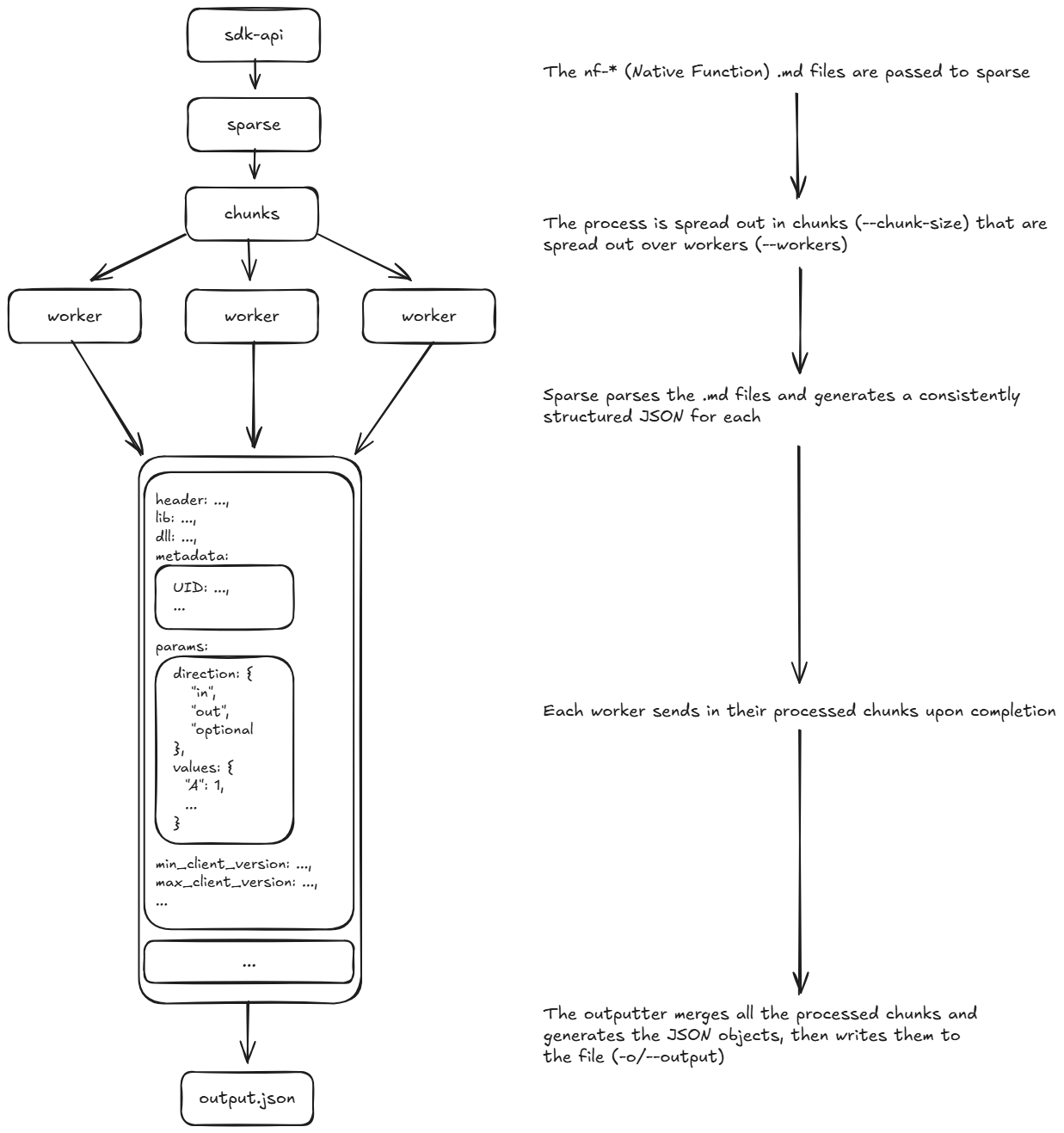
Support for functions is currently in development, to be implemented with sparse.

Supported headers
Windows SDKUses whatever version is available in your Developer Command Prompt environment. Covers user-mode headers ( |
PHNTThe Process Hacker NT headers, embedded at compile time. Exposes internal NT structures and constants that the public SDK doesn't ship. Supports version targeting from Win2000 through Win11 22H2: |
Architecture support
Both tools support cross-compilation via --arch — inspect struct layouts for any target from any host:
| Flag | Target | Notes |
|---|---|---|
amd64 |
x86_64-pc-windows-msvc |
Default |
x86 |
i686-pc-windows-msvc |
|
arm64 |
aarch64-pc-windows-msvc |
|
arm |
thumbv7-pc-windows-msvc |
bb-types --arch arm64 --struct _CONTEXT
How it works
The flow is described below:


We use bb-sdk to discover (or gather) the SDK environment, then we generate a SDK-specific "synthetic header" (also known as an Unsaved/CXUnsavedFile in the Clang-world) which will be passed through partial compilation with libclang.dll and in turn give us a TranslationUnit.
From the translation unit, we lift the AST entities into bb-clang serializable objects, and we use the information that we expose there to develop the tools.
For macros specifically, bb-consts does a two-pass resolution: first pass evaluates simple literals and variables, second pass substitutes known constant names into unresolved macro token streams before re-evaluating. This handles things like #define PROCESS_ALL_ACCESS (STANDARD_RIGHTS_REQUIRED | SYNCHRONIZE | 0xFFFF).