Bypass MDM for macOS 💻
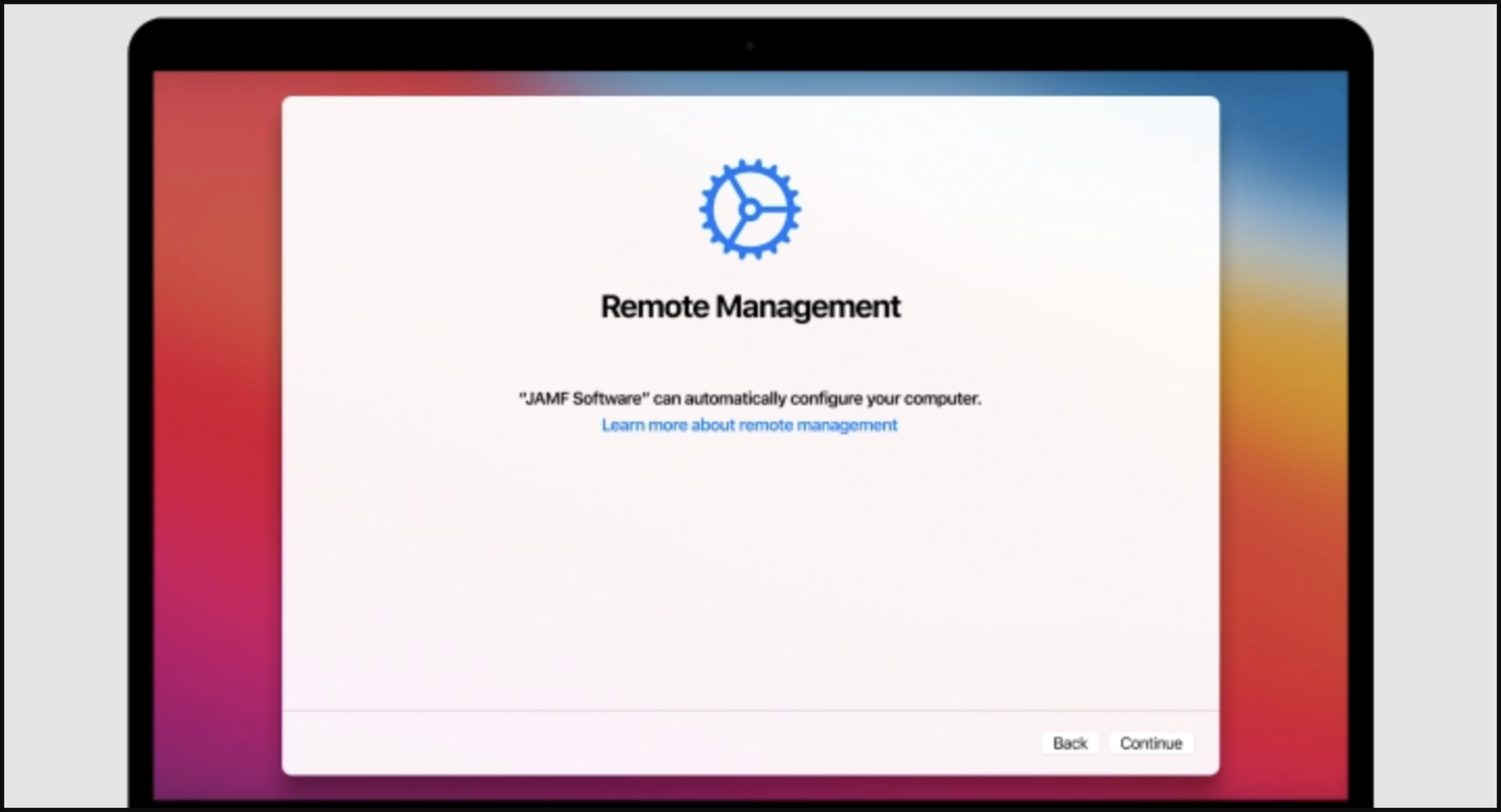
A script to bypass Mobile Device Management (MDM) enrollment during macOS setup.
🚨 Update: February 3, 2026
Version 2 Now Available! Due to the high number of requests and repreated issues reported, I've released a new version of the script with significant improvements:
What's New in v2:
- Automatic Volume Detection - No longer requires specific volume names like "Macintosh HD"
- Comprehensive Error Handling - Clear error messages and validation at every step
- Input Validation - Validates usernames and passwords to prevent common mistakes
- UID Conflict Detection - Automatically finds available UIDs to avoid conflicts
- Better User Experience - Color-coded output, progress indicators, and helpful feedback
The instructions below use v2 by default (recommended). If you experience issues, you can still use the original version by replacing bypass-mdm-v2.sh with bypass-mdm.sh in the commands.
✨ Features
- 🔍 Smart Volume Detection - Automatically detects system and data volumes regardless of custom names
- ✅ Input Validation - Validates usernames and passwords to prevent common errors
- 🛡️ Comprehensive Error Handling - Clear error messages guide you through any issues
- 🎯 UID Conflict Resolution - Automatically finds available user IDs to avoid conflicts
- 📊 Real-time Progress - Color-coded status messages show exactly what's happening
- 🔄 Duplicate Prevention - Checks for existing entries to avoid duplicates
⚠️ Prerequisites
- It is strongly recommended to erase the hard drive prior to starting
- It is recommended to reinstall macOS using an external flash drive
- English language recommended (not required for v2, but recommended)
📋 Installation & Usage
Step-by-Step Instructions
Follow these steps to bypass MDM enrollment during a fresh macOS installation:
Starting Point: You've reached the MDM enrollment screen during macOS setup
1. Force Shutdown - Long press the Power button to shut down your Mac
2. Boot into Recovery Mode:
- Apple Silicon Mac: Hold Power button until "Loading startup options" appears
- Intel-based Mac: Hold CMD + R during boot
3. Connect to WiFi to activate your Mac
4. Open Terminal in Recovery Mode:
- Click Utilities in the menu bar
- Select Terminal
5. Run the bypass script - Copy and paste this command into Terminal:
curl -L https://raw.githubusercontent.com/assafdori/bypass-mdm/main/bypass-mdm-v2.sh -o bypass-mdm.sh && chmod +x ./bypass-mdm.sh && ./bypass-mdm.sh6. Volume Detection - The script will automatically detect your volumes:
- System Volume (e.g., "Macintosh HD", "MacOS", or your custom name)
- Data Volume (e.g., "Data", "Macintosh HD - Data", or your custom name)
7. Select Option 1 - "Bypass MDM from Recovery"
8. Create Temporary User - Configure the admin account (or press Enter for defaults):
- Fullname: Apple (default)
- Username: Apple (default)
- Password: 1234 (default)
💡 Tip: The script validates your input and will prompt you to retry if there are issues
9. Wait for Completion - You'll see progress messages:
- ✓ Validating system paths
- ✓ Creating user account
- ✓ Blocking MDM domains
- ✓ Configuring MDM bypass settings
10. Reboot - When you see "MDM Bypass Completed Successfully", close Terminal and reboot
🔄 Post-Installation Steps
11. Login with the temporary account:
- Username:
Apple(or your custom username) - Password:
1234(or your custom password)
12. Skip Setup - Skip all prompts (Apple ID, Siri, Touch ID, Location Services)
13. Create Real Account:
- Navigate to System Settings > Users and Groups
- Create your actual Admin account with your preferred credentials
14. Switch Accounts - Log out and sign in to your new account
15. Setup Properly - Now configure Apple ID, Siri, Touch ID, etc.
16. Clean Up - Delete the temporary Apple profile:
- Go to System Settings > Users and Groups
- Select the Apple profile and click the minus (−) button
17. 🎉 Done! You're MDM free!
🔧 Troubleshooting
Volume Detection Issues
Problem: Script fails to detect volumes
Solutions:
- Ensure you're in Recovery Mode (not booted into macOS normally)
- Verify macOS is installed on your drive
- Check your drive is visible in Disk Utility
- Try the original version (legacy, hardcoded volume names):
curl -L https://raw.githubusercontent.com/assafdori/bypass-mdm/main/bypass-mdm.sh -o bypass-mdm.sh && chmod +x ./bypass-mdm.sh && ./bypass-mdm.shPermission Errors
Problem: Permission denied errors
Solutions:
- Confirm you're running from Terminal in Recovery Mode
- Recovery Mode automatically provides elevated privileges
- Make sure the script is executable:
chmod +x bypass-mdm.sh
Script Won't Execute
Problem: Script doesn't run
Solutions:
# Make sure it's executable
chmod +x bypass-mdm.sh

# Run it again
./bypass-mdm.sh
Invalid Username or Password
Problem: Script rejects your username/password
Validation Rules:
- Username: Letters, numbers, underscore, hyphen only; must start with letter or underscore
- Password: Minimum 4 characters
- Press Enter to use defaults if unsure
📦 Version Information
| Version | Description | Status |
|---|---|---|
bypass-mdm-v2.sh |
Enhanced version with auto-detection & validation | ✅ Recommended |
bypass-mdm.sh |
Original version with hardcoded volume names |
❤️ Optional Contributions
Many people have reached out asking how to say thank you for saving their Mac. This is completely optional and not expected! If you'd like to contribute, crypto donations are appreciated.
People have forked this repository and put the script behind a pay-wall. I do not care at all. Once again, crypto contributions are not expected, but feel free if you want to.
Bitcoin (BTC):
bc1qzguh4908r7wguz20ylzeggya9d38t6hega5ppf
Monero (XMR):
45RnFseY4gNZv58DvShz2KJEbx1EyaTtaMCDnU5th21KbRThWurjjK6iugEdq9wfc4Kbw3a7AAyqo6WnEmL1StAMJur8QJp
⚖️ Legal Disclaimer
Important: Although it's virtually impossible to detect that you've removed MDM (because it was never configured locally), be aware that your device's serial number will still appear in your organization's inventory system. This script prevents MDM from being configured locally, making the device unmanageable remotely.
Use responsibly and at your own risk. This tool is intended for personal devices and should not be used to circumvent legitimate organizational policies without proper authorization.
📄 License
This project is provided as-is for educational purposes. Use at your own discretion.