QNetITQ/WaveFox
Firefox CSS Theme/Style for manual customization
WaveFox

Installation
Download Firefox / Download WaveFox / WaveFox Nightly
WaveFox v1.8.148
-
Minimum Requirements
- Firefox 148
- Windows / MacOS / Linux
-
Download the
chromefolder and put it in your user profile folder -
Go to
about:configand activate the keytoolkit.legacyUserProfileCustomizations.stylesheets
Optional
Tab Shapes
Shape 5

WaveFox.Tabs.Shape> 5
Shape 6

WaveFox.Tabs.Shape> 6
Shape 7

WaveFox.Tabs.Shape> 7
Shape 8

WaveFox.Tabs.Shape> 8
Shape 9

WaveFox.Tabs.Shape> 9
Shape 10

WaveFox.Tabs.Shape> 10
Shape 11

WaveFox.Tabs.Shape> 11
Shape 12

WaveFox.Tabs.Shape> 12
Windows 10 Transparency (Horizontal and Vertical tabs)
Install DWMBlurGlass. Configure to your liking and activate the keys below. Works only with the system theme.

WaveFox.Windows10.Transparency.Enabledandbrowser.tabs.inTitlebar > 1
Linux Transparency (Horizontal and Vertical tabs)
Requires Linux with transparency support. Works only with the system theme.

WaveFox.Linux.Transparency.Enabledandbrowser.tabs.inTitlebar > 1
Toolbar Transparency
Works only with the system theme.

WaveFox.Toolbar.Transparency> 1 or 2 or 3 or 4 andbrowser.tabs.inTitlebar > 1
Toolbar Roundings (Horizontal and Vertical tabs)
Ability to control the rounding of browser bar elements.

WaveFox.Toolbar.Roundings> 1 or 2
Tab Bar Shadows
Works only with System / Light / Dark theme.

Shadows (Light Theme)
WaveFox.LightTheme.Tabs.Shadows> 1 or 2 or 3 or 4
Shadows (Dark Theme)
WaveFox.DarkTheme.Tabs.Shadows> 1 or 2 or 3 or 4
Tab Separators

WaveFox.Tabs.Separators> 1 or 2 or 3 or 4
Background For Inactive Tabs

WaveFox.Tabs.Background.Inactive.Enabled
Icons (firefox-csshacks / Lepton) / (Horizontal and Vertical tabs)
This is third-party code. I will update this code according to the original source.
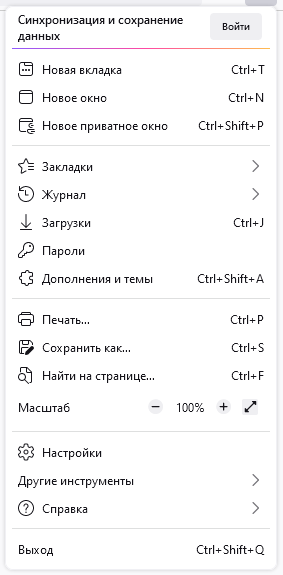
svg.context-properties.content.enabled(Required key)WaveFox.Icons> 1 or 2 (Required key)
The keys below are relevant only for the second option.
userChrome.icon.panel_fulloruserChrome.icon.panel_photonuserChrome.icon.libraryuserChrome.icon.paneluserChrome.icon.menuuserChrome.icon.context_menuuserChrome.icon.global_menuuserChrome.icon.global_menubaruserChrome.icon.1-25px_strokeuserChrome.icon.account_image_to_rightuserChrome.icon.account_label_to_rightuserChrome.icon.menu.fulluserChrome.icon.global_menu.mac
Drag Space

WaveFox.DragSpace.Tabs> 1 or 2 or 3WaveFox.DragSpace.TabBarLeftSide.DisabledWaveFox.DragSpace.TabBarRightSide.Disabled
Selected Tab Indicator

WaveFox.Tabs.SelectedTabIndicator.Enabled
Tabs Below URL (Floating Tabs Only)

WaveFox.TabsBelowURL.Enabledandbrowser.tabs.inTitlebar > 0
One Line (Floating Tabs Only)

WaveFox.OneLine> 1 or 2
Floating Web Page (Horizontal tabs)

WaveFox.WebPage.Floating.Enabled
Transparent Web Page (Experimentally) (Horizontal and Vertical tabs)
Works only with system theme. Requires transparency support from the operating system. The quality of this option depends heavily on the specific website.

WaveFox.WebPage.Transparency> 1 or 2 andbrowser.tabs.allow_transparent_browser(1 - New tab page only / 2 - All browser windows and all websites)WaveFox.WebPage.Background.Saturation> 1 or 2 or 3
Toolbar Autohide (Vertical tabs)

WaveFox.VerticalTabs.Toolbar.Autohide.Enabled
Experimental
Disables the ability to pin tabs by dragging. Some users find this feature annoying.
WaveFox.Experimental.Tabs.Pin_By_Dragging.Disabled
WaveFox v1.8.140 ESR
-
Minimum Requirements
- Firefox 140 ESR
- Windows / MacOS / Linux
-
Download the
chromefolder and put it in your user profile folder -
Go to
about:configand activate the keytoolkit.legacyUserProfileCustomizations.stylesheets
Optional
Tab Shapes
Shape 1

WaveFox.Tabs.Shape> 1
Shape 2

WaveFox.Tabs.Shape> 2
Shape 3

WaveFox.Tabs.Shape> 3
Shape 4

WaveFox.Tabs.Shape> 4
Shape 5
WaveFox.Tabs.Shape> 5
Shape 6
WaveFox.Tabs.Shape> 6
Shape 7
WaveFox.Tabs.Shape> 7
Shape 8
WaveFox.Tabs.Shape> 8
Shape 9
WaveFox.Tabs.Shape> 9
Shape 10
WaveFox.Tabs.Shape> 10
Shape 11
WaveFox.Tabs.Shape> 11
Shape 12
WaveFox.Tabs.Shape> 12
Windows 10 Transparency (Horizontal and Vertical tabs)
Install DWMBlurGlass. Configure to your liking and activate the keys below. Works only with the system theme.
WaveFox.Windows10.Transparency.Enabledandbrowser.tabs.inTitlebar > 1
Linux Transparency (Horizontal and Vertical tabs)
Requires Linux with transparency support. Works only with the system theme.
WaveFox.Linux.Transparency.Enabledandbrowser.tabs.inTitlebar > 1
Toolbar Transparency
Works only with the system theme.
WaveFox.Toolbar.Transparency> 1 or 2 or 3 or 4 andbrowser.tabs.inTitlebar > 1
Tab Bar Shadows
Works only with System / Light / Dark theme.
Shadows (Light Theme)
WaveFox.LightTheme.Tabs.Shadows> 1 or 2 or 3 or 4
Shadows (Dark Theme)
WaveFox.DarkTheme.Tabs.Shadows> 1 or 2 or 3 or 4
Tab Separators
WaveFox.Tabs.Separators> 1 or 2 or 3 or 4
Background For Inactive Tabs
WaveFox.Tabs.Background.Inactive.Enabled
Icons (firefox-csshacks / Lepton) / (Horizontal and Vertical tabs)
This is third-party code. I will update this code according to the original source.
svg.context-properties.content.enabled(Required key)WaveFox.Icons> 1 or 2 (Required key)
The keys below are relevant only for the second option.
userChrome.icon.panel_fulloruserChrome.icon.panel_photonuserChrome.icon.libraryuserChrome.icon.paneluserChrome.icon.menuuserChrome.icon.context_menuuserChrome.icon.global_menuuserChrome.icon.global_menubaruserChrome.icon.1-25px_strokeuserChrome.icon.account_image_to_rightuserChrome.icon.account_label_to_rightuserChrome.icon.menu.fulluserChrome.icon.global_menu.mac
Drag Space
WaveFox.DragSpace.Tabs> 1 or 2 or 3WaveFox.DragSpace.TabBarLeftSide.DisabledWaveFox.DragSpace.TabBarRightSide.Disabled
Selected Tab Indicator
WaveFox.Tabs.SelectedTabIndicator.Enabled
Tabs Below URL
WaveFox.TabsBelowURL.Enabledandbrowser.tabs.inTitlebar > 0
One Line
WaveFox.OneLine> 1 or 2
Floating Web Page (Horizontal and Vertical tabs)
WaveFox.WebPage.Floating.Enabled
Transparent Web Page (Experimentally) (Horizontal and Vertical tabs)
Works only with system theme. Requires transparency support from the operating system. The quality of this option depends heavily on the specific website.
WaveFox.WebPage.Transparency> 1 or 2 andbrowser.tabs.allow_transparent_browser(1 - New tab page only / 2 - All browser windows and all websites)WaveFox.WebPage.Background.Saturation> 1 or 2 or 3
WaveFox v1.6.128 ESR
-
Minimum Requirements
- Firefox 128 ESR
- Windows / MacOS / Linux
-
Download the
chromefolder and put it in your user profile folder -
Go to
about:configand activate the keytoolkit.legacyUserProfileCustomizations.stylesheets -
Specify the desired shape of the tabs
Tabs (Option 1)

userChrome.Tabs.Option1.Enabled
Tabs (Option 2)

userChrome.Tabs.Option2.Enabled
Tabs (Option 3)

userChrome.Tabs.Option3.Enabled
Tabs (Option 4)

userChrome.Tabs.Option4.Enabled
Tabs (Option 5)

userChrome.Tabs.Option5.Enabled
Tabs (Option 6)

userChrome.Tabs.Option6.Enabled
Tabs (Option 7)

userChrome.Tabs.Option7.Enabled
Tabs (Option 8)

userChrome.Tabs.Option8.Enabled
Tabs (Option 9)

userChrome.Tabs.Option9.Enabled
Tabs (Option 10)

userChrome.Tabs.Option10.Enabled
Tabs (Option 11)

userChrome.Tabs.Option11.Enabled
Tabs (Option 12)

userChrome.Tabs.Option12.Enabled
Tabs (Option 13)

userChrome.Tabs.Option13.Enabled


Optional
Adding third-party styles
Go to the chrome folder and paste the desired styles inside the third_party_custom_styles.css file. Please note that this file has maximum execution priority. It will overwrite all styles, regardless of selector specificity. I make no guarantees of compatibility and will not resolve any style conflicts you may encounter.
userChrome.Style.ThirdParty.Enabled
Functionality that will not be part of the style will be published in the discussions section as requests from users.
Linux Transparency
Requires Linux with transparency support. Works only with the system theme.
userChrome.Linux.Transparency.Low.EnableduserChrome.Linux.Transparency.Medium.EnableduserChrome.Linux.Transparency.High.EnableduserChrome.Linux.Transparency.VeryHigh.Enabledbrowser.tabs.inTitlebar>1(Required key)
Toolbar Transparency
Works only with the system theme.
userChrome.Toolbar.Transparency.Low.EnableduserChrome.Toolbar.Transparency.Medium.EnableduserChrome.Toolbar.Transparency.High.EnableduserChrome.Toolbar.Transparency.VeryHigh.Enabled
Tab Bar Borders and Shadows
Incompatible with AMO themes.
Borders (Light Theme)
userChrome.LightTheme.Tabs.Borders.Saturation.Low.EnableduserChrome.LightTheme.Tabs.Borders.Saturation.Medium.EnableduserChrome.LightTheme.Tabs.Borders.Saturation.High.EnableduserChrome.LightTheme.Tabs.Borders.Saturation.VeryHigh.Enabled
Borders (Dark Theme)
userChrome.DarkTheme.Tabs.Borders.Saturation.Low.EnableduserChrome.DarkTheme.Tabs.Borders.Saturation.Medium.EnableduserChrome.DarkTheme.Tabs.Borders.Saturation.High.EnableduserChrome.DarkTheme.Tabs.Borders.Saturation.VeryHigh.Enabled
Shadows (Light Theme)
userChrome.LightTheme.Tabs.Shadows.Saturation.Low.EnableduserChrome.LightTheme.Tabs.Shadows.Saturation.Medium.EnableduserChrome.LightTheme.Tabs.Shadows.Saturation.High.EnableduserChrome.LightTheme.Tabs.Shadows.Saturation.VeryHigh.Enabled
Shadows (Dark Theme)
userChrome.DarkTheme.Tabs.Shadows.Saturation.Low.EnableduserChrome.DarkTheme.Tabs.Shadows.Saturation.Medium.EnableduserChrome.DarkTheme.Tabs.Shadows.Saturation.High.EnableduserChrome.DarkTheme.Tabs.Shadows.Saturation.VeryHigh.Enabled
Tab Separators
userChrome.TabSeparators.Saturation.Low.EnableduserChrome.TabSeparators.Saturation.Medium.Enabled
Menu Density
By default context menus follow the selected interface density, but it is possible to set a fixed size.
| Compact | Normal | Touch |
|---|---|---|
 |
 |
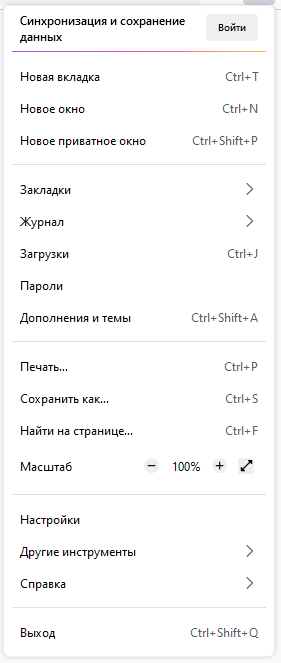 |
userChrome.Menu.Size.Compact.EnableduserChrome.Menu.Size.Normal.EnableduserChrome.Menu.Size.Touch.Enabled
Icons
| Regular | Filled |
|---|---|
|
 |
userChrome.Menu.Icons.Regular.EnableduserChrome.Menu.Icons.Filled.Enabled
Lepton Icons
Icons from Lepton.css are now available. Please note that this is third-party code. I am not its author and do not support it. I will not solve any problems associated with these icons. They were added at the request of some users and work "As is". I will update this code according to the original source.
svg.context-properties.content.enableduserChrome.Menu.Icons.LeptonIcons.EnableduserChrome.icon.panel_fulloruserChrome.icon.panel_photonuserChrome.icon.libraryuserChrome.icon.paneluserChrome.icon.menuuserChrome.icon.context_menuuserChrome.icon.global_menuuserChrome.icon.global_menubaruserChrome.icon.1-25px_strokeuserChrome.icon.account_image_to_rightuserChrome.icon.account_label_to_rightuserChrome.icon.menu.fulluserChrome.icon.global_menu.mac
Drag Space
userChrome.DragSpace.Left.DisableduserChrome.DragSpace.Right.DisableduserChrome.DragSpace.Top.Windowed.EnableduserChrome.DragSpace.Top.Maximized.EnableduserChrome.DragSpace.Top.Fullscreen.Enabled
Pinned Tabs Width

userChrome.Tabs.Pinned.Width.LowOffset.EnableduserChrome.Tabs.Pinned.Width.HighOffset.Enabled
Selected Tab Indicator

userChrome.Tabs.SelectedTabIndicator.Enabled
Tabs On Bottom
userChrome.Tabs.TabsOnBottom.Enabledbrowser.tabs.inTitlebar(Required key. Set the value to 0)
One Line
userChrome.OneLine.TabBarFirst.EnableduserChrome.OneLine.NavBarFirst.Enabled
WaveFox v1.6.115.0.3 ESR
-
Minimum Requirements
- Firefox 115 ESR
- Windows / MacOS / Linux
-
Download the
chromefolder and put it in your user profile folder -
Go to
about:configand activate the keys belowtoolkit.legacyUserProfileCustomizations.stylesheetslayout.css.has-selector.enabledsvg.context-properties.content.enabled
-
Specify the desired shape of the tabs
Tabs (Option 1)
userChrome.Tabs.Option1.Enabled
Tabs (Option 2)
userChrome.Tabs.Option2.Enabled
Tabs (Option 3)
userChrome.Tabs.Option3.Enabled
Tabs (Option 4)
userChrome.Tabs.Option4.Enabled
Tabs (Option 5)
userChrome.Tabs.Option5.Enabled
Tabs (Option 6)
userChrome.Tabs.Option6.Enabled
Tabs (Option 7)
userChrome.Tabs.Option7.Enabled
Tabs (Option 8)
userChrome.Tabs.Option8.Enabled
Tabs (Option 9)
userChrome.Tabs.Option9.Enabled
Tabs (Option 10)
userChrome.Tabs.Option10.Enabled
Tabs (Option 11)
userChrome.Tabs.Option11.Enabled
Tabs (Option 12)
userChrome.Tabs.Option12.Enabled
Optional
Windows System Effects
Works with modern versions of Windows 11 / Windows 10. System effects must be supported on the operating system side. Otherwise, you need third-party software, such as Mica For Everyone. You also need to disable the accent color in the operating system settings, if it was enabled. Works only with the system theme.

Download and install Mica For Everyone from here.
userChrome.Windows.SystemEffects.Enabled
Toolbar Transparency
Works only with the system theme.
userChrome.Toolbar.Transparency.Low.EnableduserChrome.Toolbar.Transparency.Medium.EnableduserChrome.Toolbar.Transparency.High.EnableduserChrome.Toolbar.Transparency.VeryHigh.Enabled
Linux Transparency
Requires Linux with transparency support. Works only with the system theme.

userChrome.Linux.Transparency.Enabledgfx.webrender.all(Required key)
Tab Frame
The tab frame consists of type, color and saturation. Not compatible with themes that use a translucent toolbar.
Light Theme
Type
userChrome.LightTheme.TabFrameType.Border.EnableduserChrome.LightTheme.TabFrameType.Shadow.Enabled
Color
userChrome.LightTheme.TabFrameColor.Auto.EnableduserChrome.LightTheme.TabFrameColor.White.EnableduserChrome.LightTheme.TabFrameColor.Black.Enabled
Saturation
userChrome.LightTheme.TabFrameSaturation.Low.EnableduserChrome.LightTheme.TabFrameSaturation.Medium.EnableduserChrome.LightTheme.TabFrameSaturation.High.EnableduserChrome.LightTheme.TabFrameSaturation.VeryHigh.Enabled
Dark Theme
Type
userChrome.DarkTheme.TabFrameType.Border.EnableduserChrome.DarkTheme.TabFrameType.Shadow.Enabled
Color
userChrome.DarkTheme.TabFrameColor.Auto.EnableduserChrome.DarkTheme.TabFrameColor.White.EnableduserChrome.DarkTheme.TabFrameColor.Black.Enabled
Saturation
userChrome.DarkTheme.TabFrameSaturation.Low.EnableduserChrome.DarkTheme.TabFrameSaturation.Medium.EnableduserChrome.DarkTheme.TabFrameSaturation.High.EnableduserChrome.DarkTheme.TabFrameSaturation.VeryHigh.Enabled
Tab Separators
userChrome.TabSeparatorsLowSaturation-EnableduserChrome.TabSeparatorsMediumSaturation-Enabled
Menu Density
By default context menus follow the selected interface density, but it is possible to set a fixed size.
| Compact | Normal | Touch |
|---|---|---|
|
|
|
userChrome.CompactContextMenu-EnableduserChrome.NormalContextMenu-EnableduserChrome.TouchContextMenu-Enabled
Icons
| Regular | Filled |
|---|---|
|
|
userChrome.RegularMenuIcons-EnableduserChrome.FilledMenuIcons-Enabled
Drag Space
userChrome.DragSpace.Left.DisableduserChrome.DragSpace.Right.DisableduserChrome.DragSpace.Top.Windowed.EnableduserChrome.DragSpace.Top.Maximized.EnableduserChrome.DragSpace.Top.Fullscreen.Enabled
Pinned Tabs Width
userChrome.PinnedTabsWidthLowIncrease-EnableduserChrome.PinnedTabsWidthHighIncrease-Enabled
Selected Tab Indicator
userChrome.Tabs.SelectedTabIndicator.Enabled
One Line

userChrome.OneLine.TabBarFirst.EnableduserChrome.OneLine.NavBarFirst.Enabledbrowser.tabs.inTitlebar(Enable this key if there are problems with window control buttons. Set the value to 0)
Low values are more suitable for high resolution monitors.
userChrome.OneLine.NavBarWidth.Low.EnableduserChrome.OneLine.NavBarWidth.Medium.EnableduserChrome.OneLine.NavBarWidth.High.Enabled
Tabs On Bottom

userChrome.TabsOnBottom-Enabledbrowser.tabs.inTitlebar(Required key. Set the value to 0)
FAQ
How to find/open user profile folder?

How to create custom keys?


How to enable blur on Linux?
How to add third-party styles to WaveFox v1.x.130+?
Open userChrome.css and paste your code under the appropriate comment. Your code has the highest priority by default.
If you do not find the desired key, then your browser version does not support it.
How to enable Accent Color on Windows 11 / Windows 10?
browser.theme.windows.accent-color-in-tabs.enabled
How to enable Mica / Acrylic / MicaAlt on Windows 11?
widget.windows.micawidget.windows.mica.toplevel-backdrop> 0 or 1 or 2 or 3 (Auto / Mica / Acrylic / MicaAlt)
widget.windows.mica.popups> 0 or 1 or 2 (Disabled / Enabled / Auto)
How to enable Tinting / Vibrancy on MacOS?
browser.theme.native-themewidget.macos.titlebar-blend-mode.behind-windowwidget.macos.sidebar-blend-mode.behind-window