ShowwcaseXS
ShowwcaseXS is chrome extension which provides Seamless showwcase experience on every website.
Showwcase is a platform for developers to connect, share knowledge, and find new opportunities. It is a social network built and optimized for developers. Developers can connect, share their knowledge and showcase their projects with like-minded individuals.
I have used Showwcase APIs to build this Chrome extension. ShowwcaseXS will help users to operate Showwcase on every website with an enhanced user experience.
Features
The following are the Key Highlights of the application:
1. Discover Showwcase feeds
Get the latest Showwcase posts in your feeds posted by skilled professionals
2. Write and post threads while speaking
Don't just write, now you can post threads with the help of the voice typing feature in the extension.
3. Trending Shows on your Fingertips
Read high-quality latest technical shows (blogs) of Showwcase and stay ahead of the world.
Read more about the journey of development and features in this blog : ShowwcaseXS: Seamless Showwcase experience on every website!
🔥 Demo
Follow this video demo tutorial to understand how to use ShowwcaseXS:
Installation
Step - 1
Fork and clone the repository
Copy the following command to fork the repository
git clone https://github.com/PriteshKiri/showwcasexs-extension.gitStep - 2
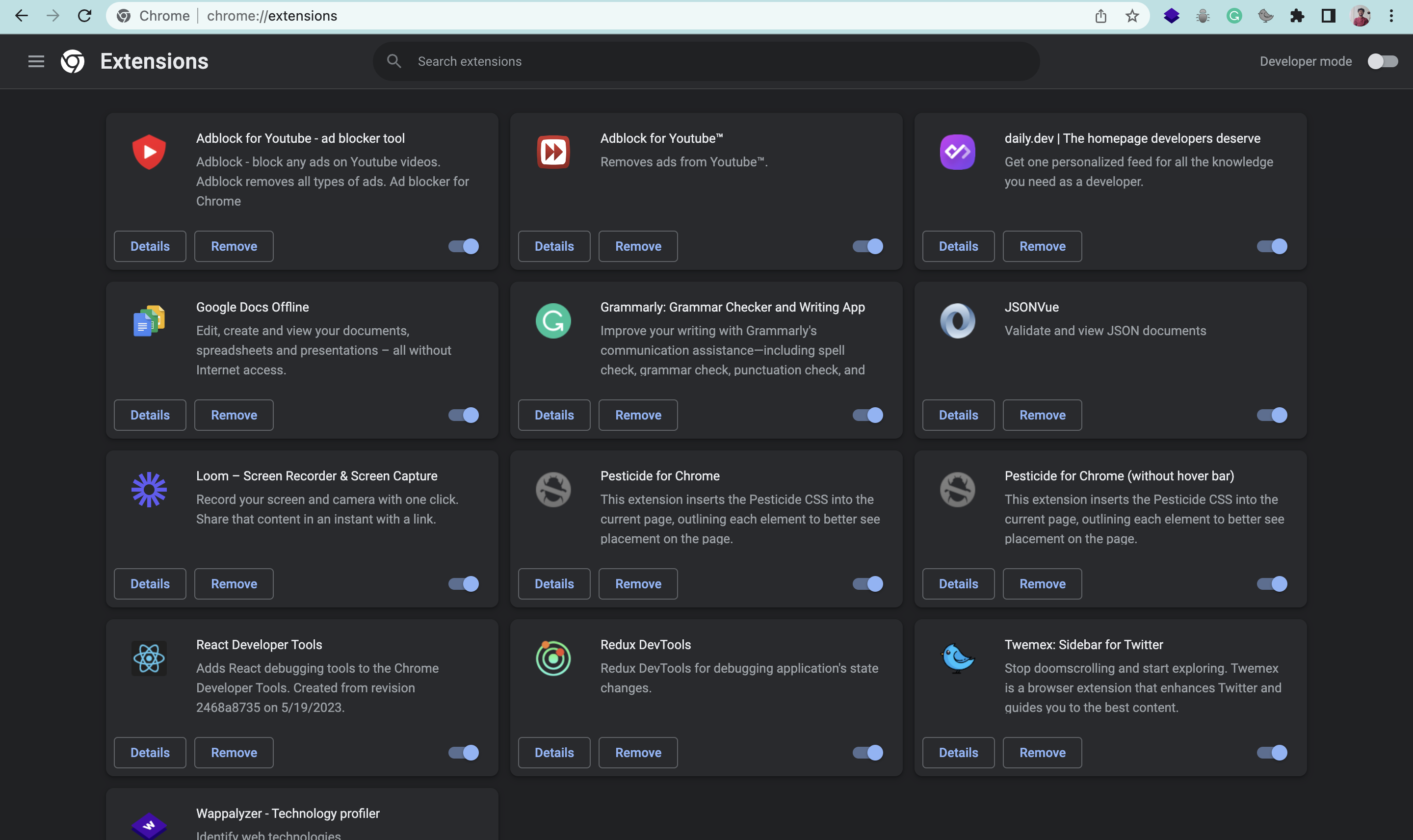
Visit the chrome extension developer dashboard by clicking here{:target="_blank"}
The dashboard looks like this.
Step - 3
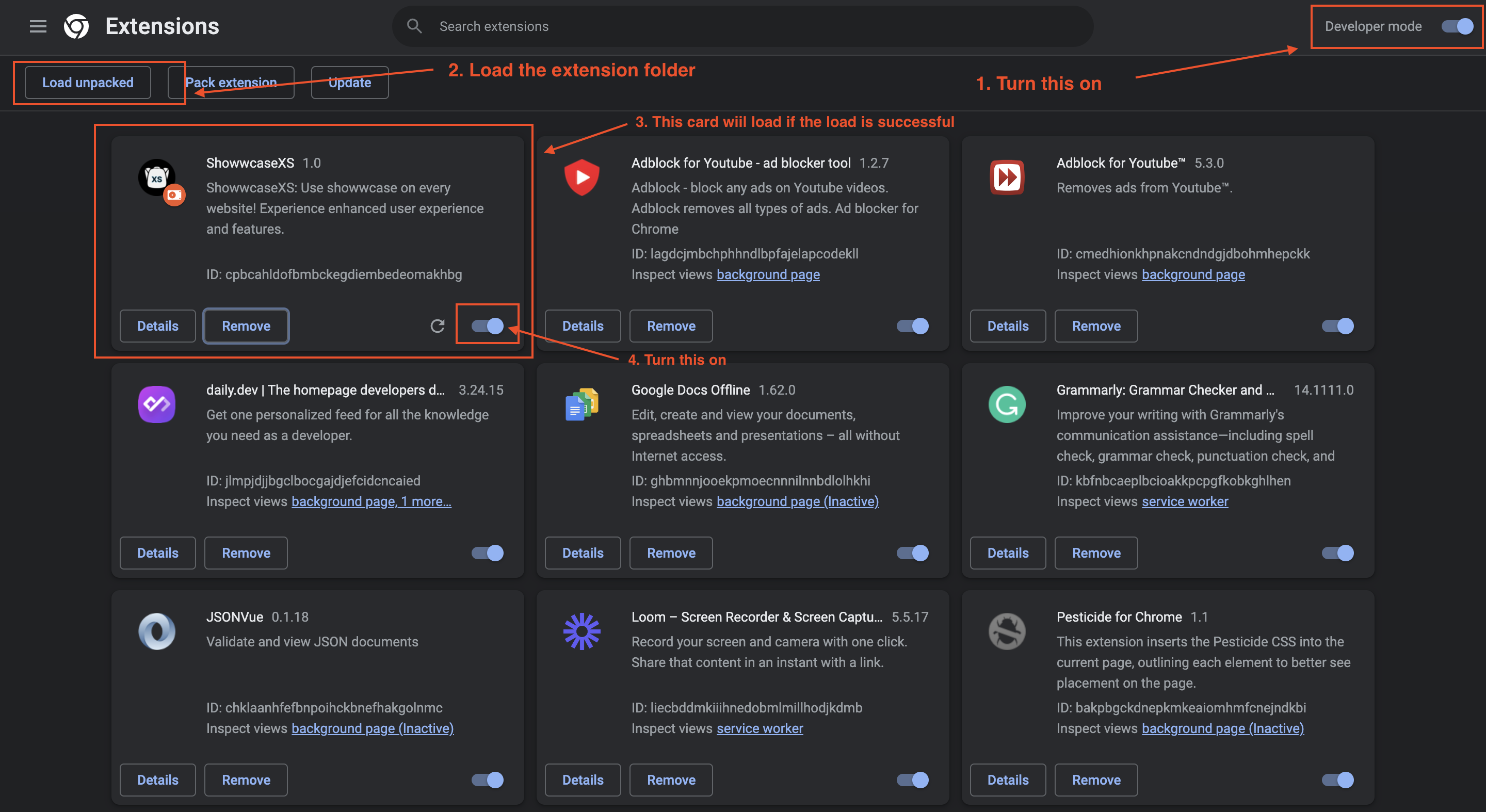
Turn on the developer mode at top right corner of the dashboard.
Click on the Load upacked button on top left and upload the extension folder from the cloned file here.
Once done, showwcasexs card will be shown in the dashboard.
Step - 4
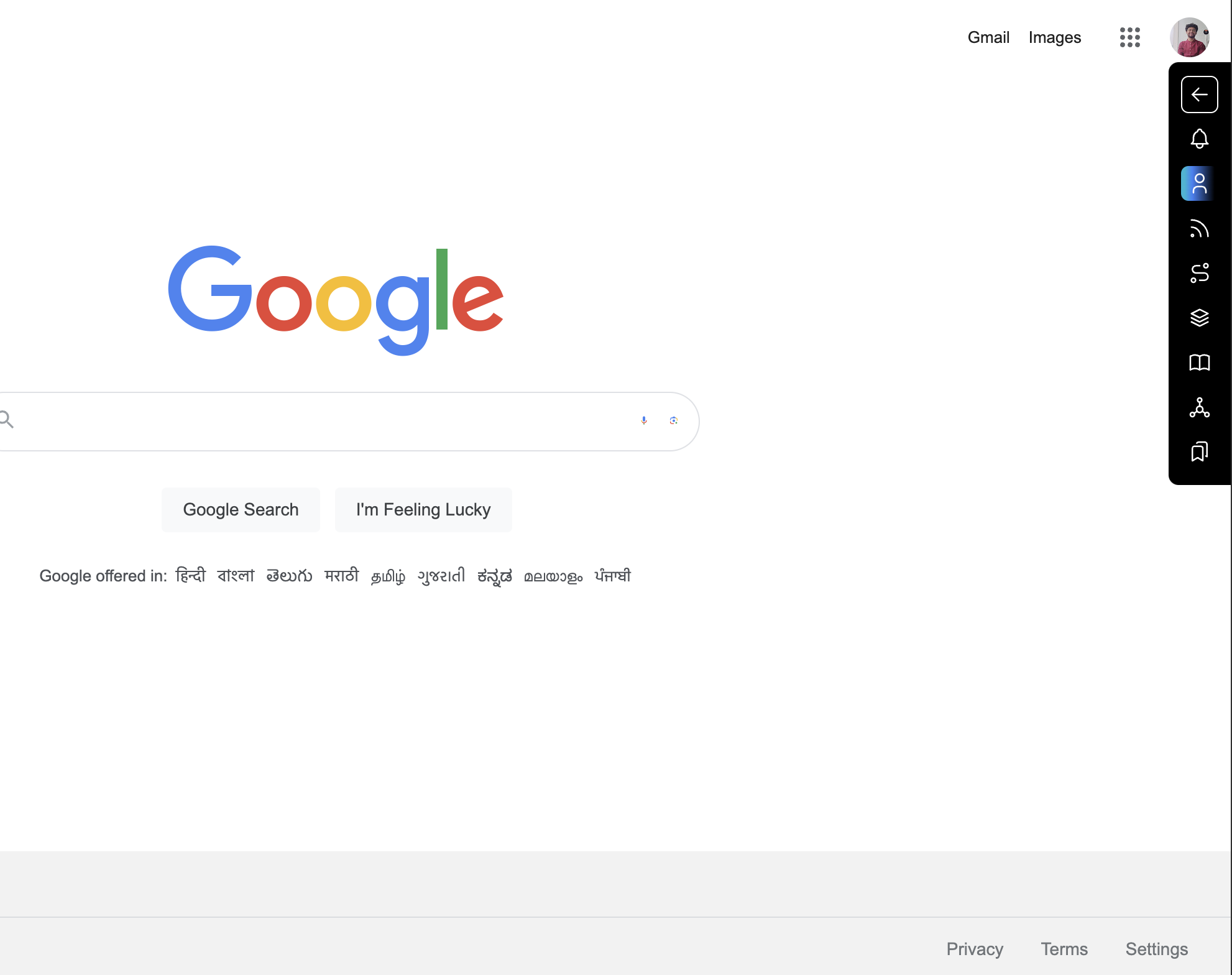
Pin the extension and visit any website and refresh. It will open a small side nav bar on the browser.
Like this 👇
Step - 5
Open the sidebar by clicking on the arrow icon and login by entering the API keys.
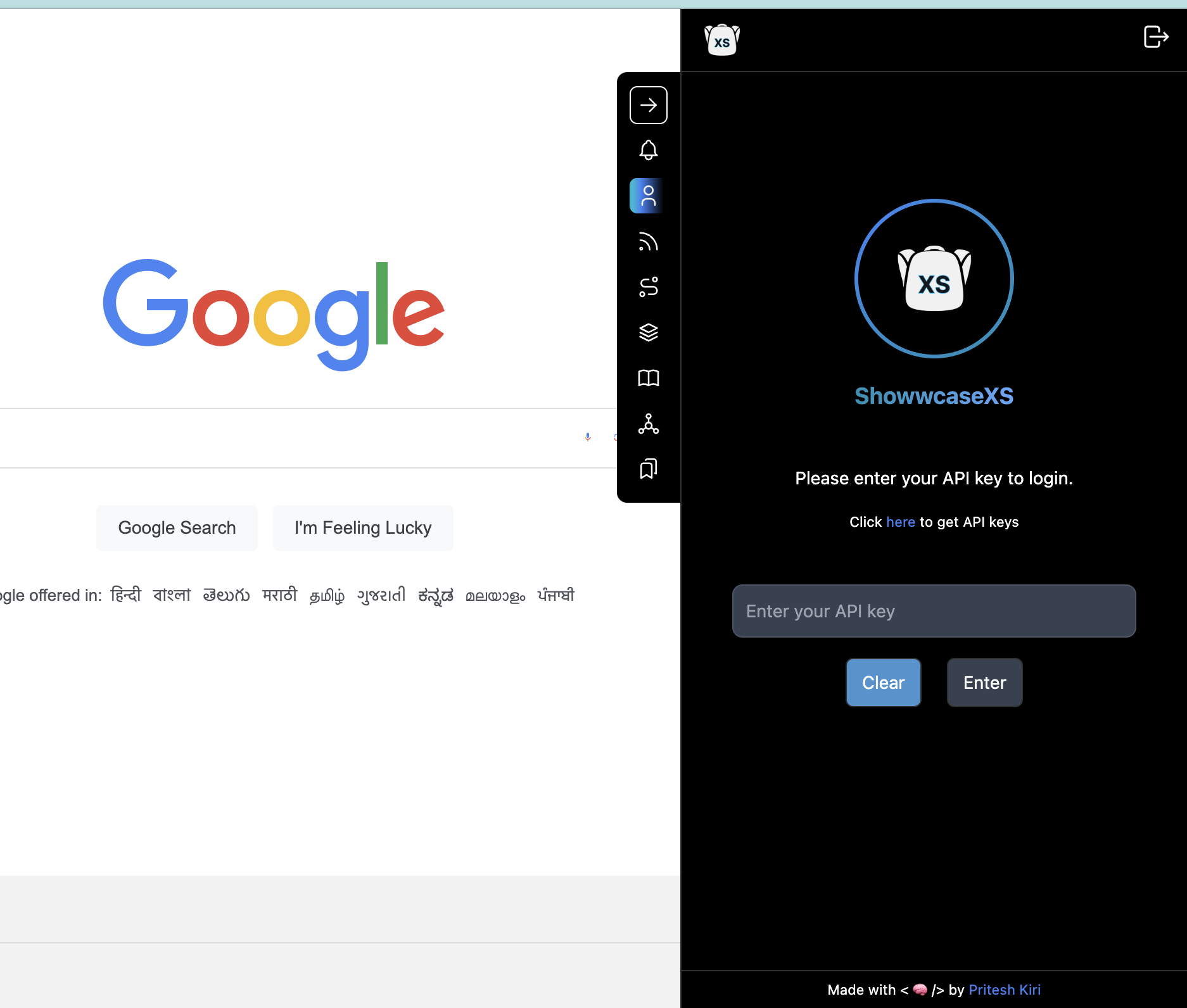
That's it, now you can use your showwcase on this website.