MA
MagicTeaMC/Minecraft-server-auto-setup
Manage Minecraft server / proxy / plugins quickly and easily!
MCSAST





Manage Minecraft server / proxy / plugins quickly and easily!
Quick start
Install via Cargo
Latest stable build from crates.io
cargo install mcsastLatest code from GitHub
cargo install --git https://github.com/MagicTeaMC/Minecraft-server-auto-setup.git --branch v2Latest stable build from AUR
paru -S mcsastOr with yay
yay -S mcsast
Run with command
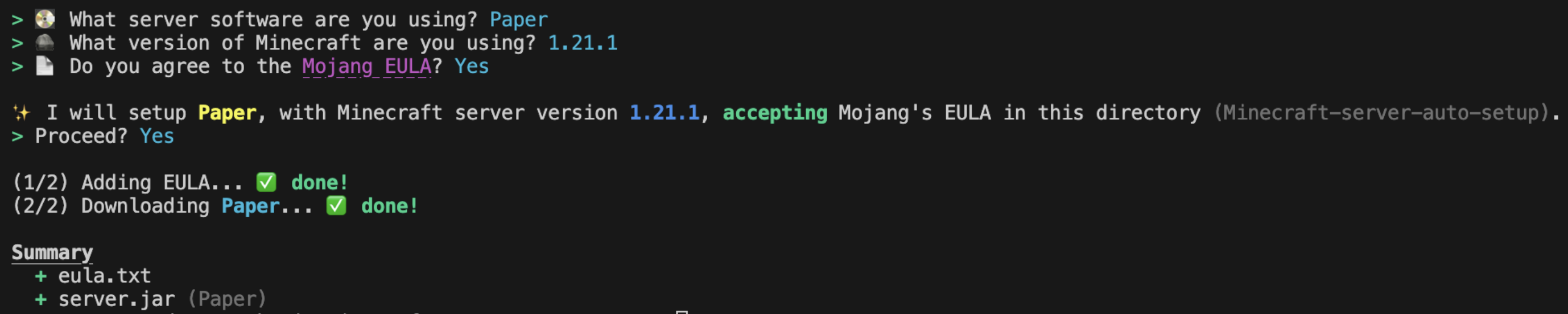
mcsast setup
Give information to us with terminal:
Supported softwares
Want to add other software support? Open an Issue.
Servers commands
Setup a server
mcsast setupIf you want it to setup automantic, here is a command
Note: The --mc-version and --eula flags are only required for Java Edition servers (not proxies).
mcsast setup --software=paper --mc-version=1.21.1 --eula=true -ySync latest build of current Minecraft version
mcsast syncUpgrade Minecraft version
mcsast upgradeor
mcsast upgrade --version 1.21.6Plugins commands
Help message
mcsast pluginsList plugins
mcsast plugins listAdd plugin
Note: --force to install latest unstable version
mcsast plugins add <name>Load plugins setup
mcsast plugins load <file.json>Update plugins
Note: --force to install latest unstable version
mcsast plugins update <name/all>Remove plugin
mcsast plugins remove <name>Search plugins
mcsast plugins search <name>Get plugin information
mcsast plugins info <name/ID>Export plugins setup
Note: --output <filename.json> to custom output file name
mcsast plugins export