CO
Cokemonkey11/kokoro-tts
https://github.com/nazdridoy/kokoro-tts (not on fork network because github does not support public fork LFS)
Kokoro TTS
A CLI text-to-speech tool using the Kokoro model, supporting multiple languages, voices (with blending), and various input formats including EPUB books and PDF documents.
Features
- Multiple language and voice support
- Voice blending with customizable weights
- EPUB, PDF and TXT file input support
- Standard input (stdin) and
|piping from other programs - Streaming audio playback
- Split output into chapters
- Adjustable speech speed
- WAV and MP3 output formats
- Chapter merging capability
- Detailed debug output option
- GPU Support
Demo
Kokoro TTS is an open-source CLI tool that delivers high-quality text-to-speech right from your terminal. Think of it as your personal voice studio, capable of transforming any text into natural-sounding speech with minimal effort.
demo.mp4
Demo Audio (MP3) | Demo Audio (WAV)
TODO
- Add GPU support
- Add PDF support
- Add GUI
Prerequisites
- Python 3.12
Installation
- Clone the repository
- git lfs pull
pixi run kokoro-tts README.md --voice bm_daniel
Supported voices:
| Category | Voices | Language Code |
|---|---|---|
| 🇺🇸 👩 | af_alloy, af_aoede, af_bella, af_heart, af_jessica, af_kore, af_nicole, af_nova, af_river, af_sarah, af_sky | en-us |
| 🇺🇸 👨 | am_adam, am_echo, am_eric, am_fenrir, am_liam, am_michael, am_onyx, am_puck | en-us |
| 🇬🇧 | bf_alice, bf_emma, bf_isabella, bf_lily, bm_daniel, bm_fable, bm_george, bm_lewis | en-gb |
| 🇫🇷 | ff_siwis | fr-fr |
| 🇮🇹 | if_sara, im_nicola | it |
| 🇯🇵 | jf_alpha, jf_gongitsune, jf_nezumi, jf_tebukuro, jm_kumo | ja |
| 🇨🇳 | zf_xiaobei, zf_xiaoni, zf_xiaoxiao, zf_xiaoyi, zm_yunjian, zm_yunxi, zm_yunxia, zm_yunyang | cmn |
Usage
Basic usage:
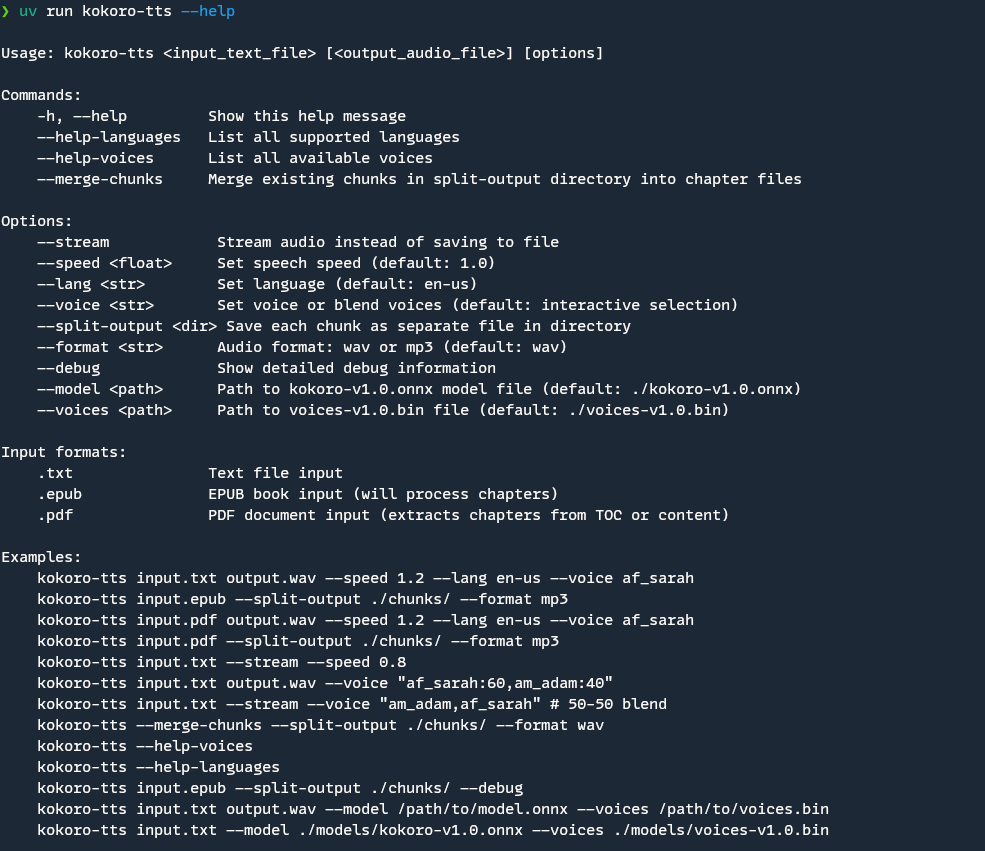
./kokoro-tts <input_text_file> [<output_audio_file>] [options]Commands
-h, --help: Show help message--help-languages: List supported languages--help-voices: List available voices--merge-chunks: Merge existing chunks into chapter files
Options
--stream: Stream audio instead of saving to file--speed <float>: Set speech speed (default: 1.0)--lang <str>: Set language (default: en-us)--voice <str>: Set voice or blend voices (default: interactive selection)- Single voice: Use voice name (e.g., "af_sarah")
- Blended voices: Use "voice1:weight,voice2:weight" format
--split-output <dir>: Save each chunk as separate file in directory--format <str>: Audio format: wav or mp3 (default: wav)--debug: Show detailed debug information during processing
Input Formats
.txt: Text file input.epub: EPUB book input (will process chapters).pdf: PDF document input (extracts chapters from TOC or content)
Examples
# Basic usage with output file
kokoro-tts input.txt output.wav --speed 1.2 --lang en-us --voice af_sarah

# Read from standard input (stdin)
echo "Hello World" | kokoro-tts /dev/stdin --stream
cat input.txt | kokoro-tts /dev/stdin output.wav

# Use voice blending (60-40 mix)
kokoro-tts input.txt output.wav --voice "af_sarah:60,am_adam:40"

# Use equal voice blend (50-50)
kokoro-tts input.txt --stream --voice "am_adam,af_sarah"

# Process EPUB and split into chunks
kokoro-tts input.epub --split-output ./chunks/ --format mp3

# Stream audio directly
kokoro-tts input.txt --stream --speed 0.8

# Merge existing chunks
kokoro-tts --merge-chunks --split-output ./chunks/ --format wav

# Process EPUB with detailed debug output
kokoro-tts input.epub --split-output ./chunks/ --debug

# Process PDF and split into chapters
kokoro-tts input.pdf --split-output ./chunks/ --format mp3
# List available voices
kokoro-tts --help-voices

# List supported languages
kokoro-tts --help-languages
Features in Detail
EPUB Processing
- Automatically extracts chapters from EPUB files
- Preserves chapter titles and structure
- Creates organized output for each chapter
- Detailed debug output available for troubleshooting
Audio Processing
- Chunks long text into manageable segments
- Supports streaming for immediate playback
- Voice blending with customizable mix ratios
- Progress indicators for long processes
- Handles interruptions gracefully
Output Options
- Single file output
- Split output with chapter organization
- Chunk merging capability
- Multiple audio format support
Debug Mode
- Shows detailed information about file processing
- Displays NCX parsing details for EPUB files
- Lists all found chapters and their metadata
- Helps troubleshoot processing issues
Input Options
- Text file input (.txt)
- EPUB book input (.epub)
- Standard input (stdin)
- Supports piping from other programs
Contributing
This is a personal project. But if you want to contribute, please feel free to submit a Pull Request.
License
This project is licensed under the MIT License. See the LICENSE file for details.