Akarshjha03/ProximityLockSystem
Proximity Lock System is a CLI tool that automatically locks your system when your paired Bluetooth device (like your phone/smartwatch) goes out of range. It continuously monitors nearby devices, ensuring your computer stays secure when you step away.

|
|
✨ Featured by Tom Dörr (149k+ followers on X)
Proximity Lock System
Automatically locks your desktop when your phone moves out of Bluetooth range.
⚠️ IMPORTANT WARNING
Please test this CLI application on virtual machines first before using it on your actual system.
As we are constantly improving this app and reducing issues, we strongly recommend testing it in a safe environment (like a virtual machine) to ensure it works as expected with your specific setup. Only proceed to use it on your actual system once you feel confident and safe with its behavior.
Requirements
- Python 3.8 or newer
- A working Bluetooth adapter on the host machine
- Platform-specific lock utilities (usually present by default)
- Windows: built-in LockWorkStation
- macOS: CGSession or other locking utilities
- Linux: GNOME
gnome-screensaveror other lock commands
Installation
Prerequisites
- Python 3.8 or newer
Install the application
pip install pybluez
pip install proximity-lock-system
Note: On Windows, requirements.txt references pybluez and a
Windows-friendly pybluez-win10 option. If you have trouble installing
the library from PyPI, consider installing from the project's GitHub or
using the pybluez-win10 wheel.
Setup and start the service
proximity-lock setup
proximity-lock start
Stop the service
Press Ctrl + C to stop the monitoring service.
Usage
Running the application
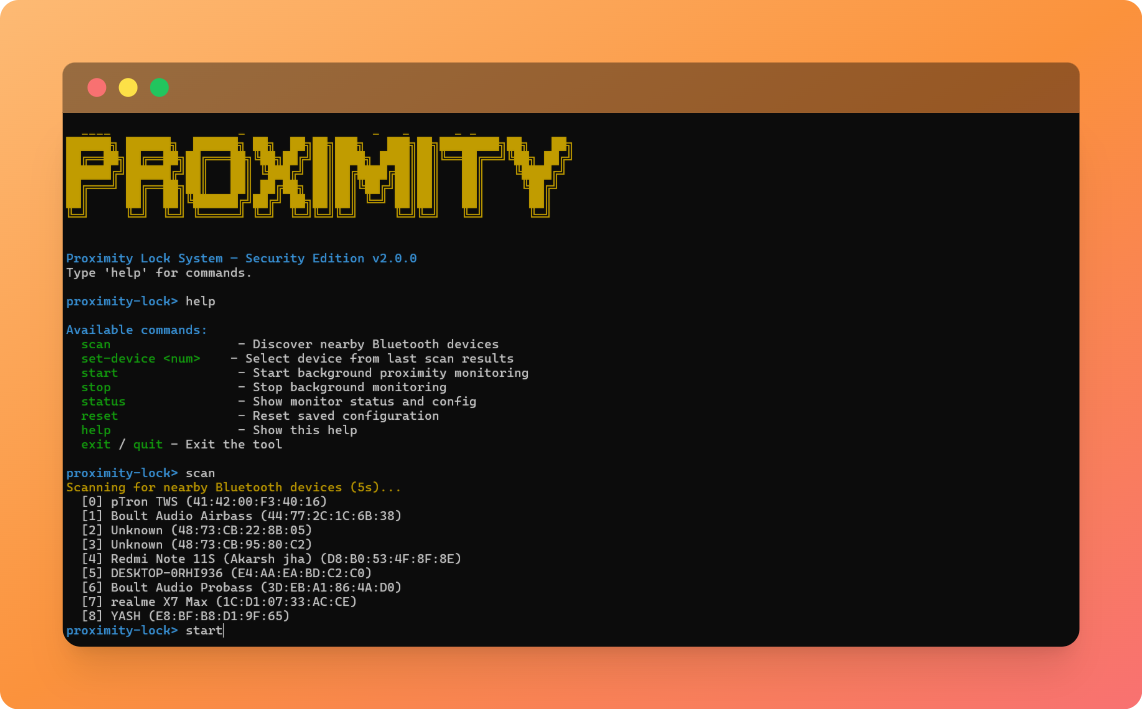
proximity-lockExample output
The CLI will scan for nearby Bluetooth devices and prompt you to choose your phone:
🔍 Scanning for nearby Bluetooth devices...
Available devices:
[0] Akarsh's iPhone (D8:B0:53:4F:8F:8F)
Enter the number of your phone: 0

📡 Monitoring device: D8:B0:53:4F:8F:8F
✅ Device in range.
✅ Device in range.
⚠️ Device not found (1/2)
⚠️ Device not found (2/2)
🔒 System locked due to phone out of range.
⏸️ Pausing checks for 3 minutes after lock...
Once selected, it will monitor the device and lock the system when the phone has been out of range for the configured threshold.
Platform notes
- Windows: The tool uses
rundll32.exe user32.dll,LockWorkStationto lock the session. No extra packages are required. - macOS: Uses
CGSession -suspend. If that doesn't work on newer macOS versions, consider running an AppleScript orosascriptcommand to lock the screen. - Linux: Calls
gnome-screensaver-command -l(GNOME). If you use another DE, replace the command with one that works for your environment (for exampleloginctl lock-session,dm-tool lock, or otherxdgalternatives).
System Performance
Lock Trigger Latency

The graph shows how quickly the system locks the device as the paired device moves away.
Configuration
Tweak the constants in proximity_lock_system/config.py:
POLL_INTERVAL— seconds between checksUNLOCK_PAUSE— pause after manual unlock (seconds)SAFETY_THRESHOLD— consecutive misses before lockingSCAN_DURATION— seconds per Bluetooth scan
Troubleshooting
- No devices found: ensure your phone's Bluetooth is turned on and discoverable.
- Permission/adapter errors: ensure the OS user has permission to access Bluetooth and that the adapter is enabled.
- Lock not working on Linux/macOS: the project uses a DE-specific command; update
proximity_lock_system/core.pyto call a command available on your system.
Star History
⭐ Star this repository and add yourself to the Stargazers!
Support us by following us on Product Hunt & Peerlist

|

|
Contributing
PRs welcome. If adding OS support, please include testing notes and required dependencies.
License
See PKG-INFO or project metadata.