42arch/geojson.io-for-vscode
Create, edit, and preview your geojson data in VSCode 🗺.
GeoJSON.IO for VSCode
🌍 🗺️ Create, Preview and Edit Your GeoJSON Data in VSCode!






Description
GeoJSON.IO for VSCode is an open-source VSCode extension that allows users to easily create, preview, and edit GeoJSON data with VSCode.
This extension is heavily inspired by geojson.io.
How to use
-
Install the extension (obviously 😂).
-
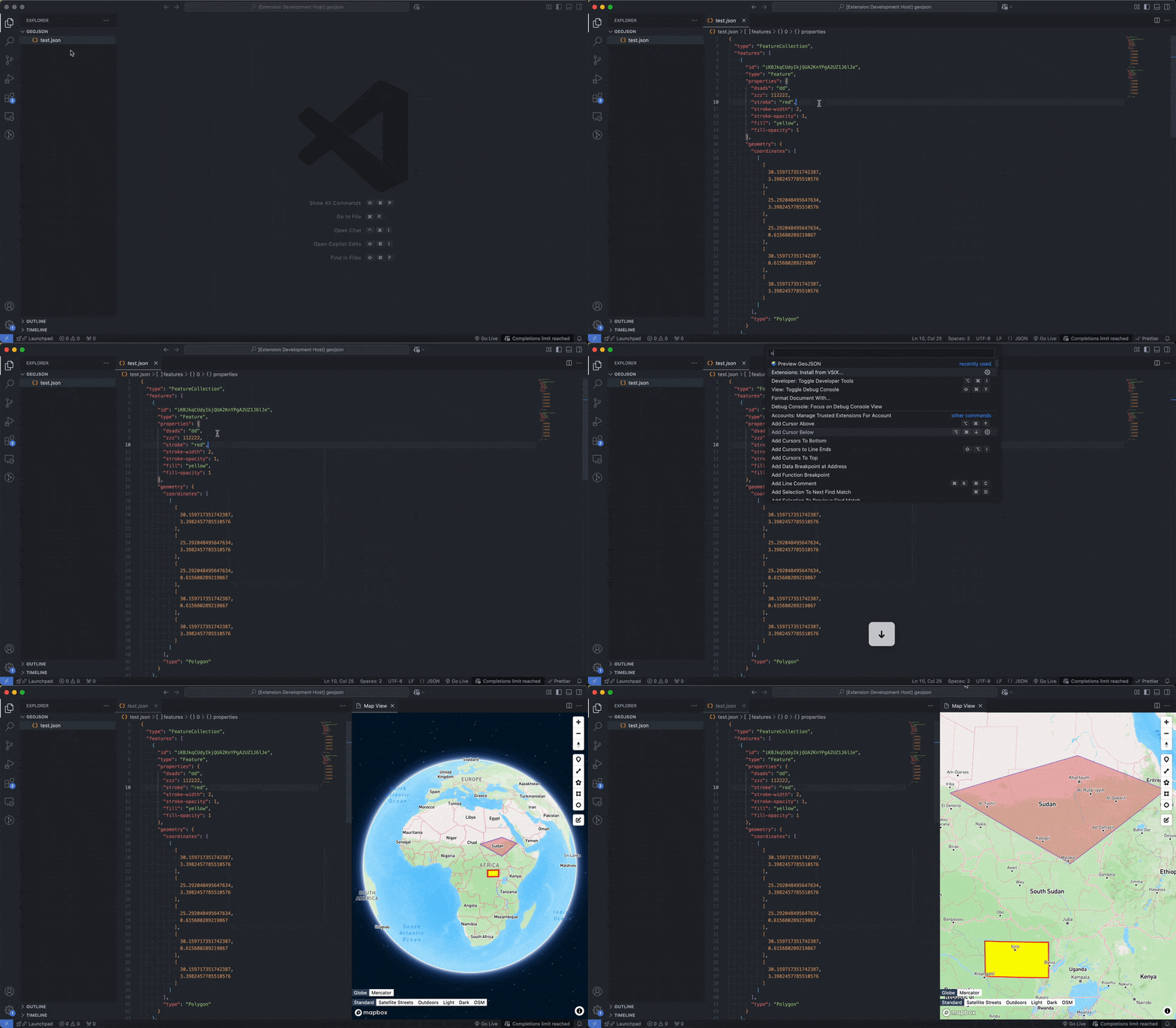
Open your GeoJSON file (or a new file) in VSCode. The file extension should be one of these:
.json,.txt,.geojson. -
There are two ways to open the map view:
Press
ctrl + shift + p(orcmd + shift + pon Mac) to open the command palette, typePreview Geojson, and hit Enter.Alternatively, just right-click in the editor window and select the
🌍 Preview Geojsonoption. -
You’re all set to explore!
Features
-
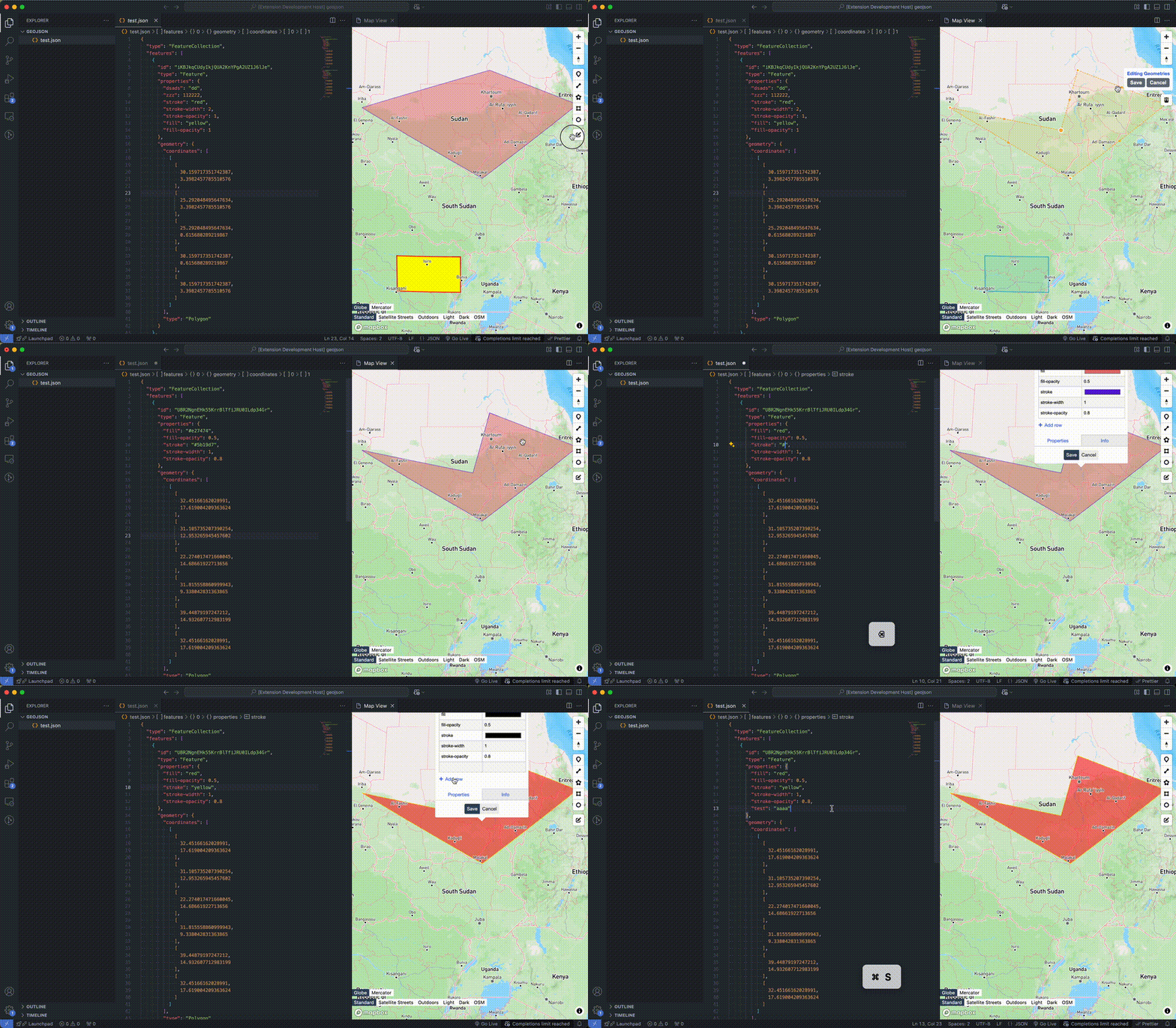
🖊️ Real-time editing of collections and properties;
-
💅 Customizable style rendering
-
🌍 Supports two projection modes: 3D and Mercator projection
-
🗺️ Multiple map layers switching
To-Do
-
Custom base map layers
-
More editing modes: snapping, freehand drawing, etc.
-
Label display
-
More...
Other
If you encounter any issues or have some suggestions, please open an Issue on GitHub.
If the extension has been helpful to you, don’t forget to leave us a positive review, or leave a 🌟 on Github . Thank you for your support 🙏!